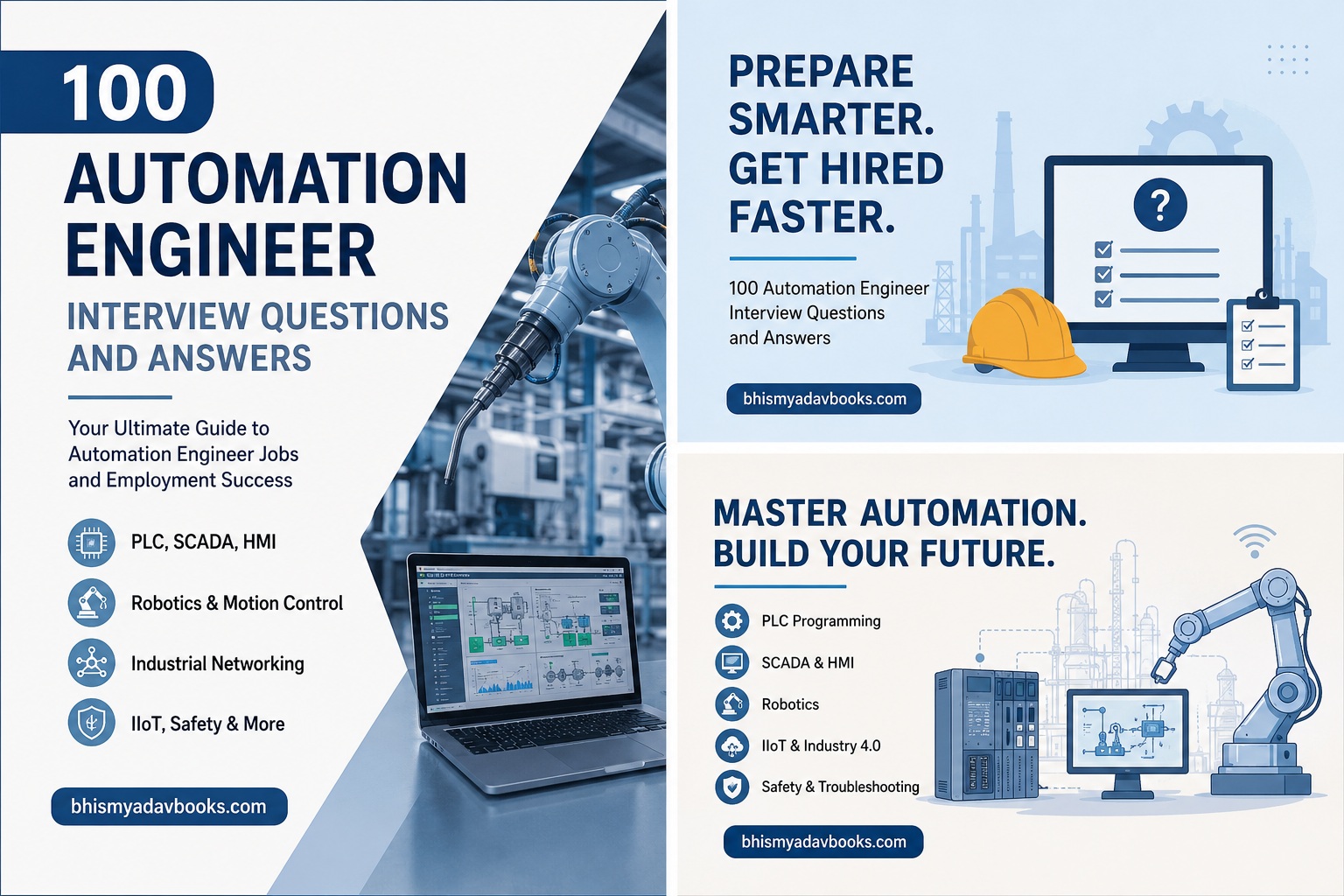
100 Automation Engineer Interview Questions and Answers
Introduction
Automation engineers play a vital role in modern manufacturing, industrial production, pharmaceuticals, oil and gas, automotive industries, food processing, power generation, logistics, and smart factories. They design, program, maintain, and troubleshoot automated systems that improve productivity, safety, efficiency, and product quality.
Automation engineers are expected to possess strong knowledge of programmable logic controllers (PLCs), supervisory control and data acquisition (SCADA), distributed control systems (DCS), human-machine interfaces (HMIs), industrial sensors, robotics, motion control, instrumentation, networking, and industrial communication protocols.
We have some amazing books at our Shop page you may want to buy.
Table of Contents
Whether you are a fresher applying for your first automation engineering role or an experienced professional preparing for a senior automation engineer interview, this guide covers the most frequently asked interview questions with detailed yet easy-to-understand answers.
Basic Automation Engineer Interview Questions
(Questions 1-25)
1. Who is an Automation Engineer?
Answer:
An Automation Engineer designs, develops, programs, installs, tests, and maintains automated systems used in manufacturing and industrial processes. Their primary objective is to reduce manual work while increasing efficiency, consistency, safety, and production speed.
Their responsibilities include:
- PLC programming
- SCADA development
- HMI design
- Sensor integration
- Robotics programming
- Industrial networking
- Troubleshooting automation systems
- Preventive maintenance
- Process optimization
2. What is Industrial Automation?
Answer:
Industrial automation refers to the use of control systems, computers, robots, sensors, PLCs, and software to operate industrial processes with minimal human intervention.
The objectives include:
- Increased productivity
- Improved quality
- Reduced human error
- Lower production costs
- Enhanced workplace safety
- Continuous production
Examples include:
- Automatic bottling plants
- Packaging machines
- CNC machining
- Assembly lines
- Smart warehouses
- Process plants
3. Why is automation important?
Answer:
Automation provides several advantages:
- Faster production
- Better accuracy
- Consistent product quality
- Reduced operational costs
- Higher safety standards
- Lower downtime
- Increased efficiency
- Better monitoring
- Reduced waste
- Improved profitability
4. What are the main components of an automation system?
Answer:
An automation system typically consists of:
- PLC
- Sensors
- Actuators
- Motors
- HMI
- SCADA
- Industrial communication network
- Control panel
- Variable Frequency Drives (VFDs)
- Power supply
Each component works together to automate industrial operations.
5. What is a PLC?
Answer:
PLC stands for Programmable Logic Controller.
A PLC is an industrial computer specifically designed to control machinery and industrial processes.
Functions include:
- Reading sensor inputs
- Executing control logic
- Sending outputs
- Monitoring equipment
- Controlling machines
Major PLC manufacturers include:
- Siemens
- Allen-Bradley
- Mitsubishi
- Schneider Electric
- Omron
- Delta
- ABB
6. What is SCADA?
Answer:
SCADA stands for Supervisory Control and Data Acquisition.
It is software used for:
- Monitoring industrial processes
- Controlling equipment
- Recording production data
- Generating alarms
- Displaying process graphics
- Historical data storage
SCADA is commonly used in:
- Water treatment
- Power plants
- Manufacturing
- Oil and gas
- Chemical plants
7. What is HMI?
Answer:
Human Machine Interface (HMI) is the graphical interface between the operator and the machine.
Functions include:
- Viewing machine status
- Starting and stopping machines
- Viewing alarms
- Monitoring production
- Adjusting process parameters
Common HMI software includes:
- WinCC
- FactoryTalk View
- Wonderware
- Ignition
- Citect
8. What is DCS?
Answer:
Distributed Control System (DCS) is used for continuous industrial processes where multiple controllers work together.
Applications include:
- Oil refineries
- Chemical plants
- Pharmaceutical manufacturing
- Power generation
- Food processing
Unlike PLC systems, DCS is optimized for continuous control.
9. What is an actuator?
Answer:
An actuator converts electrical, pneumatic, or hydraulic energy into mechanical movement.
Types include:
- Electric actuators
- Pneumatic actuators
- Hydraulic actuators
Applications:
- Valve control
- Robotic arms
- Conveyor systems
- Machine automation
10. What are sensors?
Answer:
Sensors detect physical changes and convert them into electrical signals for PLC processing.
Common sensors include:
- Proximity sensors
- Photoelectric sensors
- Temperature sensors
- Pressure sensors
- Flow sensors
- Ultrasonic sensors
- Level sensors
- Vision sensors
11. Difference between PLC and Microcontroller
Answer:
| PLC | Microcontroller |
| Industrial use | Consumer electronics |
| Rugged | Less rugged |
| Easy programming | Requires embedded programming |
| Modular | Fixed hardware |
| High reliability | General-purpose |
| Supports industrial protocols | Limited communication |
12. What is ladder logic?
Answer:
Ladder Logic is the most commonly used PLC programming language.
It resembles electrical relay diagrams and is easy for electricians and automation engineers to understand.
Advantages:
- Easy debugging
- Simple maintenance
- Widely accepted
- Reliable
13. What are PLC scan cycles?
Answer:
A PLC continuously performs four major steps:
- Read Inputs
- Execute Program
- Update Outputs
- Perform Diagnostics
This cycle repeats thousands of times every second.
14. What are digital inputs?
Answer:
Digital inputs have only two states:
- ON
- OFF
Examples:
- Push buttons
- Limit switches
- Emergency stop buttons
- Proximity sensors
15. What are analog inputs?
Answer:
Analog inputs provide continuously varying values.
Examples include:
- Temperature transmitters
- Pressure transmitters
- Flow meters
- Level sensors
Common signals:
- 0–10 V
- 4–20 mA
16. What are digital outputs?
Answer:
Digital outputs control devices that have ON/OFF operation.
Examples:
- Relays
- Solenoid valves
- Indicator lamps
- Contactors
- Buzzers
17. What are analog outputs?
Answer:
Analog outputs control continuously variable devices.
Examples:
- Variable frequency drives
- Control valves
- Servo drives
- Position controllers
18. What is a relay?
Answer:
A relay is an electrically operated switch used to control high-power devices using low-power control signals.
Applications include:
- Motor control
- Lighting
- Industrial automation
- Safety systems
19. What is a contactor?
Answer:
A contactor is a heavy-duty relay designed for switching high-current electrical loads.
Common applications:
- Motors
- Compressors
- Pumps
- Industrial machines
20. What is a Variable Frequency Drive (VFD)?
Answer:
A Variable Frequency Drive controls AC motor speed by changing the frequency and voltage supplied to the motor.
Benefits:
- Energy savings
- Smooth motor starting
- Speed control
- Reduced mechanical wear
- Improved process control
21. What are the IEC 61131-3 PLC programming languages?
Answer:
IEC 61131-3 is the international standard for PLC programming. It defines five programming languages:
- Ladder Diagram (LD)
- Function Block Diagram (FBD)
- Structured Text (ST)
- Sequential Function Chart (SFC)
- Instruction List (IL) (now deprecated but still found in some legacy systems)
Most industries primarily use Ladder Logic, Function Block Diagram, and Structured Text.
22. What is a Function Block Diagram (FBD)?
Answer:
Function Block Diagram is a graphical programming language where predefined function blocks are connected together to perform logical operations.
Advantages:
- Easy for continuous process control
- Excellent for PID loops
- Modular programming
- Reusable code
- Easy troubleshooting
23. What is Structured Text (ST)?
Answer:
Structured Text is a high-level textual PLC programming language similar to Pascal.
It is ideal for:
- Mathematical calculations
- Complex algorithms
- Data processing
- Loops
- Conditional statements
- Array handling
24. What is a timer in PLC programming?
Answer:
A timer delays an operation based on a preset time.
Common timer types include:
- ON Delay Timer (TON)
- OFF Delay Timer (TOF)
- Retentive Timer (RTO)
Applications:
- Conveyor delays
- Pump sequencing
- Motor startup
- Alarm delays
- Packaging machines
25. What is a PLC counter?
Answer:
Counters count events such as products, machine cycles, or sensor activations.
Common types:
- Up Counter (CTU)
- Down Counter (CTD)
- Up/Down Counter (CTUD)
Typical applications:
- Bottle counting
- Production monitoring
- Batch processing
- Inventory tracking
(Questions 26-50)
26. What is PID control?
Answer:
PID stands for:
- P – Proportional
- I – Integral
- D – Derivative
A PID controller continuously adjusts a process to maintain the desired setpoint.
Applications include:
- Temperature control
- Pressure control
- Flow control
- Level control
- Speed control
27. Explain the three components of a PID controller.
Answer:
Proportional (P):
Responds according to the current error.
Integral (I):
Eliminates steady-state error by considering accumulated past errors.
Derivative (D):
Predicts future error based on the rate of change, improving stability and reducing overshoot.
28. What is process control?
Answer:
Process control involves automatically maintaining process variables at desired values.
Common process variables:
- Temperature
- Pressure
- Flow
- Level
- Speed
- Humidity
Automation systems continuously monitor these variables and adjust equipment accordingly.
29. What is a process variable (PV)?
Answer:
A Process Variable (PV) is the actual measured value of a process.
Example:
Desired temperature = 120°C
Actual temperature = 118°C
118°C is the Process Variable.
30. What is a setpoint (SP)?
Answer:
A Setpoint is the desired target value for a process.
Examples:
- Temperature = 150°C
- Tank level = 80%
- Motor speed = 1200 RPM
- Pressure = 6 bar
The controller continuously works to keep the process variable equal to the setpoint.
31. What is process error?
Answer:
Process Error = Setpoint − Process Variable
Example:
- Setpoint = 100°C
- Actual Temperature = 95°C
Error = 5°C
The controller uses this error to determine corrective actions.
32. What is a control valve?
Answer:
A control valve regulates the flow of liquids, gases, or steam by adjusting its opening based on controller output.
Applications:
- Chemical plants
- Oil refineries
- Water treatment
- Pharmaceutical industries
- Food processing
33. What are the different types of control valves?
Answer:
Common valve types include:
- Globe Valve
- Ball Valve
- Butterfly Valve
- Gate Valve
- Needle Valve
- Diaphragm Valve
Selection depends on flow characteristics, pressure, and process requirements.
34. What is a solenoid valve?
Answer:
A solenoid valve is an electrically operated valve used to control fluid or air flow automatically.
Applications:
- Pneumatic cylinders
- Hydraulic systems
- Water control
- Gas systems
- Packaging machines
35. What is a proximity sensor?
Answer:
A proximity sensor detects nearby objects without physical contact.
Types include:
- Inductive
- Capacitive
- Magnetic
- Ultrasonic
Common applications:
- Object detection
- Position sensing
- Machine automation
- Conveyor systems
36. Difference between inductive and capacitive sensors.
Answer:
| Inductive Sensor | Capacitive Sensor |
| Detects metals only | Detects metals and non-metals |
| Immune to dust | Sensitive to moisture |
| Short sensing distance | Longer sensing distance |
| Used in metal industries | Used in food, packaging, plastics |
37. What is a photoelectric sensor?
Answer:
A photoelectric sensor detects objects using a beam of light.
Types include:
- Through-beam
- Retro-reflective
- Diffuse
Applications:
- Bottle counting
- Packaging
- Conveyor systems
- Automatic doors
- Material handling
38. What is an encoder?
Answer:
An encoder measures rotational or linear position and converts it into electrical signals.
Types:
- Incremental Encoder
- Absolute Encoder
Applications:
- Servo motors
- Robotics
- CNC machines
- Packaging equipment
- Motion control
39. What is a servo motor?
Answer:
A servo motor provides highly accurate position, speed, and torque control.
Applications:
- Robotics
- CNC machinery
- Pick-and-place machines
- Printing presses
- Semiconductor manufacturing
40. Difference between a servo motor and a stepper motor.
| Servo Motor | Stepper Motor |
| Closed-loop control | Mostly open-loop |
| High speed | Moderate speed |
| High accuracy | Good accuracy |
| Higher cost | Lower cost |
| Suitable for dynamic loads | Suitable for light loads |
41. What is SCADA architecture?
Answer:
A typical SCADA system includes:
- PLCs or RTUs
- Sensors
- Communication network
- SCADA server
- Database/Historian
- HMI workstations
- Alarm management system
This architecture enables centralized monitoring and control of industrial processes.
42. What is an RTU?
Answer:
RTU stands for Remote Terminal Unit.
It is a microprocessor-based device used to collect data from remote equipment and transmit it to a SCADA system.
Applications include:
- Electrical substations
- Oil pipelines
- Water treatment plants
- Renewable energy farms
43. What is an HMI alarm?
Answer:
An HMI alarm notifies operators when abnormal process conditions occur.
Examples:
- High temperature
- Low pressure
- Emergency stop activated
- Motor overload
- Sensor failure
- Communication loss
Alarm management helps reduce downtime and improve safety.
44. What is a Historian in SCADA?
Answer:
A Historian stores process data over time for analysis and reporting.
Benefits:
- Trend analysis
- Performance monitoring
- Root cause analysis
- Predictive maintenance
- Regulatory compliance
45. What is Modbus?
Answer:
Modbus is one of the most widely used industrial communication protocols.
It enables communication between:
- PLCs
- HMIs
- SCADA systems
- Sensors
- Drives
- Energy meters
Variants include:
- Modbus RTU
- Modbus ASCII
- Modbus TCP/IP
46. What is Profibus?
Answer:
Profibus is a fieldbus communication protocol commonly used in industrial automation.
Advantages:
- High reliability
- Fast communication
- Large device support
- Deterministic communication
Commonly used with Siemens automation systems.
47. What is Profinet?
Answer:
Profinet is an Industrial Ethernet communication protocol.
Advantages:
- High-speed communication
- Real-time performance
- Ethernet-based
- Easy integration
- Large network capability
Widely used in Industry 4.0 environments.
48. What is Ethernet/IP?
Answer:
EtherNet/IP is an industrial communication protocol based on standard Ethernet technology.
It supports communication among:
- PLCs
- Robots
- VFDs
- Sensors
- HMIs
- Industrial PCs
It is widely used with Allen-Bradley automation systems.
49. What is OPC UA?
Answer:
OPC UA (Open Platform Communications Unified Architecture) is a secure, platform-independent industrial communication standard.
Advantages:
- Vendor-independent
- Secure communication
- Cross-platform compatibility
- Data modeling capabilities
- Easy integration with IIoT and cloud platforms
It is increasingly adopted in smart factories and Industry 4.0.
50. What is Industrial Ethernet?
Answer:
Industrial Ethernet is Ethernet technology designed for industrial environments.
Benefits include:
- High-speed data transmission
- Reliable communication
- Scalability
- Real-time control
- Integration with enterprise systems
- Support for modern automation architectures
Industrial Ethernet forms the backbone of connected manufacturing systems and smart factories.
(Questions 51-75)
51. What is Industrial Robotics?
Answer:
Industrial robotics involves using programmable robotic machines to automate repetitive, hazardous, or high-precision manufacturing tasks. Robots improve productivity, consistency, and workplace safety.
Common applications include:
- Welding
- Painting
- Pick-and-place operations
- Material handling
- Packaging
- Assembly
- Inspection
- Palletizing
52. What are the main components of an industrial robot?
Answer:
A typical industrial robot consists of:
- Robot Controller
- Robotic Arm (Manipulator)
- End Effector (Gripper, Welder, Vacuum Cup)
- Servo Motors
- Sensors
- Teach Pendant
- Safety System
- Communication Interface
Each component contributes to accurate and efficient robotic operations.
53. What is an End Effector?
Answer:
An End Effector is the tool attached to the end of a robotic arm that interacts with the workpiece.
Examples include:
- Mechanical Grippers
- Vacuum Cups
- Welding Guns
- Paint Sprayers
- Cutting Tools
- Screwdrivers
- Magnetic Grippers
54. What are the Degrees of Freedom (DOF) in robotics?
Answer:
Degrees of Freedom refer to the number of independent movements a robot can perform.
Typical industrial robots have:
- 4-axis robots
- 5-axis robots
- 6-axis robots
- 7-axis collaborative robots
A 6-axis robot can move in multiple directions and orientations, making it suitable for complex automation tasks.
55. What is Machine Vision?
Answer:
Machine Vision uses cameras and image-processing software to inspect, identify, and guide industrial processes automatically.
Applications:
- Quality inspection
- Barcode reading
- OCR (Optical Character Recognition)
- Defect detection
- Product sorting
- Robot guidance
56. What is an Industrial Internet of Things (IIoT)?
Answer:
IIoT refers to the integration of industrial equipment with sensors, communication networks, cloud computing, and analytics.
Benefits include:
- Real-time monitoring
- Remote diagnostics
- Predictive maintenance
- Production optimization
- Data-driven decision making
- Reduced downtime
57. What is Industry 4.0?
Answer:
Industry 4.0 represents the fourth industrial revolution, where smart manufacturing combines automation with digital technologies.
Core technologies include:
- IIoT
- Artificial Intelligence
- Machine Learning
- Cloud Computing
- Big Data Analytics
- Digital Twins
- Robotics
- Cybersecurity
- Edge Computing
58. What is a Smart Factory?
Answer:
A Smart Factory is a manufacturing facility where machines, robots, sensors, and software communicate automatically to optimize production.
Characteristics:
- Connected equipment
- Real-time analytics
- Automated decision-making
- Predictive maintenance
- Energy optimization
- Remote monitoring
59. What is Predictive Maintenance?
Answer:
Predictive maintenance uses sensor data and analytics to determine when equipment is likely to fail.
Advantages:
- Reduced downtime
- Lower maintenance costs
- Increased equipment life
- Improved production efficiency
- Better planning of maintenance activities
60. Difference between Preventive and Predictive Maintenance.
| Preventive Maintenance | Predictive Maintenance |
| Time-based | Condition-based |
| Fixed schedule | Sensor-driven |
| May replace healthy parts | Maintenance only when needed |
| Higher maintenance cost | Optimized maintenance cost |
| Less efficient | More efficient |
61. What is Edge Computing?
Answer:
Edge Computing processes industrial data close to the source rather than sending everything to the cloud.
Advantages:
- Faster response time
- Lower latency
- Reduced bandwidth usage
- Improved reliability
- Better cybersecurity
62. What is Cloud Computing in Industrial Automation?
Answer:
Cloud computing enables industrial data to be stored, processed, and analyzed remotely.
Applications:
- Production dashboards
- Equipment monitoring
- Predictive maintenance
- Remote diagnostics
- Enterprise reporting
- AI-based analytics
63. What is a Digital Twin?
Answer:
A Digital Twin is a virtual model of a physical machine, process, or factory.
Benefits:
- Process simulation
- Fault prediction
- Equipment optimization
- Reduced commissioning time
- Better design validation
64. What is MES (Manufacturing Execution System)?
Answer:
MES is software that monitors and manages manufacturing operations in real time.
Functions:
- Production scheduling
- Work order tracking
- Quality management
- Traceability
- Performance monitoring
- Production reporting
65. What is ERP integration in automation?
Answer:
ERP (Enterprise Resource Planning) integration connects factory automation systems with business operations.
Benefits:
- Inventory management
- Production planning
- Order tracking
- Financial reporting
- Supply chain coordination
- Resource optimization
66. What is an Emergency Stop (E-Stop)?
Answer:
An Emergency Stop is a safety device that immediately stops machine operation during hazardous situations.
Characteristics:
- Large red push button
- Easy accessibility
- Immediate shutdown
- Prevents accidents
- Mandatory in industrial machinery
67. What is a Safety PLC?
Answer:
A Safety PLC is a specialized controller designed for safety-critical applications.
Applications:
- Emergency stop systems
- Safety light curtains
- Safety doors
- Robot safety zones
- Machine interlocking
Examples include Siemens S7-1500F, Allen-Bradley GuardLogix, and Schneider Preventa.
68. What are Light Curtains?
Answer:
Light Curtains are photoelectric safety devices that create an invisible protective barrier.
When the light beam is interrupted, the machine stops immediately.
Applications:
- Press machines
- Robotic cells
- Packaging equipment
- CNC machines
69. What is Lockout/Tagout (LOTO)?
Answer:
LOTO is a safety procedure that ensures machines are properly shut down and isolated from energy sources before maintenance.
Benefits:
- Prevents accidental startup
- Protects maintenance personnel
- Reduces workplace accidents
- Meets industrial safety regulations
70. What are common causes of PLC failure?
Answer:
Common causes include:
- Power supply failure
- Electrical surges
- Excessive heat
- Moisture
- Loose wiring
- Damaged I/O modules
- CPU faults
- Communication failures
- Improper grounding
Preventive maintenance and proper installation help minimize these issues.
71. How do you troubleshoot a PLC that is not running?
Answer:
A systematic troubleshooting approach includes:
- Verify power supply.
- Check CPU status LEDs.
- Inspect communication cables.
- Confirm the PLC is in RUN mode.
- Review diagnostic messages.
- Test I/O modules.
- Verify program integrity.
- Replace faulty hardware if necessary.
Documenting each step helps identify recurring issues and reduces future downtime.
72. How do you troubleshoot a sensor problem?
Answer:
Steps include:
- Check sensor power supply.
- Inspect wiring connections.
- Clean the sensing surface.
- Verify sensor alignment.
- Measure output voltage or current.
- Test with a known-good sensor.
- Review PLC input status.
- Replace the sensor if defective.
Proper calibration and preventive maintenance reduce sensor-related failures.
73. What should you do if SCADA communication fails?
Answer:
Recommended troubleshooting steps:
- Verify network connectivity.
- Check PLC communication status.
- Inspect Ethernet switches and routers.
- Confirm IP address settings.
- Restart communication services if necessary.
- Review firewall and security settings.
- Check OPC server status.
- Analyze system logs for communication errors.
74. What are the qualities of a successful Automation Engineer?
Answer:
A successful Automation Engineer should possess:
- Strong PLC programming skills
- SCADA and HMI knowledge
- Electrical fundamentals
- Instrumentation expertise
- Problem-solving ability
- Communication skills
- Team collaboration
- Safety awareness
- Continuous learning mindset
- Project management skills
75. How do you stay updated with the latest automation technologies?
Answer:
Automation engineers can stay current by:
- Learning new PLC platforms
- Following Industry 4.0 trends
- Reading technical documentation
- Attending industrial seminars and webinars
- Earning certifications
- Practicing on simulation software
- Participating in automation communities
- Studying emerging technologies like AI, IIoT, and digital twins
Keeping skills up to date helps engineers remain competitive in a rapidly evolving industry.
(Questions 76-100)
76. Explain a recent automation project you worked on.
Answer:
When answering this question, structure your response using the STAR method (Situation, Task, Action, Result).
Example:
“I worked on automating a conveyor-based packaging system using a Siemens S7-1500 PLC, WinCC HMI, and VFD-controlled motors. I developed the PLC logic, configured the HMI screens, integrated photoelectric sensors, tested safety interlocks, and optimized the production cycle. The project reduced manual intervention by 60%, increased production efficiency by 25%, and significantly reduced machine downtime.”
77. How do you handle machine breakdowns?
Answer:
A structured troubleshooting approach includes:
- Stay calm and follow safety procedures.
- Identify the symptoms.
- Review alarm history.
- Inspect electrical and mechanical components.
- Check PLC diagnostics.
- Verify sensors and actuators.
- Repair or replace faulty components.
- Test the machine before restarting.
- Document the root cause and corrective actions.
78. How do you prioritize maintenance tasks?
Answer:
Maintenance tasks should be prioritized based on:
- Safety risks
- Production impact
- Equipment criticality
- Frequency of failures
- Spare parts availability
- Regulatory compliance
- Downtime costs
Critical production equipment should always receive the highest priority.
79. How do you ensure safety while working on automation systems?
Answer:
Key safety practices include:
- Follow Lockout/Tagout (LOTO) procedures.
- Wear appropriate Personal Protective Equipment (PPE).
- Verify zero energy state before maintenance.
- Follow electrical safety standards.
- Test emergency stop systems regularly.
- Never bypass safety interlocks.
- Follow company safety policies and risk assessments.
80. What industrial standards are commonly used in automation?
Answer:
Common standards include:
- IEC 61131-3 (PLC Programming)
- IEC 61508 (Functional Safety)
- IEC 60204 (Machine Safety)
- ISO 13849 (Safety of Machinery)
- ISA-95 (Enterprise-Control Integration)
- ISA-88 (Batch Control)
- NFPA 79 (Industrial Machinery)
- ISO 10218 (Industrial Robots)
Knowledge of these standards demonstrates professionalism and commitment to safety.
81. Why do you want to become an Automation Engineer?
Answer:
A strong response might be:
“Automation engineering combines problem-solving, technology, and innovation. I enjoy designing systems that improve productivity, reduce manual effort, and enhance safety. The rapid growth of Industry 4.0, robotics, and smart manufacturing motivates me to build a long-term career in automation.”
82. Why should we hire you?
Answer:
Sample Answer:
“I have a strong understanding of PLC programming, SCADA, industrial networking, and troubleshooting. I am a quick learner, work well under pressure, communicate effectively with cross-functional teams, and always prioritize safety and continuous improvement. I am confident I can contribute to improving system reliability and operational efficiency.”
83. What are your strengths?
Answer:
Examples include:
- Analytical thinking
- Problem-solving skills
- Attention to detail
- Quick learning ability
- Team collaboration
- Time management
- Adaptability
- Strong technical knowledge
Choose strengths that align with the Automation Engineer role and provide brief examples where possible.
84. What is your biggest weakness?
Answer:
A balanced response:
“Earlier in my career, I tended to spend too much time perfecting every detail of a project. Over time, I learned to balance quality with deadlines by prioritizing tasks and focusing on project objectives.”
Always mention how you are actively improving your weakness.
85. Describe a difficult technical problem you solved.
Answer:
Example:
“A production line experienced intermittent stoppages. After reviewing PLC diagnostics, monitoring sensor signals, and inspecting wiring, I identified a faulty proximity sensor affected by vibration. Replacing the sensor and securing the mounting eliminated the issue, reducing unplanned downtime.”
86. How do you work under pressure?
Answer:
Sample Answer:
“I remain calm, prioritize tasks based on safety and business impact, communicate clearly with the team, follow structured troubleshooting procedures, and focus on restoring operations efficiently while documenting the issue for future prevention.”
87. Have you worked in a cross-functional team?
Answer:
Yes. Automation engineers often collaborate with:
- Electrical Engineers
- Mechanical Engineers
- Production Engineers
- Maintenance Teams
- Quality Engineers
- Safety Officers
- IT Professionals
- Project Managers
Strong teamwork helps deliver successful automation projects.
88. How do you handle disagreements within a team?
Answer:
A professional approach includes:
- Listen to all viewpoints.
- Focus on facts and project goals.
- Discuss technical evidence.
- Respect differing opinions.
- Reach a collaborative solution.
- Escalate only when necessary.
89. What motivates you as an Automation Engineer?
Answer:
Possible motivators include:
- Solving technical challenges
- Learning new technologies
- Improving manufacturing efficiency
- Building reliable systems
- Working with robotics and smart factories
- Contributing to business success
90. Where do you see yourself in five years?
Answer:
Sample Answer:
“I aim to become a Senior Automation Engineer or Automation Project Lead, managing complex automation projects, mentoring junior engineers, and expanding my expertise in Industry 4.0, IIoT, robotics, and AI-driven manufacturing solutions.”
91. What is the difference between commissioning and startup?
Answer:
Commissioning involves verifying that all equipment, wiring, software, and systems are installed correctly and function according to design specifications.
Startup is the process of operating the complete system under actual production conditions after successful commissioning.
92. What is Factory Acceptance Testing (FAT)?
Answer:
Factory Acceptance Testing is performed at the manufacturer’s facility before equipment is delivered.
Purpose:
- Verify hardware functionality
- Validate PLC programs
- Test HMI screens
- Confirm communication between devices
- Ensure customer requirements are met
FAT helps identify issues before installation, reducing project delays.
93. What is Site Acceptance Testing (SAT)?
Answer:
Site Acceptance Testing is conducted after equipment is installed at the customer’s site.
It verifies:
- Proper installation
- Integration with existing systems
- Real operating conditions
- Safety functionality
- Overall system performance
SAT is the final validation before production begins.
94. What documents are commonly used in automation projects?
Answer:
Important documents include:
- Functional Design Specification (FDS)
- Functional Requirement Specification (FRS)
- Piping and Instrumentation Diagram (P&ID)
- Electrical Drawings
- PLC I/O List
- Instrument List
- Cable Schedule
- Cause and Effect Matrix
- Test Reports
- Operation & Maintenance Manuals
Proper documentation ensures smooth implementation, maintenance, and troubleshooting.
95. What is an I/O List?
Answer:
An I/O (Input/Output) List is a document that maps every field device to its corresponding PLC input or output channel.
It typically includes:
- Tag Number
- Device Name
- Signal Type (Digital/Analog)
- PLC Address
- Cable Number
- Location
- Description
An accurate I/O list simplifies programming, testing, and maintenance.
96. What is a Cause and Effect Matrix?
Answer:
A Cause and Effect Matrix defines how the control system should respond to specific events or faults.
Example:
| Cause | Effect |
| High Tank Level | Stop Inlet Pump |
| Motor Overload | Stop Conveyor |
| Emergency Stop Pressed | Shut Down Entire Machine |
| Fire Alarm Activated | Stop Process and Trigger Evacuation Alarm |
This document is critical for implementing safe and predictable automation logic.
97. What certifications are useful for an Automation Engineer?
Answer:
Popular certifications include:
- Siemens Certified Programmer
- Rockwell Automation Certification
- Schneider Electric EcoStruxure Training
- ABB Automation Certification
- ISA Certified Control Systems Technician (CCST)
- ISA Certified Automation Professional (CAP)
- TÜV Functional Safety Certification
- PMP (Project Management Professional)
Continuous certification enhances career growth and industry recognition.
98. What are common mistakes made during automation interviews?
Answer:
Avoid these mistakes:
- Memorizing answers without understanding concepts.
- Ignoring safety-related questions.
- Inability to explain previous projects.
- Weak troubleshooting methodology.
- Poor communication skills.
- Lack of preparation for HR questions.
- Limited knowledge of modern technologies like IIoT and Industry 4.0.
99. What tips can help crack an Automation Engineer interview?
Answer:
- Revise PLC programming fundamentals.
- Practice SCADA and HMI concepts.
- Understand industrial communication protocols.
- Learn instrumentation basics.
- Review motor control and VFD concepts.
- Be prepared to discuss real projects.
- Practice troubleshooting scenarios.
- Stay updated on Industry 4.0 and IIoT trends.
- Demonstrate a strong focus on safety.
- Communicate clearly and confidently.
100. What is your final advice for Automation Engineer job aspirants?
Answer:
Success in automation engineering requires a combination of technical expertise, practical experience, and continuous learning. Focus on mastering PLC programming, SCADA systems, industrial networking, instrumentation, robotics, and safety practices. Build hands-on experience through projects, simulations, internships, or industrial training. Stay informed about emerging technologies such as IIoT, Artificial Intelligence, Digital Twins, and Smart Manufacturing. Strong analytical skills, effective communication, and a commitment to lifelong learning will help you build a successful career as an Automation Engineer.
Recommended books for Automation Engineer Interview Preparation
Advanced Industrial Automation by Himanshu Kumar (Author)
Frequently Asked Questions (FAQs)
Is Automation Engineering a good career?
Yes. Automation Engineering offers excellent career opportunities across manufacturing, automotive, pharmaceuticals, oil & gas, power generation, food processing, logistics, semiconductor, and smart manufacturing industries.
Which PLC should beginners learn first?
Many beginners start with Siemens TIA Portal or Allen-Bradley Studio 5000, as these platforms are widely used in industry. Learning PLC fundamentals is more important than focusing on a single brand initially.
Is coding required for Automation Engineers?
Basic programming knowledge is beneficial. Automation engineers commonly work with Ladder Logic, Function Block Diagram (FBD), Structured Text (ST), and scripting within SCADA or HMI platforms.
What skills are most important?
- PLC Programming
- SCADA & HMI Development
- Industrial Networking
- Instrumentation
- Electrical Fundamentals
- Robotics
- Troubleshooting
- Safety Standards
- Problem-Solving
- Communication Skills
Conclusion
Automation Engineering is at the heart of modern industrial transformation. From PLCs and SCADA systems to robotics, IIoT, and Industry 4.0, automation engineers play a crucial role in designing, operating, and optimizing intelligent manufacturing systems. Employers seek candidates who combine strong technical knowledge with practical troubleshooting skills, safety awareness, and the ability to work effectively in multidisciplinary teams.
By thoroughly preparing the 100 Automation Engineer Interview Questions and Answers presented in this guide, you can strengthen your understanding of core automation concepts, improve your interview confidence, and increase your chances of securing roles ranging from entry-level Automation Engineer to Senior Automation Engineer and Automation Project Lead.
Continue practicing hands-on programming, stay current with evolving industrial technologies, and invest in professional certifications to remain competitive in the growing field of industrial automation.
Disclaimer: The interview questions and sample answers in this article are provided for educational and job preparation purposes. Actual interview questions may vary depending on the employer, industry, job role, location, and candidate experience.