Introduction
Space missions are among the most technically demanding engineering projects in the world. Designing a mission involves much more than calculating an orbit. Engineers and mission planners must consider mission objectives, spacecraft configuration, launch vehicles, propulsion, orbital transfers, flight dynamics, telemetry, ground stations, simulation, geographic coverage, and many other interconnected factors.
Traditionally, these activities may require multiple specialized tools. Engineers might use one application for orbital calculations, another for spacecraft design, another for geographic analysis, and separate tools for simulation, mission planning, or project management.
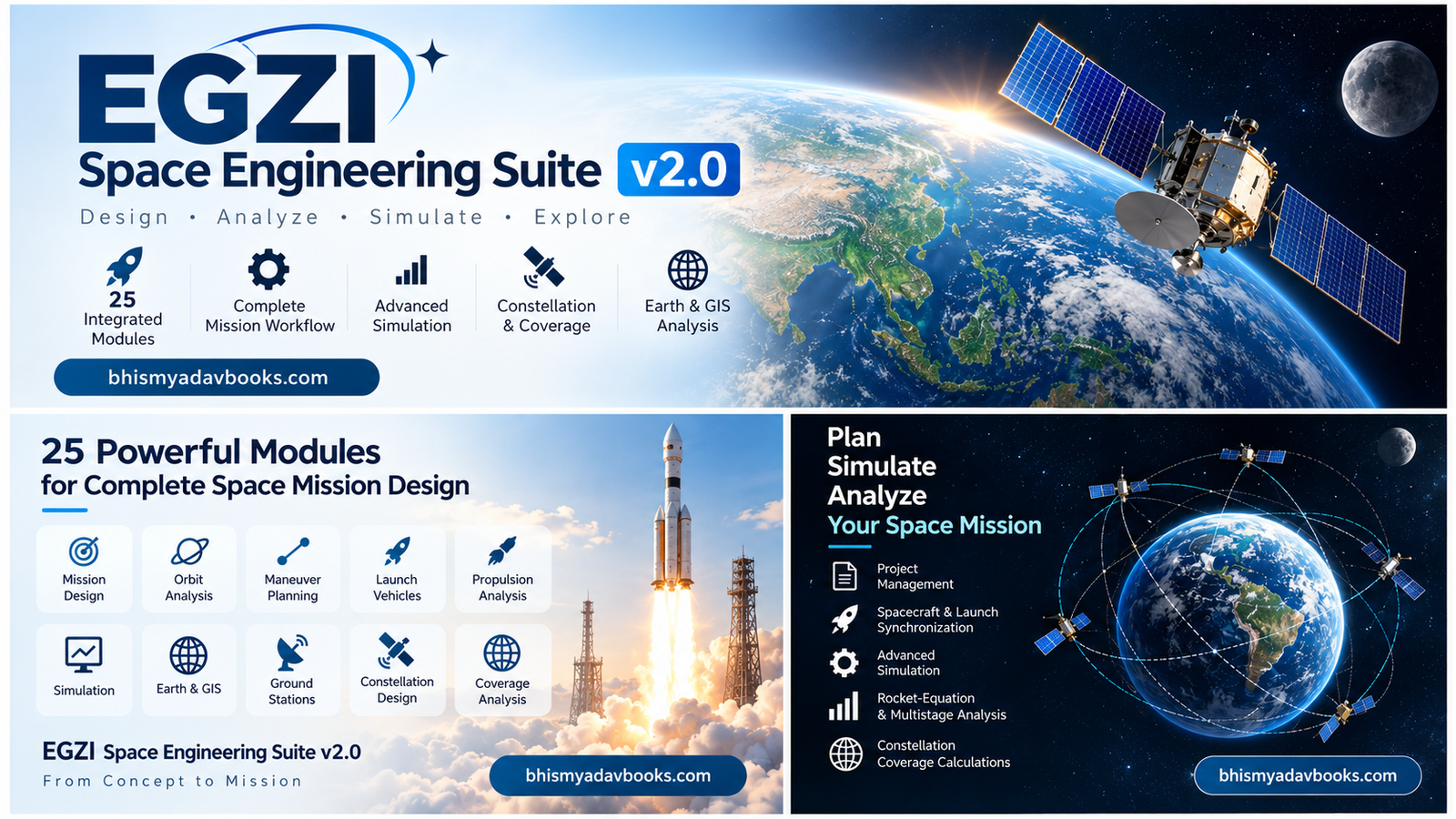
EGZI Space Engineering Suite v2.0 is designed around a different approach: bringing a broad collection of space engineering and mission-design capabilities together within an integrated software environment.
Visit Egzi Space Engineering Suite v2.0 Product Page
The suite combines mission planning, orbital mechanics, spacecraft engineering, propulsion analysis, simulation, telemetry, GIS, constellation design, and engineering data management into one platform.
The result is an environment intended to help students, educators, researchers, aerospace enthusiasts, engineers, and mission designers explore the complete lifecycle of a space mission.
We have some amazing books at our Shop page you may want to buy.
With version 2.0, EGZI introduces several important workflow improvements, including module search, common mission data management, .egzi project files, spacecraft-launch vehicle synchronization, enhanced simulation capabilities, multistage propulsion analysis, and satellite constellation coverage calculations.
What Is EGZI Space Engineering Suite v2.0?
EGZI Space Engineering Suite v2.0 is an integrated space engineering software platform designed for analyzing and planning different aspects of space missions.
Instead of treating orbital mechanics, spacecraft design, propulsion, mission operations, and geographic analysis as completely separate activities, EGZI organizes them into connected modules.
The suite contains 25 major modules:
- Dashboard
- Project Management
- Mission Designer
- Mission Control
- Mission Workflow
- Orbit Designer
- Maneuver Planner
- Hohmann Transfer
- Bi-Elliptic Transfer
- Hyperbolic / Escape
- Sphere of Influence
- Lambert Transfer
- Patched-Conic Transfer
- Launch Vehicle
- Propulsion Analysis
- Flight Dynamics
- Telemetry
- Simulation
- Advanced Simulation
- Earth & GIS
- Ground Station Planner
- Constellation Designer
- Coverage Analysis
- Spacecraft Designer
- Engineering Data
These modules cover different layers of a mission, from early conceptual planning to orbital analysis, spacecraft engineering, simulation, and ground-segment considerations.
Table of Contents
EGZI Space Engineering Suite v2.0: An Integrated Platform for Space Mission Engineering
Why an Integrated Space Engineering Platform Matters
A spacecraft does not operate independently from the rest of a mission.
For example, changing the spacecraft mass can affect the launch vehicle requirements. Changing the propulsion system can affect available delta-v. Changing the orbit can affect ground-station visibility and satellite coverage. Changing the constellation configuration can affect geographic coverage and mission performance.
This interconnected nature of space engineering makes integration particularly valuable.
Consider a simple example.
Suppose a mission designer wants to place a spacecraft into a particular orbit.
The process could involve:
- Defining the mission objective
- Selecting the spacecraft
- Estimating spacecraft mass
- Selecting a launch vehicle
- Determining the initial orbit
- Calculating orbital transfers
- Planning maneuvers
- Evaluating propulsion requirements
- Simulating the mission
- Examining ground-station visibility
- Analyzing geographic coverage
- Reviewing engineering data
In a fragmented software workflow, each stage may require moving information between different applications.
An integrated environment can make this process easier to organize.
That is one of the central ideas behind EGZI Space Engineering Suite v2.0.
1. Dashboard
The Dashboard serves as the central entry point to EGZI Space Engineering Suite.
A dashboard is particularly useful in a complex engineering application because users may have access to dozens of tools and datasets.
Instead of navigating through a complicated collection of independent applications, the dashboard provides a central location from which users can access the suite’s major capabilities.
The dashboard can serve as the starting point for activities such as:
- Creating or opening projects
- Accessing mission-related tools
- Opening engineering modules
- Reviewing project information
- Navigating to analysis tools
- Accessing simulation capabilities
- Working with spacecraft and launch-vehicle information
For new users, the dashboard can provide an easier introduction to the overall structure of the software.
For experienced users, it can act as a central workspace from which different engineering activities can be launched.
2. Project Management
Space engineering work is rarely limited to a single calculation.
A realistic project may contain mission parameters, spacecraft information, launch-vehicle configurations, orbital data, simulation settings, engineering parameters, and analysis results.
The Project Management module provides the organizational foundation for these activities.
One of the important additions in EGZI Space Engineering Suite v2.0 is support for .egzi project files.
The .egzi project concept allows mission-related work to be organized around a common project structure rather than treating every analysis as an isolated task.
A project can represent a particular mission concept, spacecraft study, orbital analysis, educational exercise, or engineering investigation.
This can be particularly useful when working on multiple mission concepts.
For example, a user could maintain separate projects for:
- Earth observation
- Communications satellites
- Scientific spacecraft
- Navigation systems
- Technology demonstrations
- Lunar missions
- Interplanetary concepts
- Educational orbital mechanics exercises
The project-oriented approach also helps users maintain a logical relationship between different engineering activities.
Common Mission Data Management
A major v2.0 improvement is mission data management through a common mission system.
This is important because different modules often require related information.
For example, the Mission Designer may define mission parameters that are subsequently relevant to orbital analysis or simulation.
Instead of repeatedly entering the same information manually, a common mission-data architecture can provide a more organized workflow.
Mission information can serve as a shared foundation for multiple analyses.
This concept becomes especially useful as a mission grows in complexity.
A mission might contain information about:
- Mission name
- Mission objective
- Spacecraft
- Launch vehicle
- Orbit
- Maneuvers
- Propulsion
- Ground stations
- Simulation parameters
- Coverage requirements
- Engineering parameters
Keeping these elements associated with the mission can make the overall workflow easier to manage.
3. Mission Designer
The Mission Designer is one of the central modules in EGZI Space Engineering Suite v2.0.
Mission design involves defining what a spacecraft is intended to accomplish and determining the broad technical architecture needed to accomplish it.
Before detailed calculations begin, engineers need to establish the mission concept.
Examples of mission objectives include:
- Earth observation
- Communications
- Scientific research
- Navigation
- Remote sensing
- Technology demonstration
- Atmospheric studies
- Planetary exploration
The Mission Designer provides an environment for organizing these mission concepts.
Instead of immediately jumping into complex orbital calculations, users can begin by establishing the mission itself.
This makes the module particularly useful as an entry point into the larger mission-design workflow.
From Mission Concept to Engineering Analysis
A good space mission workflow usually moves from a high-level concept toward progressively more detailed engineering analysis.
A simplified process can look like this:
Mission Objective → Mission Definition → Spacecraft → Launch Vehicle → Orbit → Maneuvers → Propulsion → Simulation → Ground Segment → Coverage → Engineering Analysis
EGZI’s modular structure supports this progression.
For example, a user can start with the Mission Designer and then move toward Orbit Designer, Maneuver Planner, Propulsion Analysis, Spacecraft Designer, and Simulation.
This allows the user to explore how different engineering decisions affect the mission.
4. Mission Control
Space missions do not end once the spacecraft reaches orbit.
After launch, spacecraft require monitoring, command planning, operational analysis, and continuous assessment.
The Mission Control module represents the operational side of space missions.
Mission control concepts can include activities such as:
- Monitoring spacecraft status
- Reviewing mission information
- Observing operational parameters
- Tracking mission progress
- Supporting mission operations
- Reviewing telemetry-related information
In an educational environment, Mission Control can also help users understand how spacecraft operations differ from the initial design phase.
This distinction is important.
Mission design asks:
How should we build and operate the mission?
Mission control asks:
What is happening with the mission, and how should it be managed?
Bringing both perspectives into one software suite provides a broader understanding of spacecraft operations.
5. Mission Workflow
Complex engineering projects require a clear sequence of activities.
The Mission Workflow module is designed to help organize this sequence.
A mission can involve many stages, including:
- Mission definition
- Spacecraft configuration
- Launch planning
- Orbit selection
- Transfer analysis
- Maneuver planning
- Propulsion analysis
- Simulation
- Ground-station planning
- Coverage analysis
- Engineering review
Without an organized workflow, it can become difficult to determine which analysis should be performed first and which results should be used later.
The Mission Workflow module provides a conceptual bridge between individual modules.
Instead of viewing EGZI as a collection of 25 unrelated tools, users can approach it as an interconnected mission engineering environment.
Module Search in EGZI Space Engineering Suite v2.0
With 25 major modules, finding a particular tool can become increasingly important.
EGZI Space Engineering Suite v2.0 introduces Module Search, allowing users to search or filter modules from the sidebar.
This is a small but important usability improvement.
Imagine a user wants to perform a Lambert transfer calculation.
Instead of manually searching through the interface, the user can search for the relevant module.
The same approach can be used for tools such as:
- Orbit Designer
- Maneuver Planner
- Propulsion Analysis
- Telemetry
- Simulation
- Ground Station Planner
- Constellation Designer
- Spacecraft Designer
As software becomes more capable, discoverability becomes increasingly important.
Module Search helps reduce the navigation burden created by a larger feature set.
Why v2.0 Is More Than a Collection of New Features
Software version upgrades are sometimes described simply in terms of new buttons or modules.
EGZI Space Engineering Suite v2.0 takes a broader approach.
The most important improvements are related to integration.
The suite connects:
- Mission data
- Projects
- Spacecraft
- Launch vehicles
- Propulsion
- Orbital analysis
- Simulation
- Ground stations
- Constellations
- Coverage
- Engineering data
This creates a more coherent engineering workflow.
For example, one of the major v2.0 additions is Spacecraft Designer ↔ Launch Vehicle synchronization.
That connection illustrates why integration matters.
A spacecraft cannot simply be designed without considering how it will be launched.
Mass, configuration, payload, and other spacecraft characteristics can influence launch requirements.
By synchronizing spacecraft and launch-vehicle information, EGZI moves toward a more connected mission-design workflow.
Spacecraft Designer and Launch Vehicle Synchronization
The Spacecraft Designer allows users to work with spacecraft-related engineering parameters.
The Launch Vehicle module focuses on the launch system.
In version 2.0, these modules are designed to work together through synchronization.
This is important because spacecraft and launch vehicles are closely related engineering elements.
A spacecraft designer may need to consider:
- Spacecraft mass
- Payload
- Propulsion system
- Structural configuration
- Mission requirements
The launch-vehicle side may need to consider:
- Payload capability
- Mission orbit
- Vehicle configuration
- Propulsive performance
- Launch requirements
Synchronization between these areas can reduce the disconnect between spacecraft design and launch planning.
Building a Complete Mission Model
The real strength of an integrated space engineering environment becomes visible when several modules are used together.
Imagine designing a hypothetical Earth-observation mission.
The user could begin with Project Management and create an .egzi project.
Next, the user could define the mission through Mission Designer.
The spacecraft could then be developed using Spacecraft Designer.
The selected launch system could be analyzed through Launch Vehicle.
The desired orbit could be explored using Orbit Designer.
If an orbital change is necessary, the user could examine options through Maneuver Planner.
For specific orbital transfers, specialized tools such as Hohmann Transfer, Lambert Transfer, or Patched-Conic Transfer could be used.
Propulsion requirements could then be examined through Propulsion Analysis.
The mission could subsequently be tested through Simulation or Advanced Simulation.
Ground infrastructure could be investigated with Ground Station Planner, while geographic mission performance could be studied using Earth & GIS and Coverage Analysis.
This illustrates the larger purpose of EGZI.
It is not simply an orbital calculator.
It is designed as a broader space mission engineering suite.
EGZI Space Engineering Suite v2.0 for Students and Learners
Space engineering can be difficult to learn because many concepts are interconnected.
Students studying aerospace engineering, astrodynamics, satellite technology, or space science often encounter equations and theoretical concepts without immediately seeing how those concepts fit into an actual mission.
A modular engineering suite can help bridge this gap.
For example, students learning orbital mechanics can explore:
- Circular orbits
- Orbital transfers
- Escape trajectories
- Spheres of influence
- Lambert problems
- Patched-conic concepts
- Maneuver planning
They can then connect these concepts to spacecraft, propulsion, mission design, and simulation.
This creates a more practical learning environment.
Instead of studying each concept in isolation, students can begin to see the relationship between different areas of space engineering.
EGZI Space Engineering Suite v2.0 for Mission Concept Development
Early mission development often involves evaluating different concepts rather than immediately committing to one design.
Engineers may ask:
- Which orbit is appropriate?
- What spacecraft configuration is required?
- What launch vehicle could support the mission?
- How much delta-v is required?
- What propulsion system should be considered?
- Where should ground stations be located?
- What geographic coverage can be achieved?
- How should a constellation be configured?
The modular structure of EGZI allows these questions to be explored through different engineering modules.
This can make the platform useful during the conceptual design and preliminary analysis stages of a mission.
Looking Ahead: Orbital Mechanics and Engineering Analysis
The first group of EGZI modules establishes the mission and project foundation.
The next major area is orbital mechanics.
Orbital mechanics is at the heart of many spacecraft missions.
EGZI Space Engineering Suite v2.0 includes several dedicated modules for studying orbital motion and transfers:
- Orbit Designer
- Maneuver Planner
- Hohmann Transfer
- Bi-Elliptic Transfer
- Hyperbolic / Escape
- Sphere of Influence
- Lambert Transfer
- Patched-Conic Transfer
These tools provide a pathway from basic orbital design to more advanced trajectory concepts.
Orbital Mechanics, Launch Vehicles, Propulsion, Flight Dynamics & Simulation
Understanding Orbital Mechanics with EGZI Space Engineering Suite v2.0
Orbital mechanics is one of the most important foundations of space engineering. Whether the mission involves an Earth-observation satellite, communication spacecraft, scientific probe, navigation satellite, or interplanetary vehicle, understanding how objects move through space is essential.
EGZI Space Engineering Suite v2.0 includes a dedicated collection of orbital-mechanics modules designed to help users examine different types of orbital motion, transfers, maneuvers, and trajectories.
The orbital analysis section includes:
- Orbit Designer
- Maneuver Planner
- Hohmann Transfer
- Bi-Elliptic Transfer
- Hyperbolic / Escape
- Sphere of Influence
- Lambert Transfer
- Patched-Conic Transfer
Together, these modules provide a broad framework for exploring orbital design and trajectory planning.
6. Orbit Designer
The Orbit Designer is a fundamental module within EGZI Space Engineering Suite v2.0.
Before planning a maneuver or transfer, mission designers need to understand the orbit in which a spacecraft will operate.
An orbit can be described using several parameters, including concepts such as:
- Orbital altitude
- Orbital radius
- Orbital period
- Eccentricity
- Inclination
- Orbital velocity
- Perigee
- Apogee
Different combinations of orbital parameters produce very different mission environments.
For example, a low Earth orbit mission may require frequent observations of Earth’s surface, while a higher orbit may provide longer visibility over particular regions.
The Orbit Designer provides a dedicated environment for exploring these orbital configurations.
Why Orbit Design Is Important
Choosing an orbit is not simply a matter of selecting an altitude.
Orbit selection can influence:
- Coverage
- Communication opportunities
- Ground-station visibility
- Orbital period
- Spacecraft velocity
- Propellant requirements
- Revisit time
- Mission lifetime
- Radiation environment
- Constellation architecture
For this reason, orbit design is closely connected to many other modules within EGZI.
An orbit created in the Orbit Designer can become part of a larger mission analysis involving maneuvers, propulsion, simulation, ground stations, and coverage.
This illustrates one of the major advantages of using an integrated space engineering platform.
7. Maneuver Planner
A spacecraft rarely remains completely passive after reaching orbit.
Orbital maneuvers may be required for:
- Orbit insertion
- Orbit raising
- Orbit lowering
- Plane changes
- Rendezvous
- Station keeping
- Transfer operations
- Trajectory correction
- Mission disposal
The Maneuver Planner provides a dedicated environment for organizing and analyzing these types of orbital changes.
A maneuver generally involves changing the spacecraft’s velocity.
Even a relatively small velocity change can significantly alter a spacecraft’s trajectory.
The key concept of delta-v (Δv) is therefore central to spacecraft maneuver planning.
Delta-v represents the change in velocity required to perform a maneuver.
Mission designers must carefully manage available delta-v because spacecraft carry a finite amount of propellant.
Delta-v and Mission Planning
One of the most important questions in spacecraft engineering is:
How much delta-v does the spacecraft need?
A mission may require multiple maneuvers.
For example:
Launch → Orbit Insertion → Orbit Transfer → Correction Maneuver → Operational Orbit → Station Keeping
Every maneuver consumes part of the spacecraft’s available delta-v budget.
A maneuver planner helps users understand these individual operations and how they fit into the overall mission.
This is particularly useful when comparing different trajectory strategies.
A trajectory that appears simple may require more propellant, while a more complex transfer may reduce the required delta-v.
8. Hohmann Transfer
The Hohmann Transfer module focuses on one of the best-known orbital transfer techniques.
A Hohmann transfer is commonly used to move a spacecraft between two coplanar circular orbits using two major impulsive maneuvers.
The basic process involves:
- Performing an initial velocity change
- Entering an elliptical transfer orbit
- Reaching the destination orbital radius
- Performing a second velocity change
- Establishing the new circular orbit
For certain orbital-transfer conditions, the Hohmann transfer can provide an efficient solution in terms of idealized propulsive delta-v.
This makes it an important concept in orbital mechanics education and mission analysis.
Why Hohmann Transfers Matter
Understanding Hohmann transfers helps users develop intuition about orbital energy.
A spacecraft does not simply “move upward” when its orbit is raised.
Instead, the spacecraft’s velocity is changed, which changes its orbital energy and produces a new trajectory.
This distinction is fundamental to orbital mechanics.
For example, increasing the velocity at one point in an orbit can raise the opposite side of the orbit.
This is one of the most important concepts for anyone beginning to study astrodynamics.
The Hohmann Transfer module provides a practical way to explore this concept.
9. Bi-Elliptic Transfer
The Bi-Elliptic Transfer module expands the orbital-transfer analysis beyond the traditional Hohmann approach.
A bi-elliptic transfer involves multiple elliptical trajectory segments and velocity changes.
The basic concept is to:
- Perform an initial burn
- Enter a large elliptical orbit
- Perform another velocity change at a high apoapsis
- Reach the desired orbital region
- Perform a final maneuver to establish the target orbit
Under certain orbital-radius ratios, a bi-elliptic transfer can require less total delta-v than a Hohmann transfer.
However, this can come at the cost of a longer transfer time and a much larger intermediate orbit.
This creates an important engineering trade-off.
Comparing Hohmann and Bi-Elliptic Transfers
The choice between transfer strategies depends on mission requirements.
A simplified comparison might consider:
| Factor | Hohmann Transfer | Bi-Elliptic Transfer |
| Number of major burns | Lower | Higher |
| Trajectory complexity | Lower | Higher |
| Transfer time | Generally shorter | Can be longer |
| Intermediate orbit | Moderate | Potentially very large |
| Delta-v efficiency | Often efficient | Can become advantageous for certain ratios |
| Mission analysis | Simpler | More complex |
This demonstrates why an engineering suite should provide multiple transfer-analysis methods rather than relying on a single technique.
10. Hyperbolic / Escape
Not every spacecraft remains gravitationally bound to the body around which it is initially orbiting.
The Hyperbolic / Escape module addresses trajectories associated with hyperbolic motion and escape.
A spacecraft following a hyperbolic trajectory has sufficient specific orbital energy to escape the gravitational influence of the central body.
This concept is particularly important for:
- Deep-space missions
- Planetary exploration
- Lunar missions
- Interplanetary spacecraft
- Escape trajectory studies
- Gravity-assist analysis
Understanding escape trajectories is a major step beyond basic circular and elliptical orbital mechanics.
Escape Velocity and Space Missions
Escape velocity is the velocity required for an object to escape a gravitational body’s influence under an idealized two-body model.
For a body with gravitational parameter μ, escape velocity at distance r can be expressed as:
vₑ = √(2μ/r)
This relationship illustrates an important principle:
Escape velocity depends on both the gravitational environment and the spacecraft’s distance from the central body.
However, real missions often use more sophisticated trajectories rather than simply accelerating a spacecraft instantaneously to escape velocity.
The spacecraft’s complete trajectory, propulsion system, launch conditions, and gravitational environment all matter.
11. Sphere of Influence
The Sphere of Influence module focuses on an important concept used in simplified gravitational trajectory analysis.
In multi-body systems, spacecraft can be influenced by multiple celestial bodies.
For example, during an interplanetary mission, a spacecraft may initially be strongly influenced by Earth and later become increasingly influenced by the Sun or another planetary body.
The sphere-of-influence concept provides a simplified way to determine which body’s gravity can be treated as dominant in different regions.
This becomes especially useful when studying patched-conic approaches.
Why Sphere of Influence Matters
Consider an interplanetary spacecraft leaving Earth.
Near Earth, Earth’s gravitational influence is important.
Farther away, the Sun’s gravitational influence becomes dominant.
A trajectory analysis can therefore be divided into regions in which different bodies are treated as the primary gravitational source.
This approximation is extremely useful for understanding interplanetary trajectories.
The Sphere of Influence module helps users explore this concept within the broader EGZI mission-analysis workflow.
12. Lambert Transfer
The Lambert Transfer module addresses one of the most important problems in orbital mechanics.
Lambert’s problem concerns determining an orbit connecting two position vectors within a specified time of flight under a central gravitational field.
In simplified terms, the problem asks:
Given where a spacecraft starts, where it needs to arrive, and how much time is available, what trajectory can connect those points?
This type of calculation is highly relevant to trajectory design.
Lambert solutions can be used in applications such as:
- Interplanetary mission planning
- Rendezvous studies
- Transfer trajectory analysis
- Orbit determination concepts
- Mission trajectory optimization
- Preliminary trajectory design
Why Lambert Analysis Is Important
Suppose a spacecraft must travel from one orbital location to another.
Simply knowing the starting and ending positions is not enough.
The mission designer also needs to consider the time of flight.
A spacecraft arriving too early or too late may not meet the mission objective.
Lambert analysis connects:
Starting Position + Destination Position + Time of Flight
to a possible orbital trajectory.
This makes the Lambert Transfer module particularly valuable for advanced mission design.
13. Patched-Conic Transfer
The Patched-Conic Transfer module builds on the concept of dividing complex gravitational motion into simplified segments.
A real spacecraft can be affected by multiple gravitational bodies simultaneously.
A full n-body simulation can be computationally more demanding.
The patched-conic approach simplifies the problem by considering separate two-body trajectory segments and connecting them at appropriate boundaries.
A conceptual interplanetary trajectory may therefore be represented as:
Departure from Planet → Heliocentric Transfer → Arrival at Destination Planet
Each segment can be analyzed using an appropriate gravitational model.
Patched Conics and Interplanetary Mission Design
Patched-conic analysis has historically been important for preliminary trajectory design.
It allows engineers and students to understand complex interplanetary trajectories without immediately requiring the computational complexity of a full high-fidelity numerical model.
Within EGZI, patched-conic analysis can complement:
- Sphere of Influence
- Lambert Transfer
- Hyperbolic / Escape
- Maneuver Planner
- Simulation
- Advanced Simulation
This creates a natural progression from simplified analytical models toward more detailed numerical simulations.
From Orbital Mechanics to Propulsion
Orbital mechanics tells us what trajectory is required.
Propulsion analysis helps determine how the spacecraft can produce the required changes in velocity.
This is why orbital mechanics and propulsion are closely connected.
A trajectory may look mathematically possible, but the spacecraft must still have sufficient propulsion capability to execute it.
This leads to the next major group of EGZI modules.
14. Launch Vehicle
The Launch Vehicle module focuses on the system responsible for placing a spacecraft onto its initial trajectory.
Launch vehicles are fundamental to mission architecture because the spacecraft cannot begin its mission without first reaching an appropriate flight path.
Launch-vehicle analysis may involve considerations such as:
- Payload mass
- Vehicle configuration
- Staging
- Propulsive performance
- Target orbit
- Mission requirements
The Launch Vehicle module becomes especially valuable when combined with the Spacecraft Designer.
Spacecraft Designer ↔ Launch Vehicle Synchronization
One of the notable v2.0 improvements is synchronization between the Spacecraft Designer and Launch Vehicle modules.
This creates a more connected relationship between spacecraft configuration and launch requirements.
For example, if spacecraft characteristics change, the launch analysis may need to be reconsidered.
Similarly, changing launch assumptions may affect spacecraft mission architecture.
This synchronization helps reduce the separation between spacecraft engineering and launch planning.
It is an important step toward a more integrated mission-design workflow.
15. Propulsion Analysis
The Propulsion Analysis module focuses on the propulsion requirements of a spacecraft and mission.
Propulsion is one of the most important areas of spacecraft engineering because propellant availability directly influences what a spacecraft can accomplish.
A mission may require propulsion for:
- Orbit insertion
- Orbit raising
- Transfer maneuvers
- Trajectory corrections
- Station keeping
- De-orbiting
- Deep-space maneuvers
EGZI v2.0 enhances Propulsion Analysis with rocket-equation and multistage analysis.
Rocket Equation Analysis
The classical Tsiolkovsky rocket equation provides a fundamental relationship between spacecraft mass, exhaust velocity, and achievable delta-v.
It can be represented as:
Δv = Isp · g₀ · ln(m₀/mf)
where:
- Δv is the change in velocity
- Isp is specific impulse
- g₀ is standard gravitational acceleration
- m₀ is initial mass
- mf is final mass
This equation provides a powerful way to understand the relationship between propellant and spacecraft performance.
Increasing propellant mass does not produce a simple linear increase in delta-v because the relationship is logarithmic.
This is one reason spacecraft and launch-vehicle mass optimization is so important.
Multistage Propulsion Analysis
Many launch vehicles use multiple stages.
Each stage can be discarded after its useful propellant has been consumed, reducing the mass that later stages need to accelerate.
EGZI v2.0’s multistage propulsion analysis provides a way to examine this concept.
A simplified multistage architecture might consist of:
Stage 1 → Stage 2 → Stage 3 → Payload
Each stage can contribute part of the total mission delta-v.
This type of analysis can help users understand why staging is such an important concept in launch-vehicle engineering.
16. Flight Dynamics
The Flight Dynamics module connects trajectory analysis with the actual motion of a spacecraft.
Flight dynamics encompasses the study of spacecraft position, velocity, attitude-related considerations, orbital motion, and trajectory evolution.
It is particularly relevant to:
- Orbit determination
- Trajectory analysis
- Maneuver evaluation
- Mission operations
- Navigation
- Spacecraft tracking
A spacecraft’s trajectory is not static.
Its state changes continuously with time.
Flight-dynamics analysis therefore forms an important bridge between mathematical trajectory design and mission operations.
17. Telemetry
A spacecraft produces a large amount of operational information.
The Telemetry module represents the mission’s ability to work with spacecraft data and monitor important operational information.
Telemetry can include information associated with:
- Spacecraft status
- Power
- Temperature
- Propulsion
- Position
- Velocity
- Communication systems
- Mission events
Telemetry is particularly important once the spacecraft becomes operational.
Mission designers may create a trajectory before launch, but mission operators need continuous information about what the spacecraft is actually doing.
Telemetry and Mission Control
The relationship between Telemetry and Mission Control is therefore important.
Telemetry provides mission information.
Mission Control uses that information to support operational awareness and decision-making.
Together, these concepts illustrate the transition from:
Mission Design → Mission Execution → Mission Monitoring
This is another reason why EGZI is structured as a suite rather than a single orbital calculator.
18. Simulation
The Simulation module allows users to move beyond static calculations and explore how mission parameters evolve over time.
Simulation is one of the most valuable tools in engineering because many systems cannot be fully understood through individual equations alone.
A spacecraft mission is dynamic.
Its:
- Position changes
- Velocity changes
- Orbital parameters evolve
- Maneuvers occur
- Propulsion events take place
- Communication opportunities change
- Ground visibility changes
A simulation environment provides a way to examine these processes as a mission unfolds.
Why Simulation Is Essential for Space Engineering
Suppose an engineer calculates that a maneuver requires a particular delta-v.
That calculation provides an important result.
But the engineer may also want to know:
- What happens before the maneuver?
- What happens after the maneuver?
- How does the orbit evolve?
- When does the spacecraft reach the target region?
- How does the trajectory change over time?
Simulation helps answer these questions.
It converts individual calculations into a time-dependent mission scenario.
19. Advanced Simulation
EGZI Space Engineering Suite v2.0 also includes Advanced Simulation.
The purpose of an advanced simulation environment is to provide deeper analysis beyond basic calculations.
Advanced simulation can be especially useful when multiple mission components need to be examined together.
For example:
Spacecraft + Orbit + Maneuver + Propulsion + Mission Data + Time Evolution
can be treated as parts of a larger mission model.
The enhanced Advanced Simulation functionality in v2.0 strengthens the connection between simulation and the broader mission system.
This makes simulation more useful as part of the mission workflow rather than as an isolated analysis tool.
Simulation as the Connection Between Modules
One of the most important ideas in EGZI Space Engineering Suite v2.0 is that simulation can bring results from different modules together.
Consider a hypothetical satellite mission.
The user could:
- Define the mission.
- Create the spacecraft.
- Select a launch vehicle.
- Design the initial orbit.
- Plan orbital maneuvers.
- Analyze propulsion requirements.
- Build a simulation scenario.
- Examine the spacecraft trajectory.
- Review telemetry-related information.
- Analyze ground-station access.
- Evaluate geographic coverage.
This creates a much more complete mission-analysis workflow than examining each calculation independently.
The Role of Engineering Data
All of these modules depend on engineering information.
The Engineering Data module provides a dedicated location for working with relevant engineering information used throughout mission analysis.
Engineering data can be important when comparing different mission configurations or reviewing the assumptions behind an analysis.
A well-organized engineering-data layer also supports the broader objective of maintaining consistency across modules.
When mission data, spacecraft data, propulsion data, orbital parameters, and simulation settings are treated as connected engineering information, it becomes easier to understand the complete mission.
EGZI v2.0: From Basic Orbital Calculations to Mission Simulation
The orbital and engineering modules demonstrate the breadth of EGZI Space Engineering Suite v2.0.
Users can progress from relatively fundamental orbital concepts such as:
Circular Orbit → Hohmann Transfer → Bi-Elliptic Transfer
to more advanced trajectory concepts such as:
Hyperbolic Escape → Sphere of Influence → Lambert Transfer → Patched-Conic Transfer
They can then connect these calculations to:
Launch Vehicle → Propulsion → Flight Dynamics → Telemetry → Simulation
This progression is valuable because it mirrors the way many space-engineering problems are interconnected.
Who Can Benefit from These Modules?
EGZI Space Engineering Suite v2.0 can be useful for several categories of users.
Students
Students can use the modules to explore concepts from orbital mechanics, propulsion, spacecraft engineering, and mission planning.
Educators
Teachers and instructors can use the suite as a practical environment for demonstrating space-engineering concepts.
Researchers
Researchers can use modular analysis tools for preliminary investigation and concept development.
Aerospace Enthusiasts
Space enthusiasts can explore how spacecraft trajectories and missions are designed.
Mission Designers
Engineers and mission planners can use the integrated environment to organize preliminary mission concepts and engineering studies.
The Bigger Picture
The individual modules in EGZI Space Engineering Suite v2.0 become more valuable when considered as part of a complete mission workflow.
An orbit is connected to a maneuver.
A maneuver is connected to delta-v.
Delta-v is connected to propulsion.
Propulsion is connected to spacecraft mass.
Spacecraft mass is connected to launch requirements.
The trajectory is connected to flight dynamics.
Mission operations are connected to telemetry.
Ground stations are connected to spacecraft visibility.
Constellations are connected to coverage.
Simulation connects many of these elements through time.
This interconnected structure is at the heart of EGZI’s design philosophy.
What Comes Next?
The first two sections of the suite take us from mission definition and orbital mechanics to propulsion and simulation.
However, a complete space mission requires much more than trajectory calculations.
A spacecraft must interact with Earth.
Mission designers need to consider:
- Geographic location
- Ground stations
- Satellite constellations
- Coverage
- Spacecraft configuration
- Engineering data
EGZI Space Engineering Suite v2.0 includes dedicated modules for these areas.
Earth & GIS, Ground Stations, Constellations, Coverage & Spacecraft Design
Connecting Spacecraft with Earth: The Next Layer of Space Mission Engineering
A spacecraft does not operate in isolation.
Even when the primary objective of a mission is orbital, the spacecraft ultimately interacts with systems and locations on Earth. Communication must occur through ground infrastructure, Earth-observation spacecraft must monitor geographic regions, navigation satellites must provide appropriate coverage, and communication constellations must be designed around geographic requirements.
This is why modern space mission engineering involves much more than orbital mechanics.
EGZI Space Engineering Suite v2.0 extends beyond trajectory and propulsion analysis through a collection of modules focused on Earth, geography, ground stations, satellite constellations, coverage, spacecraft design, and engineering information.
These modules include:
- Earth & GIS
- Ground Station Planner
- Constellation Designer
- Coverage Analysis
- Spacecraft Designer
- Engineering Data
Together, they help connect the spacecraft’s space environment with its Earth-based mission requirements.
20. Earth & GIS
The Earth & GIS module brings geographic analysis into the space-engineering workflow.
GIS, or Geographic Information System, technology is widely useful for understanding relationships between spacecraft and locations on Earth’s surface.
For satellite missions, geography can influence nearly every aspect of mission planning.
Examples include:
- Ground-station locations
- Satellite visibility
- Earth-observation targets
- Communication coverage
- Geographic regions of interest
- Satellite footprints
- Ground tracks
- Mission accessibility
An orbit may look excellent from an orbital-mechanics perspective, but it may not satisfy the geographic requirements of the mission.
This is where Earth and GIS analysis becomes important.
Why GIS Matters in Space Missions
Consider an Earth-observation mission designed to monitor a particular region.
The spacecraft needs an orbit that allows it to pass over or observe the target area.
Therefore, mission design must consider both:
Where the spacecraft is in space
and
Where the spacecraft is relative to Earth’s surface.
This relationship is fundamental to satellite operations.
A GIS-enabled engineering environment can help users visualize and analyze these relationships.
Earth-Based Mission Planning
The Earth & GIS module can support mission concepts involving:
- Earth observation
- Remote sensing
- Environmental monitoring
- Disaster monitoring
- Agricultural observation
- Mapping
- Communications
- Navigation
- Scientific observation
For example, an Earth-observation mission may have a target region that requires repeated satellite access.
The designer needs to consider orbital parameters, satellite motion, Earth rotation, and geographic position together.
This creates a bridge between astrodynamics and geospatial engineering.
Visualizing Space Missions Geographically
One of the major benefits of combining GIS and space engineering is visualization.
Spacecraft trajectories can be difficult to understand when represented only through equations or numerical values.
A geographic representation can make concepts easier to interpret.
Users can conceptually examine:
- Ground tracks
- Geographic regions
- Ground stations
- Coverage areas
- Target locations
- Satellite positions
This is especially valuable for education because it helps connect mathematical orbital concepts with real-world geography.
21. Ground Station Planner
A spacecraft requires communication infrastructure.
The Ground Station Planner focuses on planning and analyzing ground-based communication locations that support spacecraft operations.
Ground stations are critical components of satellite missions.
They can be used for:
- Command
- Telemetry
- Data reception
- Mission operations
- Tracking
- Spacecraft communication
A satellite may be thousands of kilometers above Earth, but its mission can depend heavily on infrastructure located on the ground.
Why Ground Station Location Matters
The location of a ground station can strongly influence communication opportunities.
A spacecraft must be visible from a ground station for communication to occur under a basic line-of-sight model.
This means mission designers need to consider factors such as:
- Ground-station latitude
- Ground-station longitude
- Spacecraft orbit
- Satellite altitude
- Ground-track movement
- Visibility windows
- Elevation constraints
A ground station in one geographic location may have very different access opportunities compared with another.
Ground Station Planning and Mission Control
The Ground Station Planner also connects naturally with Mission Control and Telemetry.
A simplified operational chain can be represented as:
Spacecraft → Communication Link → Ground Station → Mission Control
The spacecraft generates mission data.
The ground station provides an interface for communication.
Mission-control systems can then use the received information for monitoring and operations.
This illustrates why ground infrastructure should be considered during mission design rather than only after the spacecraft has been designed.
Ground Station Networks
Some missions require more than one ground station.
A single station may not provide sufficient access throughout the mission.
Multiple stations can improve communication opportunities by distributing ground infrastructure geographically.
For example:
Ground Station A → Ground Station B → Ground Station C → Spacecraft
As Earth rotates and the spacecraft moves along its orbit, different stations can potentially provide communication opportunities.
This creates another optimization problem within mission engineering.
The designer must consider not only where the spacecraft goes, but also where communication infrastructure should be placed.
22. Constellation Designer
A single satellite may not be sufficient to meet the requirements of a mission.
For applications such as communications, navigation, Earth observation, and continuous monitoring, multiple spacecraft may be required.
This is where the Constellation Designer becomes important.
A satellite constellation consists of multiple spacecraft operating according to a coordinated orbital architecture.
A constellation may be designed to improve:
- Coverage
- Revisit time
- Availability
- Communication capacity
- Geographic access
- Observation frequency
- Network resilience
Why Use a Satellite Constellation?
Imagine a mission requiring frequent observations of locations around the world.
A single spacecraft may only pass over a particular location periodically.
Adding additional spacecraft can reduce the time between observations.
Similarly, a communications network may require multiple satellites to maintain service over a broad geographic region.
A constellation can therefore provide capabilities that are difficult or impossible to achieve with one spacecraft.
Constellation Architecture
Constellation design involves deciding how multiple satellites should be distributed.
Important parameters can include:
- Number of spacecraft
- Orbital altitude
- Inclination
- Orbital planes
- Phase relationships
- Distribution of satellites
- Mission coverage requirements
Different configurations can produce dramatically different results.
For example, a constellation designed for global communications may have very different characteristics from one designed for Earth observation.
Constellation Design as an Optimization Problem
Constellation design is often a trade-off between multiple requirements.
A designer may want:
- Maximum geographic coverage
- Minimum number of satellites
- Short revisit time
- High availability
- Reasonable launch requirements
- Manageable spacecraft cost
- Appropriate orbital geometry
Improving one parameter may negatively affect another.
For example, increasing the number of spacecraft can improve coverage but also increases launch and operational requirements.
This makes constellation design a particularly interesting area of space systems engineering.
EGZI and Constellation-Based Mission Concepts
The Constellation Designer can be used as part of a broader mission-development workflow.
A user could begin by defining the mission objective.
Then the user could determine:
What geographic area must be served?
Next:
How frequently must the area be observed or served?
Then:
How many satellites may be required?
Finally:
What orbital configuration can provide the desired coverage?
These questions connect the Mission Designer, Orbit Designer, Constellation Designer, and Coverage Analysis modules.
23. Coverage Analysis
The Coverage Analysis module is one of the important additions to the overall satellite-mission workflow.
Coverage is a fundamental consideration for many satellite missions.
The question is straightforward:
What part of Earth can the spacecraft observe, communicate with, or otherwise serve?
However, answering this question requires considering multiple variables.
Coverage can depend on:
- Satellite altitude
- Orbit
- Inclination
- Sensor characteristics
- Field of view
- Geographic target
- Number of spacecraft
- Constellation geometry
- Time
- Visibility constraints
Satellite Constellation Coverage Calculations
EGZI Space Engineering Suite v2.0 includes satellite constellation coverage calculations within Coverage Analysis.
This is particularly important for missions involving multiple spacecraft.
Instead of examining one satellite at a time, users can analyze how an entire constellation performs as a system.
This allows questions such as:
- How much geographic area is covered?
- How frequently is a region revisited?
- How many satellites can access a target?
- Where are coverage gaps?
- How does changing constellation parameters affect coverage?
These are fundamental questions in satellite-system design.
Coverage and Earth Observation
Earth-observation missions provide a clear example of why coverage analysis matters.
Suppose a mission needs to observe agricultural areas across a large geographic region.
A single satellite may not provide sufficiently frequent observations.
A constellation may improve revisit performance.
The designer can then investigate whether the proposed constellation provides adequate access.
This creates a workflow such as:
Target Region → Orbit Design → Constellation Design → Coverage Analysis → Mission Evaluation
Coverage and Communications
Coverage analysis is not limited to Earth observation.
Communication satellite systems also depend heavily on geographic coverage.
A communications mission may need to provide service over:
- A country
- A continent
- Multiple continents
- Oceans
- Polar regions
- Global areas
Different orbital architectures can produce different coverage patterns.
Coverage Analysis allows the mission designer to investigate these differences.
Finding Coverage Gaps
One of the most useful aspects of coverage analysis is identifying where a mission does not perform adequately.
Suppose a proposed constellation provides excellent coverage over most of a target region but leaves significant gaps.
The designer can then investigate potential changes.
Possible changes might include:
- Adding spacecraft
- Changing orbital planes
- Adjusting inclination
- Modifying altitude
- Changing satellite spacing
- Changing the mission architecture
This turns coverage analysis into an iterative design process.
Coverage Analysis and Mission Optimization
A mission rarely has only one objective.
The designer may need to balance:
Coverage + Number of Satellites + Launch Requirements + Propulsion + Mission Lifetime + Cost
Although coverage itself is only one component, it can have a significant influence on the overall architecture.
This is why integrating Coverage Analysis with constellation and mission-design tools is valuable.
24. Spacecraft Designer
The Spacecraft Designer focuses on the spacecraft itself.
A mission cannot be realized without a spacecraft capable of performing the required functions.
Spacecraft engineering can involve many different subsystems, including:
- Structure
- Power
- Thermal systems
- Communications
- Avionics
- Attitude control
- Propulsion
- Payload
- Data handling
A spacecraft’s design must ultimately support the mission objectives.
Mission Requirements Drive Spacecraft Design
Spacecraft design should begin with mission requirements rather than simply selecting components.
For example, an Earth-observation spacecraft may require an imaging payload.
A communications spacecraft may require high-capacity communications equipment.
A scientific spacecraft may require specialized instruments.
Therefore:
Mission Objective → Payload → Spacecraft Requirements
The spacecraft architecture then needs to support those requirements.
Spacecraft Mass and Performance
Mass is one of the most important spacecraft-design parameters.
Changing the mass of a spacecraft can affect:
- Launch requirements
- Propellant requirements
- Delta-v capability
- Maneuver performance
- Launch vehicle compatibility
This is why the Spacecraft Designer is closely connected to Propulsion Analysis and Launch Vehicle.
A change made in one area can influence the others.
Spacecraft Designer ↔ Launch Vehicle Integration
EGZI Space Engineering Suite v2.0 specifically improves the connection between the Spacecraft Designer and Launch Vehicle modules.
This synchronization can help users maintain consistency between spacecraft characteristics and launch analysis.
For example, consider a spacecraft design that becomes heavier because of a payload change.
That change can affect the launch scenario.
Similarly, if the launch vehicle’s capabilities change, the spacecraft configuration may need to be reconsidered.
The synchronization concept helps represent this engineering relationship more directly.
Spacecraft Design and Propulsion
Spacecraft propulsion is another important connection.
A spacecraft may require propulsion for:
- Orbit insertion
- Orbit correction
- Station keeping
- Orbit maintenance
- De-orbit
- Transfer operations
- Deep-space trajectory changes
Propulsion requirements depend partly on spacecraft mass and mission trajectory.
Therefore, spacecraft design, propulsion analysis, and orbital mechanics cannot always be treated as completely independent tasks.
EGZI’s integrated module structure helps users examine these relationships.
Spacecraft Design for Different Mission Types
Different mission categories can require substantially different spacecraft architectures.
Earth Observation
An Earth-observation spacecraft may emphasize:
- Imaging payloads
- Pointing accuracy
- Data storage
- High-rate communications
- Revisit requirements
Communication
A communications spacecraft may emphasize:
- Communication payloads
- Antenna systems
- Power generation
- Thermal management
- Coverage
Scientific Missions
Scientific spacecraft may prioritize:
- Scientific instruments
- Precise attitude control
- Data collection
- Specialized thermal or radiation requirements
Deep-Space Missions
Deep-space spacecraft may require:
- High-efficiency propulsion
- Long-duration power systems
- Navigation capabilities
- Deep-space communications
- Autonomous operations
These differences demonstrate why spacecraft design must remain closely connected to mission objectives.
25. Engineering Data
The Engineering Data module provides another important layer within EGZI Space Engineering Suite v2.0.
Space engineering involves large amounts of technical information.
Different modules may depend on parameters such as:
- Mass
- Dimensions
- Orbital parameters
- Propulsion characteristics
- Vehicle performance
- Spacecraft properties
- Ground-station information
- Mission configuration
Keeping engineering information organized helps improve consistency throughout the mission-design process.
Engineering Data as a Shared Foundation
Consider a spacecraft project containing the following information:
Spacecraft Mass: X
That value may influence:
- Spacecraft design
- Propulsion calculations
- Launch-vehicle analysis
- Delta-v calculations
- Simulation
- Mission performance
If the value changes, several analyses may potentially need to be reconsidered.
A common mission-data structure can therefore reduce duplication and help users maintain a clearer relationship between engineering parameters.
This is one of the broader goals of EGZI’s integrated architecture.
Mission Data Management in v2.0
The common mission system introduced as part of EGZI v2.0 provides an important foundation for this integration.
Mission-related information can be organized around a common project rather than being scattered across unrelated tools.
Combined with .egzi project management, this creates a more structured workflow.
A project can become the container for the mission’s engineering information.
This is especially useful for complex projects involving many modules.
A Complete Earth-Oriented Mission Example
Consider a hypothetical satellite constellation designed for environmental monitoring.
The workflow could begin with Project Management.
A new .egzi project is created.
The Mission Designer defines the objective:
Monitor selected geographic regions at regular intervals.
The Spacecraft Designer establishes the spacecraft configuration.
The Launch Vehicle module is used to examine launch requirements.
The Orbit Designer establishes a suitable orbital architecture.
The Constellation Designer determines how multiple spacecraft should be distributed.
The Coverage Analysis module evaluates whether the constellation provides sufficient geographic access.
The Ground Station Planner identifies possible communication locations.
The Earth & GIS module helps place the mission in a geographic context.
Finally, Simulation can be used to study how the mission behaves over time.
This example demonstrates how the different EGZI modules can contribute to one mission rather than operating as isolated calculators.
From a Single Satellite to a Complete Space System
One of the most important concepts in modern space engineering is that a spacecraft is only one component of a larger system.
A complete mission can include:
Spacecraft
Launch Vehicle
Orbit
Ground Stations
Mission Control
Telemetry
Communication Infrastructure
Constellation
Coverage
Simulation
EGZI Space Engineering Suite v2.0 brings many of these elements together in a common engineering environment.
Why Integrated Space Engineering Software Is Useful
An integrated suite can provide several practical advantages.
1. Reduced Context Switching
Users do not need to think of every engineering task as a completely separate activity.
2. Better Mission Organization
Projects and common mission data provide a structured way to organize work.
3. Connected Analysis
Spacecraft, launch vehicles, propulsion, orbit design, and simulation can be considered together.
4. Easier Learning
Students can see how individual aerospace concepts contribute to an actual mission.
5. Faster Concept Exploration
Mission designers can investigate different configurations without rebuilding the entire project structure from scratch.
EGZI Space Engineering Suite v2.0 for Satellite Mission Design
The combination of Earth & GIS, Ground Station Planner, Constellation Designer, Coverage Analysis, and Spacecraft Designer makes EGZI particularly relevant to satellite-mission concepts.
A satellite mission can be examined from multiple perspectives:
Orbital Perspective
Where does the spacecraft travel?
Geographic Perspective
What regions can it access?
Communication Perspective
Where can it communicate with the ground?
Constellation Perspective
How do multiple satellites work together?
Spacecraft Perspective
What hardware is required?
Mission Perspective
Does the complete system satisfy the mission objective?
This multidimensional approach is an important part of modern space-systems engineering.
The Complete EGZI v2.0 Module Ecosystem
At this stage, the major EGZI modules can be grouped into several engineering categories.
Mission Management
- Dashboard
- Project Management
- Mission Designer
- Mission Control
- Mission Workflow
Orbital Mechanics
- Orbit Designer
- Maneuver Planner
- Hohmann Transfer
- Bi-Elliptic Transfer
- Hyperbolic / Escape
- Sphere of Influence
- Lambert Transfer
- Patched-Conic Transfer
Vehicle & Propulsion
- Launch Vehicle
- Propulsion Analysis
- Flight Dynamics
Operations & Simulation
- Telemetry
- Simulation
- Advanced Simulation
Earth & Satellite Systems
- Earth & GIS
- Ground Station Planner
- Constellation Designer
- Coverage Analysis
Spacecraft Engineering
- Spacecraft Designer
- Engineering Data
Together, these categories represent a broad space mission engineering workflow.
Preparing for the Final Stage of Mission Design
The previous sections have covered the major EGZI modules individually.
But the most important question remains:
How can all of these capabilities work together to create a complete mission-development workflow?
That is where the full potential of EGZI Space Engineering Suite v2.0 becomes apparent.
The final part of this article will bring the modules together and examine:
- The complete EGZI v2.0 mission workflow
- How .egzi projects organize mission work
- Common mission-data management
- Spacecraft and launch-vehicle synchronization
- Advanced Simulation
- Propulsion and multistage analysis
- Constellation coverage analysis
- Use cases for students, educators, researchers, engineers, and space enthusiasts
- The role of EGZI as an integrated space engineering environment
- Why EGZI v2.0 represents a major step toward a unified mission-design workflow
Complete Mission Workflow, v2.0 Enhancements, Use Cases & Conclusion
Bringing the Complete Space Mission Together with EGZI Space Engineering Suite v2.0
The true value of a space engineering platform is not determined only by the number of tools it contains. The more important question is how effectively those tools can work together.
A modern space mission involves interconnected engineering decisions. Mission objectives influence spacecraft requirements. Spacecraft mass influences launch requirements. Orbit selection influences propulsion requirements. Constellation design influences coverage. Ground-station locations influence communication opportunities. Simulation brings these engineering elements together over time.
EGZI Space Engineering Suite v2.0 is designed around this integrated approach.
With 25 dedicated modules, common mission-data management, .egzi project support, spacecraft-to-launch-vehicle synchronization, enhanced simulation, multistage propulsion analysis, module search, and constellation coverage calculations, EGZI v2.0 provides a broad environment for exploring the complete space mission engineering process.
Building a Mission with EGZI Space Engineering Suite v2.0
A complete mission-development process can be represented as a sequence of connected stages.
A simplified EGZI workflow can look like:
Project → Mission → Spacecraft → Launch Vehicle → Orbit → Maneuvers → Propulsion → Simulation → Ground Stations → Coverage → Engineering Analysis
These stages are not necessarily strictly linear.
Space engineering is an iterative process.
An engineer may discover during simulation that an orbit needs to be changed. Changing the orbit may alter the propulsion requirements. Increasing propulsion may increase spacecraft mass. Increasing spacecraft mass may affect launch-vehicle requirements.
The designer may then return to earlier stages and revise the mission.
This cycle is an essential part of engineering design.
Step 1: Create an EGZI Project
The process can begin with Project Management.
EGZI Space Engineering Suite v2.0 introduces support for .egzi project files, providing a project-oriented way to organize mission work.
Instead of treating every calculation as a separate activity, the project can serve as the central container for the mission.
A project may represent:
- A satellite mission
- An Earth-observation concept
- A communications constellation
- An educational exercise
- An orbital-mechanics study
- A spacecraft concept
- A research project
- A preliminary mission architecture
This project structure can make it easier to save, reopen, and continue engineering work.
Step 2: Define the Mission
After creating the project, the next stage is the Mission Designer.
Here, the mission objective becomes the foundation for subsequent engineering decisions.
For example, a mission could be designed for:
- Earth observation
- Communications
- Scientific research
- Navigation
- Remote sensing
- Technology demonstration
- Planetary exploration
The mission objective determines what the spacecraft needs to accomplish.
This is an important principle in systems engineering:
Design the system around the mission requirement.
A spacecraft should not be designed independently of its intended purpose.
Step 3: Design the Spacecraft
The Spacecraft Designer can then be used to develop the spacecraft concept.
The spacecraft may include considerations related to:
- Payload
- Mass
- Propulsion
- Power
- Communications
- Structure
- Avionics
- Mission requirements
The spacecraft’s characteristics can then become relevant to other modules.
For example, spacecraft mass can influence propulsion calculations and launch-vehicle requirements.
This is where the integrated nature of EGZI becomes particularly useful.
Step 4: Connect the Spacecraft to the Launch Vehicle
One of the important v2.0 enhancements is Spacecraft Designer ↔ Launch Vehicle synchronization.
A spacecraft cannot simply be considered independently from its launch system.
The launch vehicle must be capable of delivering the spacecraft to the required mission trajectory.
If spacecraft parameters change, launch requirements may also change.
For example:
Payload Increase → Spacecraft Mass Increase → Launch Requirement Changes
Similarly:
Mission Orbit Change → Launch Requirements Change
The synchronization between these modules helps represent this engineering relationship.
Step 5: Design the Orbit
The Orbit Designer is used to establish an appropriate orbital configuration.
The orbit must support the mission objective.
For example:
An Earth-observation mission may prioritize appropriate ground-track behavior and revisit characteristics.
A communications mission may prioritize coverage.
A scientific mission may require a particular orbital environment.
The orbit therefore becomes a major design decision rather than simply a mathematical output.
Step 6: Analyze Orbital Transfers
Once the desired orbit has been established, the mission designer may need to determine how the spacecraft reaches it.
EGZI provides several dedicated transfer-analysis modules.
These include:
- Hohmann Transfer
- Bi-Elliptic Transfer
- Lambert Transfer
- Patched-Conic Transfer
- Hyperbolic / Escape
These tools allow users to investigate different trajectory strategies.
For relatively simple coplanar orbital changes, Hohmann transfers may provide a useful analytical model.
For certain large orbital-radius ratios, bi-elliptic transfers provide another option.
For point-to-point trajectory problems with a specified time of flight, Lambert analysis becomes important.
For interplanetary mission concepts, patched-conic and escape analysis can provide a useful framework.
Step 7: Plan Maneuvers
After selecting a trajectory strategy, the Maneuver Planner can be used to organize the required orbital changes.
Each maneuver consumes delta-v.
The mission designer therefore needs to consider the complete maneuver sequence rather than looking at individual burns in isolation.
A simplified mission might involve:
Launch → Orbit Insertion → Transfer Burn → Circularization → Station Keeping
Each operation contributes to the mission’s overall delta-v budget.
This information can then be connected to propulsion analysis.
Step 8: Perform Propulsion Analysis
The Propulsion Analysis module helps determine whether the spacecraft or launch system can achieve the required velocity changes.
EGZI v2.0 adds enhanced functionality involving:
- Rocket-equation analysis
- Multistage analysis
The rocket equation helps relate spacecraft mass, propellant mass, specific impulse, and delta-v.
For a simplified ideal rocket model:
Δv = Isp × g₀ × ln(m₀/mf)
This relationship provides a fundamental basis for understanding spacecraft and launch-vehicle performance.
Multistage Mission Analysis
For launch vehicles, staging can be particularly important.
A multistage vehicle may use:
First Stage → Second Stage → Upper Stage → Payload
After a stage completes its useful function, it can be separated from the vehicle.
This reduces the mass that subsequent stages must accelerate.
The v2.0 multistage propulsion functionality allows users to explore the engineering implications of multiple propulsion stages.
This is particularly useful for understanding how launch vehicles achieve high final velocities.
Step 9: Analyze Flight Dynamics
The Flight Dynamics module provides another layer of mission analysis.
A spacecraft’s state changes continuously.
Flight dynamics can be used to examine concepts related to:
- Position
- Velocity
- Orbital motion
- Trajectory
- Maneuvers
- Spacecraft tracking
- Mission navigation
This creates a bridge between analytical trajectory calculations and dynamic mission behavior.
Step 10: Run the Mission Simulation
Once the major mission parameters have been established, Simulation can be used to examine how the mission evolves over time.
Simulation is important because engineering parameters interact dynamically.
A spacecraft may:
- Change position
- Change velocity
- Perform maneuvers
- Enter new orbital regimes
- Communicate with ground stations
- Move through different geographic regions
A static calculation may describe one point in the mission.
A simulation can provide a broader view of how the system evolves.
Step 11: Use Advanced Simulation
EGZI Space Engineering Suite v2.0 includes an enhanced Advanced Simulation environment.
This provides a pathway toward more integrated mission analysis.
Instead of examining orbit, propulsion, spacecraft, and mission parameters separately, advanced simulation can bring multiple components together into a broader mission scenario.
This is particularly useful when evaluating how changes in one subsystem affect the overall mission.
For example:
Spacecraft Mass → Propulsion → Delta-v → Orbit → Mission Timeline
A change at the spacecraft level can propagate into other areas.
Advanced simulation can therefore support iterative mission analysis.
Why Iteration Is Important
Space missions rarely emerge from a single calculation.
Engineering design is iterative.
A designer might initially select an orbit.
Simulation could reveal an undesirable result.
The designer may then change the orbit.
That change could increase delta-v.
The propulsion analysis could then indicate that more propellant is needed.
Additional propellant could increase spacecraft mass.
The increased mass could affect launch requirements.
The launch vehicle may then need to be reconsidered.
This cycle can continue until a satisfactory mission architecture is developed.
An integrated software environment can make this iterative process easier to manage.
Step 12: Plan Ground Stations
A spacecraft also needs communication infrastructure.
The Ground Station Planner can be used to investigate potential ground-station locations and their relationship to spacecraft operations.
Ground stations can support:
- Telemetry
- Tracking
- Command
- Data reception
- Mission operations
The geographic distribution of ground stations can affect communication opportunities.
This makes ground-station planning a natural extension of orbital and mission analysis.
Step 13: Analyze the Earth Environment
The Earth & GIS module adds geographic context to the mission.
For Earth-oriented missions, geography is often just as important as orbital mechanics.
Mission designers may need to understand:
- Ground tracks
- Target regions
- Ground-station locations
- Geographic coverage
- Satellite access
- Observation areas
The combination of orbital and geographic analysis can make mission concepts easier to visualize and evaluate.
Step 14: Design a Satellite Constellation
If one spacecraft cannot meet the mission requirements, the Constellation Designer can be used to explore a multi-satellite architecture.
A constellation can consist of multiple spacecraft distributed across one or more orbital planes.
The designer can investigate parameters such as:
- Number of satellites
- Orbital configuration
- Orbital planes
- Inclination
- Altitude
- Satellite distribution
Different architectures can produce very different coverage patterns.
Step 15: Perform Coverage Analysis
The Coverage Analysis module is particularly important for constellation missions.
EGZI v2.0 includes satellite constellation coverage calculations, allowing users to evaluate how a collection of spacecraft performs as a system.
Coverage analysis can help answer questions such as:
- Is the target region adequately covered?
- How frequently is it revisited?
- Are there coverage gaps?
- How does increasing the number of satellites change performance?
- What happens when orbital parameters change?
These questions are central to many Earth-observation and communications missions.
Coverage Optimization
Coverage analysis can become an iterative process.
Suppose a constellation has insufficient coverage.
The designer might try:
Option A: Increase the number of satellites.
Option B: Change orbital altitude.
Option C: Change inclination.
Option D: Change orbital-plane configuration.
Option E: Modify satellite spacing.
Each solution can produce different engineering consequences.
For example, increasing satellite count may improve coverage but increase launch requirements.
Changing altitude may influence orbital period, coverage geometry, and mission lifetime.
This demonstrates why coverage should be considered together with the rest of the mission architecture.
Mission Control and Telemetry
Once a mission has been designed and simulated, operational considerations become important.
Mission Control and Telemetry provide a conceptual connection to spacecraft operations.
A spacecraft generates operational information throughout its mission.
Telemetry can contain information associated with:
- Spacecraft state
- System status
- Environmental parameters
- Power
- Communications
- Propulsion
- Position
- Velocity
Mission Control can use mission information to support operational awareness.
This represents the transition from:
Designing the mission
to
Operating the mission.
Engineering Data and Mission Consistency
The Engineering Data module provides a central engineering-information layer within the suite.
A complex mission can contain a large number of parameters.
Examples include:
- Spacecraft mass
- Propellant quantity
- Specific impulse
- Orbit parameters
- Launch-vehicle characteristics
- Ground-station information
- Constellation configuration
- Simulation settings
Maintaining these parameters in an organized project structure can help users maintain consistency between different analyses.
The Importance of Common Mission Data
The common mission system is one of the key architectural improvements in EGZI v2.0.
Instead of treating every module as a completely independent application, mission information can be associated with a shared mission context.
This helps create a workflow in which different modules contribute to the same engineering project.
For example:
Mission Designer
defines the mission.
Spacecraft Designer
defines the spacecraft.
Launch Vehicle
defines the launch system.
Orbit Designer
defines the orbital environment.
Propulsion Analysis
evaluates delta-v and propellant requirements.
Simulation
examines the mission over time.
Ground Station Planner
supports communication planning.
Coverage Analysis
evaluates geographic performance.
This is the core concept behind an integrated mission-engineering suite.
EGZI Module Search
With 25 modules, efficient navigation is important.
The Module Search functionality introduced in v2.0 allows users to search and filter modules from the sidebar.
This makes it easier to locate specific capabilities.
For example, searching for:
“Orbit”
can help users quickly locate orbital-design functionality.
Searching for:
“Propulsion”
can direct users toward propulsion-related analysis.
Searching for:
“Coverage”
can help locate constellation coverage functionality.
This simple feature becomes increasingly valuable as the software grows.
EGZI v2.0 for Students
Students can use EGZI to explore concepts that are often difficult to understand through theory alone.
For example, a student studying orbital mechanics could examine:
- Circular orbits
- Hohmann transfers
- Bi-elliptic transfers
- Escape trajectories
- Spheres of influence
- Lambert trajectories
- Patched-conic concepts
The student can then connect these concepts to:
- Propulsion
- Spacecraft
- Launch vehicles
- Simulation
- Ground stations
- Constellations
This can help transform theoretical aerospace concepts into practical mission scenarios.
EGZI v2.0 for Educators
Educators can use an integrated engineering platform to demonstrate how different topics are connected.
A classroom exercise could begin with a simple question:
Design a satellite mission for observing a particular region.
Students could then work through:
- Mission definition
- Spacecraft design
- Orbit selection
- Transfer analysis
- Propulsion analysis
- Ground-station planning
- Coverage analysis
- Simulation
This type of exercise can introduce systems-engineering thinking alongside individual technical concepts.
EGZI v2.0 for Researchers
Researchers and advanced users may use the suite for preliminary mission concepts and technical exploration.
For example, researchers could investigate:
- Alternative orbital architectures
- Transfer strategies
- Propulsion requirements
- Constellation configurations
- Coverage concepts
- Spacecraft architectures
- Mission simulations
The modular structure allows different engineering questions to be investigated without requiring every analysis to be built from scratch.
EGZI v2.0 for Aerospace and Space Enthusiasts
Space engineering is a subject that attracts people far beyond professional aerospace organizations.
Students, independent researchers, educators, developers, and space enthusiasts may all want to understand how spacecraft missions are designed.
EGZI provides an environment in which users can explore this subject through practical mission-oriented tools.
Instead of looking at orbital mechanics as a collection of equations, users can examine how those equations contribute to a complete mission.
A Complete Example: Designing an Earth-Observation Mission
To understand how the EGZI modules can work together, consider a conceptual Earth-observation mission.
Stage 1 — Mission Definition
The Mission Designer establishes the objective:
Monitor a selected geographic region using a satellite-based observation system.
Stage 2 — Project Creation
The mission is saved within an .egzi project.
Stage 3 — Spacecraft Design
The Spacecraft Designer establishes the spacecraft concept and payload requirements.
Stage 4 — Launch Analysis
The Launch Vehicle module evaluates the launch architecture.
Stage 5 — Orbit Design
The Orbit Designer establishes a candidate operational orbit.
Stage 6 — Transfer Analysis
The appropriate transfer-analysis module is used to investigate the trajectory.
Stage 7 — Propulsion
Propulsion Analysis determines whether the spacecraft has sufficient delta-v.
Stage 8 — Simulation
Simulation examines how the spacecraft behaves over time.
Stage 9 — Ground Infrastructure
Ground Station Planner identifies communication infrastructure.
Stage 10 — GIS
Earth & GIS provides geographic context.
Stage 11 — Constellation
If one spacecraft is insufficient, Constellation Designer can be used to develop a multi-satellite architecture.
Stage 12 — Coverage
Coverage Analysis evaluates the resulting constellation.
Stage 13 — Mission Operations
Mission Control and Telemetry provide the operational perspective.
This example demonstrates how the suite can support an end-to-end conceptual workflow.
EGZI Space Engineering Suite v2.0: Key Improvements at a Glance
The second version introduces several improvements that strengthen the overall software architecture.
1. Module Search
Users can search and filter the available modules from the sidebar.
2. Common Mission System
Mission information can be managed through a shared mission-data structure.
3. .egzi Project Management
Projects can be organized using the .egzi project format.
4. Spacecraft ↔ Launch Vehicle Synchronization
Spacecraft and launch-vehicle information can work together more closely.
5. Enhanced Advanced Simulation
The simulation environment provides an improved foundation for integrated mission analysis.
6. Rocket-Equation Analysis
Propulsion Analysis includes rocket-equation functionality for delta-v and mass-related calculations.
7. Multistage Propulsion Analysis
Users can investigate propulsion performance involving multiple stages.
8. Constellation Coverage Calculations
Coverage Analysis can evaluate satellite constellation coverage.
These improvements are important because they enhance not only individual features but also the connections between modules.
The 25 EGZI Space Engineering Suite v2.0 Modules
For reference, the complete module list is:
- Dashboard
- Project Management
- Mission Designer
- Mission Control
- Mission Workflow
- Orbit Designer
- Maneuver Planner
- Hohmann Transfer
- Bi-Elliptic Transfer
- Hyperbolic / Escape
- Sphere of Influence
- Lambert Transfer
- Patched-Conic Transfer
- Launch Vehicle
- Propulsion Analysis
- Flight Dynamics
- Telemetry
- Simulation
- Advanced Simulation
- Earth & GIS
- Ground Station Planner
- Constellation Designer
- Coverage Analysis
- Spacecraft Designer
- Engineering Data
Together, these modules form the foundation of the EGZI Space Engineering Suite v2.0 environment.
Why EGZI Space Engineering Suite v2.0 Stands Out
The major strength of EGZI is the combination of different space-engineering disciplines within a single environment.
Instead of focusing exclusively on orbital calculations, the suite brings together:
Mission Management
Orbital Mechanics
Launch Vehicles
Propulsion
Flight Dynamics
Telemetry
Simulation
Earth & GIS
Ground Stations
Constellations
Coverage
Spacecraft Engineering
Engineering Data
This broader approach reflects the multidisciplinary nature of real space missions.
Space Missions Are Systems, Not Individual Calculations
A spacecraft mission is a system of interconnected engineering decisions.
Changing one component can influence several others.
For example:
Changing spacecraft mass
can affect:
→ Launch vehicle requirements
→ Propulsion requirements
→ Delta-v capability
→ Mission performance
Similarly:
Changing the orbital configuration
can affect:
→ Maneuvers
→ Propulsion
→ Coverage
→ Ground-station access
→ Simulation results
And:
Changing constellation architecture
can affect:
→ Coverage
→ Number of spacecraft
→ Launch requirements
→ Mission operations
→ Ground infrastructure
An integrated environment helps users understand these relationships.
EGZI Space Engineering Suite v2.0 as a Learning and Engineering Environment
EGZI Space Engineering Suite v2.0 can be viewed as more than a collection of individual aerospace tools.
It provides a framework for thinking about space missions as complete engineering systems.
A user can start with a simple mission concept and progressively introduce more technical detail.
The process can move from:
Mission Idea
to
Mission Architecture
to
Spacecraft Design
to
Orbital Design
to
Propulsion
to
Simulation
to
Ground Segment
to
Coverage
to
Mission Operations
This progression makes the suite useful for exploring both individual engineering concepts and their relationships.
Recommended books
Final Thoughts
Space engineering is one of the most interdisciplinary areas of engineering.
Successful missions require knowledge of orbital mechanics, spacecraft systems, propulsion, launch vehicles, communications, geographic analysis, simulation, mission operations, and systems engineering.
EGZI Space Engineering Suite v2.0 brings these areas together through a modular software environment containing 25 dedicated engineering modules.
From the Dashboard and Project Management system to advanced capabilities such as Lambert Transfer, Patched-Conic Transfer, Propulsion Analysis, Advanced Simulation, Constellation Designer, Coverage Analysis, and Spacecraft Designer, the suite provides a broad foundation for exploring space mission concepts.
The addition of Module Search, common mission data management, .egzi projects, Spacecraft Designer ↔ Launch Vehicle synchronization, enhanced Advanced Simulation, rocket-equation and multistage propulsion analysis, and satellite constellation coverage calculations further strengthens version 2.0.
Most importantly, EGZI demonstrates an important principle:
Space mission engineering is not about one calculation. It is about understanding how many engineering systems work together.
Whether the goal is learning orbital mechanics, exploring spacecraft design, developing a satellite constellation, studying propulsion, planning a mission concept, or understanding the complete spacecraft lifecycle, an integrated environment can provide a more connected way to approach the subject.
EGZI Space Engineering Suite v2.0 brings mission management, orbital mechanics, propulsion, spacecraft engineering, simulation, Earth analysis, ground infrastructure, and constellation analysis into one unified space-engineering workflow.
For students, educators, researchers, engineers, developers, and space enthusiasts, this integrated approach can provide a practical environment for exploring the fascinating world of space mission design and engineering.