Introduction
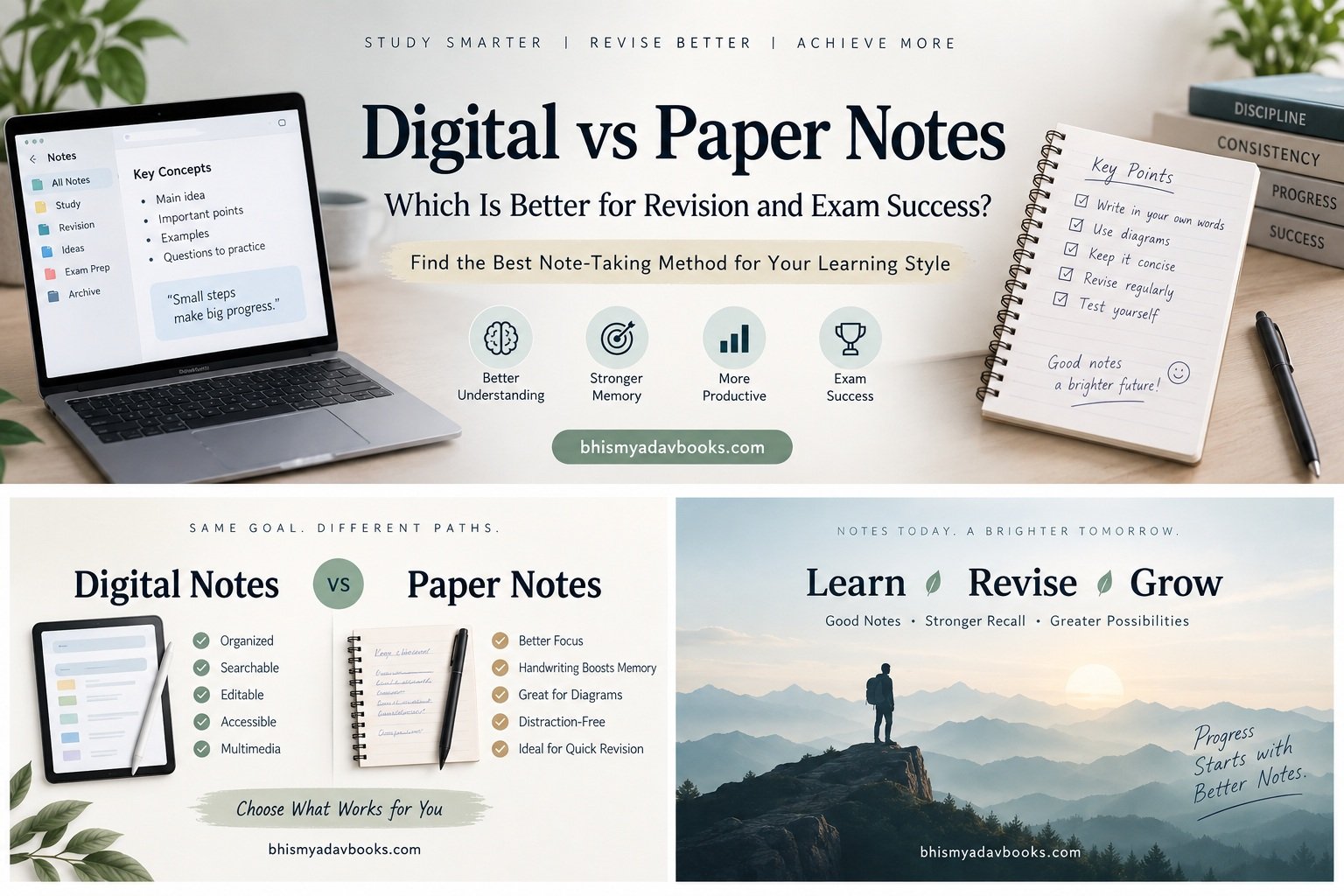
When it comes to studying and preparing for exams, students often have one important question: Should I make digital notes or paper notes?
Both methods have become extremely popular. Some students prefer writing everything in a notebook with a pen, while others use laptops, tablets, smartphones, or note-taking applications to organize their study material. The choice may seem simple, but the way you create and use your notes can significantly affect your revision, concentration, memory, and exam performance.
Paper notes have been used by students for generations. Writing important information by hand can encourage active engagement with the subject and create a physical connection with what you are learning. On the other hand, digital notes offer convenience, searchability, easy editing, cloud storage, multimedia support, and access across multiple devices.
So, which one is better?
The answer is not as simple as saying that digital notes are better than paper notes or that handwritten notes are always superior. The best note-taking method depends on what you are studying, how you revise, what tools you have available, and how effectively you use the notes afterward.
In fact, many students can benefit from combining both approaches.
We have some amazing books at our Shop page you may want to buy.
This comprehensive guide will compare digital vs paper notes from the perspective of revision and exam preparation. We will examine their advantages, disadvantages, effects on learning, organization, accessibility, memory, concentration, and long-term revision.
Table of Contents
Digital vs Paper Notes: Which Is Better for Revision and Exam Success?
Why Your Notes Matter for Revision
Before comparing digital and paper notes, it is important to understand why notes are important in the first place.
Good notes are not simply a record of everything a teacher says or everything written in a textbook.
The purpose of notes is to create a personal learning resource that makes future revision easier.
Imagine studying a 500-page textbook before an examination. Reading the entire textbook again and again may not be practical. Well-prepared notes can reduce hundreds of pages of information into a manageable revision resource.
For example, instead of revisiting an entire chapter on photosynthesis, your notes might contain:
- Definition of photosynthesis
- Word equation
- Chemical equation
- Main stages
- Factors affecting photosynthesis
- Important diagrams
- Key terms
- Common examination questions
- Mistakes to avoid
This allows you to revise the most important information quickly.
Therefore, when comparing digital and paper notes, the real question is not simply:
Which format looks better?
The better question is:
Which format helps you create useful notes and revise them effectively?
That distinction is extremely important.
Digital Notes: What Are They?
Digital notes are study notes created and stored electronically.
Students can create them using:
- Laptops
- Desktop computers
- Tablets
- Smartphones
- Digital notebooks
- Note-taking applications
- Word processors
- Cloud-based documents
- Stylus-enabled tablets
Examples include typed chapter summaries, digital flashcards, handwritten tablet notes, annotated PDFs, mind maps, tables, and digital question banks.
Digital notes can be as simple as a text document or as sophisticated as an organized digital knowledge system containing text, images, diagrams, audio recordings, links, and files.
For students who study multiple subjects, digital notes can also provide a centralized system where everything is organized in one place.
Advantages of Digital Notes
1. Easy to Edit
One of the biggest advantages of digital notes is that they are easy to modify.
When writing in a notebook, making a mistake may require crossing something out or rewriting the entire section.
Digital notes are different.
You can:
- Delete information
- Add new information
- Rearrange paragraphs
- Correct mistakes
- Change headings
- Move sections
- Update outdated information
This can be particularly useful for subjects where your understanding develops over time.
For example, you may initially write a basic explanation of a topic. After studying it further, you discover a better explanation.
With digital notes, you can immediately update the original section.
This keeps your revision material current and organized.
2. Powerful Search Function
Searching is one of the most useful features of digital notes.
Suppose you have several hundred pages of digital notes and want to find information about Newton’s Third Law.
Instead of manually searching through notebooks, you can type the relevant keyword into the search function.
The software can quickly locate the information.
This can save considerable time during revision.
For students preparing for competitive examinations with large syllabuses, searchability can be especially valuable.
You might have notes covering:
- Physics
- Chemistry
- Biology
- Mathematics
- History
- Geography
- Current affairs
Finding a particular topic in a digital system can take only a few seconds.
3. Easy Organization
Digital notes can be organized into folders, notebooks, sections, pages, tags, and categories.
For example:
Class 12
→ Physics
→ Chemistry
→ Mathematics
→ Biology
Inside Physics:
→ Mechanics
→ Thermodynamics
→ Optics
→ Electromagnetism
Inside Mechanics:
→ Motion
→ Newton’s Laws
→ Work and Energy
→ Gravitation
This hierarchical organization can make large amounts of study material easier to manage.
Paper notebooks can also be organized effectively, but digital systems provide greater flexibility when reorganizing information.
4. Easy Backup
Losing an important notebook can be frustrating.
A notebook might contain weeks or months of work.
Digital notes can often be backed up using cloud storage or external storage systems.
If your device is damaged, lost, or replaced, you may still be able to access your notes from another device if they have been properly synchronized.
This makes digital notes particularly useful for students who travel frequently or study in different locations.
However, students should not assume that every digital note is automatically safe.
Always maintain backups of important study material.
5. Access From Multiple Devices
Digital notes can often be accessed from:
- Laptop
- Tablet
- Smartphone
- Desktop computer
This means you can revise almost anywhere.
For example, you might create detailed notes on your laptop at home and later review them on your smartphone while traveling.
Similarly, you might read notes on a tablet while sitting in a library.
This flexibility is one of the biggest reasons students choose digital note-taking.
6. Multimedia Support
Digital notes can contain more than text.
Depending on the software you use, you may be able to include:
- Images
- Diagrams
- Screenshots
- Audio
- Videos
- Links
- Tables
- PDFs
- Presentations
This can be useful for subjects that require visual learning.
For example, a biology note about the human heart could contain:
Topic: Human Heart
- Written explanation
- Labeled diagram
- Important terminology
- Link to a useful educational animation
- Practice questions
This creates a richer learning resource.
Disadvantages of Digital Notes
Digital notes are convenient, but convenience does not automatically mean better learning.
There are several potential disadvantages.
1. Distractions
This is probably the biggest problem with digital note-taking.
When studying on a laptop or smartphone, you may have access to:
- Social media
- YouTube
- Games
- Messaging apps
- Notifications
- Websites
- Entertainment
You may open your device intending to study for one hour and end up spending much of that time doing something unrelated.
This can seriously reduce study efficiency.
For example:
Intention:
“I will revise mathematics for one hour.”
Reality:
10 minutes → checking messages
15 minutes → watching unrelated videos
10 minutes → browsing social media
5 minutes → searching for something unnecessary
20 minutes → actual studying
The device itself is not necessarily the problem.
The problem is uncontrolled attention.
Therefore, students using digital notes need strong distraction-management habits.
2. Passive Typing
Typing can sometimes encourage students to record information without deeply processing it.
Imagine a teacher explaining an important concept.
A student may attempt to type every sentence exactly as spoken.
The result could be a long transcript rather than meaningful notes.
Good notes should not simply answer:
“What did the teacher say?”
They should also answer:
“What did I understand?”
This distinction separates effective note-making from transcription.
If you type everything without thinking about it, you may create beautiful notes while learning very little.
3. Screen Fatigue
Studying on screens for long periods can become tiring.
Students may experience:
- Eye strain
- Mental fatigue
- Reduced attention
- Headaches
- Reduced motivation
This does not mean digital learning is inherently harmful, but prolonged screen use should be managed carefully.
Regular breaks, appropriate lighting, comfortable screen positioning, and reasonable study sessions can help.
4. Technical Problems
Digital notes depend on technology.
Potential problems include:
- Dead battery
- Device failure
- Software problems
- Lost files
- Synchronization errors
- Storage limitations
- Internet problems
Although many of these problems can be prevented through backups and good organization, they remain possible.
Paper notes do not require charging.
You can open a notebook immediately and begin revising.
Paper Notes: What Are They?
Paper notes are handwritten study materials created using:
- Notebooks
- Loose sheets
- Registers
- Index cards
- Revision cards
- Printed worksheets
- Sticky notes
- Study planners
Handwritten notes have been a fundamental part of education for a very long time.
Despite the growth of digital technology, many students continue to prefer paper because it feels more natural and allows them to interact physically with the learning material.
Paper notes can also be highly personal.
A student may use:
- Arrows
- Underlining
- Boxes
- Symbols
- Drawings
- Diagrams
- Different handwriting styles
- Marginal comments
These elements can make notes feel more connected to the learner.
Advantages of Paper Notes
1. Encourages Active Engagement
Writing by hand requires physical and mental involvement.
You cannot usually write as quickly as you can type.
Because of this limitation, students may naturally select the most important information rather than attempting to record everything.
For example, instead of writing an entire explanation, you may write:
Photosynthesis
- Plants make food
- Requires light
- Chlorophyll involved
- CO₂ + H₂O → glucose + O₂
This shorter format forces you to identify key ideas.
That process can make note-making more active.
2. Flexible Diagrams
Paper is excellent for quickly drawing:
- Arrows
- Flowcharts
- Mind maps
- Tables
- Graphs
- Labeled diagrams
- Timelines
You do not need to open a drawing application or select a tool.
Simply take your pen and draw.
This can be especially useful in subjects such as:
- Biology
- Geography
- Chemistry
- Physics
- History
- Engineering
A rough diagram can sometimes communicate an idea faster than several paragraphs of text.
3. Fewer Digital Distractions
A notebook does not send notifications.
It cannot open social media.
It does not display advertisements.
It does not tempt you to watch another video.
For students who struggle with digital distractions, paper notes can provide a simpler study environment.
When you open a notebook, the primary task is usually obvious:
Study.
4. Easy to Personalize
Paper notes can become highly visual.
You can create your own system using:
- Stars for important concepts
- Question marks for confusing topics
- Boxes for formulas
- Arrows for connections
- Circles for keywords
- Different handwriting sizes
- Small diagrams
Over time, you may develop a personal visual language.
For example:
⭐ = Very important
? = Need clarification
✓ = Understood
⚠ = Common mistake
Q = Practice question
This can make revision faster because you immediately recognize what each symbol means.
5. No Battery Required
This may sound obvious, but it is a genuine advantage.
You can revise paper notes:
- During a power cut
- While traveling
- Outside
- In locations without internet
- When your phone battery is dead
Paper provides reliable offline access.
Disadvantages of Paper Notes
1. Difficult to Edit
Once you have filled several pages, changing the structure can be difficult.
Suppose you initially organize a chapter into:
- Definition
- Examples
- Formula
- Applications
Later you realize that the formula should appear before the examples.
Reorganizing handwritten pages may require rewriting everything.
Digital notes are much easier to rearrange.
2. Physical Storage
If you study ten subjects for several years, you may accumulate dozens of notebooks.
Eventually, storage becomes a problem.
You may have:
- School notebooks
- Coaching notes
- Revision notebooks
- Question notebooks
- Formula books
- Current affairs notebooks
Finding one specific topic can become difficult if your notebooks are not carefully labeled.
3. Risk of Physical Damage
Paper can be:
- Lost
- Torn
- Wet
- Damaged
- Misplaced
A notebook containing months of work could disappear because of an accident.
This is why important paper notes should sometimes be photographed, scanned, or summarized into another system.
4. Searching Takes Longer
Suppose you remember writing something about photosynthesis somewhere in your biology notes.
If you have 200 handwritten pages, finding that exact information may take several minutes.
Digital search can usually locate typed information much faster.
Digital vs Paper Notes: The Real Difference
The biggest difference between digital and paper notes is not simply the device.
It is the learning behavior associated with the medium.
Digital tools can make it easier to:
- Collect
- Organize
- Search
- Edit
- Store
- Share
Paper can make it easier to:
- Sketch
- Personalize
- Focus
- Annotate
- Create visual connections
Neither method automatically produces better learning.
The effectiveness depends on how you take notes and, more importantly, how you revise them afterward.
The Most Important Principle: Notes Are Not Revision
This is one of the most important lessons students should understand.
Making notes is not the same as revising notes.
You could spend three hours creating beautifully formatted notes and still perform poorly if you never test your memory.
For example, imagine you create ten pages of notes about a chapter.
You read them repeatedly.
You feel familiar with the material.
Then the examination begins.
You see a question and suddenly realize:
“I recognize this topic, but I cannot remember the answer.”
This happens because recognition and recall are different.
Effective revision requires you to retrieve information from memory, not simply look at it repeatedly.
That means both digital and paper notes should eventually be transformed into active revision resources.
How to Choose Between Digital and Paper Notes
Before choosing a method, ask yourself five questions:
1. Do I get distracted easily by devices?
If yes, paper may be better for your primary note-making.
2. Do I need to manage a large amount of information?
If yes, digital notes may provide better organization and searchability.
3. Do I draw many diagrams?
Paper or a stylus-enabled tablet may work well.
4. Do I revise in different locations?
Digital notes can provide convenient access across devices.
5. Do I remember information better after handwriting?
If handwriting helps you think and organize concepts, continue using it.
The best method is the one that consistently helps you understand, remember, and retrieve information.
A Better Question Than “Digital or Paper?”
Instead of forcing yourself to choose one method, consider a third option:
Use a Hybrid Note-Taking System
A hybrid system combines the strongest features of digital and paper notes.
For example:
During class:
Take quick handwritten notes.
After class:
Create a concise digital summary.
During revision:
Use digital search and organized summaries.
Before the exam:
Use handwritten revision sheets and practice questions.
This approach can provide the advantages of both systems.
However, there is one important warning.
Do not duplicate everything.
If you write the same ten pages by hand and then type the same ten pages digitally, you may spend enormous amounts of time organizing information instead of learning it.
The goal is not to create more notes.
The goal is to create better revision material.
What Makes a Good Revision Note?
Regardless of whether your notes are digital or handwritten, effective revision notes usually contain:
- Key concepts
- Important definitions
- Formulas
- Examples
- Diagrams
- Relationships between ideas
- Common mistakes
- Practice questions
- Difficult points
- Short explanations
- Memory cues
Avoid unnecessary information.
A revision note should answer:
What do I need to remember, understand, practice, or apply?
This question can dramatically improve your note-making process.
Digital vs Paper Notes: Which Is Better for Revision and Exam Success?
Digital vs Paper Notes for Memory
Memory is one of the most important factors in academic success.
You can understand a topic perfectly while studying and still struggle during an examination if you cannot retrieve the information when needed.
This is why students should consider how their note-taking method affects the process of remembering.
Handwriting and Memory
When you write something by hand, you have to coordinate:
- Thinking
- Selecting information
- Forming words
- Moving your hand
- Organizing ideas
- Deciding what deserves attention
Because handwriting is generally slower than typing, you cannot always record every sentence.
This can encourage you to summarize information.
For example, instead of writing:
“The process through which green plants prepare their food using carbon dioxide and water in the presence of sunlight and chlorophyll is called photosynthesis.”
You might write:
Photosynthesis = plants make food using CO₂ + H₂O + sunlight + chlorophyll.
The shorter version may be more useful during revision because you have already processed the information.
However, handwriting itself should not be treated as a magical memory technique.
Simply copying sentences by hand does not necessarily mean you understand them.
The quality of mental processing matters.
Digital Notes and Memory
Digital notes can also support strong memory when they are created actively.
The problem occurs when students use typing as a form of transcription.
Suppose a teacher explains a topic for 30 minutes.
One student tries to type every sentence.
Another student listens carefully and creates a short summary containing only:
- Main concept
- Three key points
- One example
- One diagram
- Two questions
The second student may end up with fewer words but a stronger understanding.
Therefore, the important distinction is:
Typing everything ≠ effective learning
and
Typing selectively + processing information = effective learning.
Digital notes become particularly powerful when combined with active recall, spaced repetition, flashcards, and practice questions.
Active Recall: The Secret Behind Effective Revision
Active recall means trying to retrieve information from memory without looking at the answer first.
For example, instead of reading:
Newton’s Second Law: F = ma
you close your notes and ask:
“What is Newton’s Second Law?”
Then you try to answer from memory.
This is much more useful than simply rereading the formula.
Both paper and digital notes can support active recall.
With paper notes
You can:
- Cover the answer.
- Write questions in the margin.
- Close the notebook.
- Answer on another sheet.
- Check your response.
With digital notes
You can:
- Create question-and-answer sections.
- Hide answers.
- Use digital flashcards.
- Create quizzes.
- Randomize questions.
- Review incorrect answers.
The format is less important than the retrieval process.
Turning Paper Notes Into Active Recall Material
Suppose you have a handwritten page about the Indian Constitution.
Instead of simply rereading the page, convert it into questions:
Question: When was the Constitution of India adopted?
Question: When did it come into force?
Question: What are the major features of the Constitution?
Question: What is the significance of Fundamental Rights?
Now cover the answers.
Try to answer each question from memory.
This turns a passive notebook into an active revision tool.
Turning Digital Notes Into Active Recall Material
Digital notes can be converted into active recall resources just as easily.
For example, create a section titled:
Test Yourself
- What is opportunity cost?
- What are the factors affecting demand?
- What happens when price increases?
- Explain the demand curve.
- Give one real-world example.
Then hide or place the answers below the questions.
During revision, attempt the questions before checking the answers.
Digital notes can also be linked with flashcard systems and quiz applications, making them especially flexible for retrieval practice.
Digital vs Paper Notes for Concentration
Concentration is another major difference.
A paper notebook provides a relatively distraction-free environment.
When you open it, there are generally no notifications.
A digital device, however, may contain dozens of distractions.
This creates a potential conflict.
You may begin with:
“I am going to revise chemistry.”
Then a notification appears.
You check it.
A message leads to another message.
Then you open a browser.
Then you watch a short video.
Then another recommendation appears.
Twenty minutes disappear.
The problem is not necessarily digital notes.
The problem is attention switching.
How to Reduce Digital Distractions
If you prefer digital notes, create a dedicated study environment.
Use full-screen study mode
Keep only the application you need open.
Turn off notifications
Disable unnecessary:
- Social media alerts
- Messaging notifications
- Promotional notifications
- Email notifications
Use website blockers
If you frequently visit distracting websites, temporary blocking tools can help.
Keep your phone away
If you are studying on a laptop, you may not need your smartphone beside you.
Put it on silent and place it away from your study area.
Use a study timer
Try focused sessions such as:
40 minutes study + 10 minutes break
or
50 minutes study + 10 minutes break.
Choose a schedule that works for you.
When Paper Notes Are Better for Concentration
Paper notes can be especially useful when:
- You are easily distracted by technology.
- You are studying difficult concepts.
- You need deep concentration.
- You are brainstorming.
- You are solving mathematical problems.
- You are drawing diagrams.
- You are reviewing before an examination.
A simple notebook can remove many unnecessary digital temptations.
For some students, this alone makes paper notes more effective.
Digital vs Paper Notes for Different Subjects
There is no universal winner because different subjects require different types of learning.
Let’s examine some common subjects.
Mathematics
Mathematics often involves:
- Equations
- Calculations
- Graphs
- Diagrams
- Problem-solving
- Step-by-step working
Paper can be extremely useful here.
Writing equations by hand and solving problems on paper can feel more natural than typing mathematical expressions.
A good mathematics revision notebook might include:
Formula
Write the formula clearly.
Meaning
Explain what each variable represents.
Example
Solve one representative problem.
Common mistake
Write the error students frequently make.
Practice
Add three to five questions.
Digital tools can still be useful for organizing formulas and storing solved examples.
Therefore, a hybrid approach can work particularly well for mathematics.
Physics
Physics requires both conceptual understanding and numerical problem-solving.
Paper notes can be useful for:
- Diagrams
- Derivations
- Equations
- Graphs
- Problem solving
Digital notes can help organize:
- Formula collections
- Topic summaries
- Reference material
- Diagrams
- Practice resources
A useful strategy is:
Learn → handwritten working → digital summary → practice problems.
Chemistry
Chemistry combines several types of information:
- Concepts
- Reactions
- Equations
- Structures
- Definitions
- Tables
- Exceptions
Digital notes can be useful for searching specific reactions and organizing large amounts of material.
Paper notes are excellent for quickly drawing chemical structures and reaction mechanisms.
A hybrid method can therefore be very effective.
Biology
Biology involves a large amount of information.
Students often need to remember:
- Definitions
- Processes
- Structures
- Functions
- Classifications
- Diagrams
- Terminology
Digital notes are useful for organizing large chapters.
Paper is particularly effective for drawing and labeling biological diagrams.
One useful method is:
Digital master notes + handwritten diagrams + question-based revision.
History
History often involves:
- Dates
- Events
- People
- Causes
- Consequences
- Timelines
- Comparisons
Paper notes can be excellent for creating timelines and visual maps.
Digital notes can make it easier to reorganize events chronologically or search for specific names and dates.
For example, a digital history notebook could be divided into:
Ancient History
Medieval History
Modern History
Within each section, information could be organized by:
- Event
- Date
- Cause
- Important personalities
- Result
- Historical significance
Geography
Geography benefits from visual learning.
Paper can be particularly useful for:
- Maps
- Diagrams
- Flowcharts
- Landform sketches
- Climate charts
Digital notes can support:
- Images
- Maps
- Tables
- Geographic data
- Reference links
Again, there is no need to choose one system permanently.
Languages
For language learning, digital notes offer useful search and organization features.
You can maintain sections for:
- Vocabulary
- Grammar
- Sentence structures
- Idioms
- Common mistakes
- Writing practice
Paper can be useful for vocabulary recall and handwriting practice.
For example:
English Word: Reluctant
Meaning: Unwilling or hesitant
Example: He was reluctant to accept the offer.
Then test yourself later without looking at the meaning.
Digital vs Paper Notes for Competitive Exams
Competitive examinations often require students to handle enormous amounts of information.
Examples may include:
- UPSC
- SSC
- Banking examinations
- Railway examinations
- State-level competitive examinations
- Engineering entrance examinations
- Medical entrance examinations
- Government recruitment examinations
For these exams, organization becomes extremely important.
Students may need to manage:
- Syllabus
- Textbooks
- Coaching material
- Current affairs
- Previous-year questions
- Mock tests
- Short notes
- Revision sheets
- Error logs
Digital systems can be particularly helpful for managing this volume.
However, paper remains highly useful for:
- Quick revision
- Formula sheets
- Mind maps
- Timelines
- Practice questions
- Mock-test analysis
A strong system often combines both.
The Importance of Short Notes
One of the biggest mistakes students make is creating notes that are almost as long as the textbook.
That defeats the purpose.
Suppose a textbook chapter contains 50 pages.
If your notes contain 45 pages, you haven’t created an efficient revision resource.
Instead, gradually compress the information.
Stage 1: Full Understanding
Read the textbook or lecture material.
Stage 2: Detailed Notes
Create organized notes containing important concepts.
Stage 3: Short Notes
Reduce the information to the most important points.
Stage 4: Final Revision Sheet
Create a one-page or two-page summary containing only the highest-value information.
This process can be called progressive compression.
Digital Notes Are Excellent for Progressive Compression
Digital notes make it easy to create multiple levels of information.
For example:
Chapter: Human Reproduction
Level 1
Detailed notes
Level 2
One-page summary
Level 3
Important terms
Level 4
Practice questions
Level 5
Last-minute revision sheet
This structure allows you to move from detailed learning to rapid revision.
Paper Notes Are Excellent for Final Compression
Paper can also be extremely powerful during the final stage.
Take a blank sheet of paper.
Write the chapter title at the top.
Without looking at your notes, write everything you can remember.
For example:
Chapter: Thermodynamics
You might write:
- First law
- Internal energy
- Work
- Heat
- Enthalpy
- Entropy
- Important equations
- Applications
Then compare your sheet with your original notes.
Anything missing becomes a revision target.
This method is more valuable than simply rereading the chapter.
The Blank Page Technique
The blank page technique is one of the simplest ways to test your understanding.
Step 1
Take a blank sheet of paper.
Step 2
Write the name of the topic.
Step 3
Close your book and notes.
Step 4
Write everything you remember.
Step 5
Open your notes.
Step 6
Compare.
Step 7
Mark missing or incorrect information.
Step 8
Review only those weak areas.
This creates a powerful feedback loop.
You are no longer asking:
“Does this look familiar?”
You are asking:
“Can I produce this information without help?”
That is much closer to what happens in an examination.
Which Is Better for Visual Learners?
The idea that every student has one fixed “learning style” should be treated cautiously. Learning is more complicated than simply labeling someone a visual, auditory, or kinesthetic learner.
However, students can still have preferences for certain study formats.
If you enjoy visual organization, both digital and paper notes can work.
Paper allows:
- Hand-drawn mind maps
- Arrows
- Boxes
- Diagrams
- Color coding
Digital tools allow:
- Drag-and-drop diagrams
- Images
- Digital mind maps
- Expandable sections
- Embedded media
- Reusable templates
Choose whichever allows you to represent relationships between ideas most clearly.
Which Is Better for Students Who Travel?
Digital notes generally have an advantage here.
If you have your notes synchronized across devices, you can access them while:
- Traveling
- Waiting for appointments
- Sitting in a library
- Studying at school
- Studying at home
A smartphone can contain an entire digital library.
However, reading long material on a small screen may not always be comfortable.
A tablet or laptop can provide a better reading experience.
Paper remains useful when you want to study without worrying about battery life or connectivity.
Which Is Better for Group Study?
Digital notes can be useful for collaboration.
Students can share documents, create common revision material, and combine information.
For example, a study group might create a shared document containing:
- Important concepts
- Difficult questions
- Explanations
- Practice problems
- Exam tips
Paper notes can still be useful during face-to-face group discussions.
Students can draw diagrams and explain concepts on paper or a whiteboard.
The best method depends on the type of collaboration.
Which Is Better for Last-Minute Revision?
This depends heavily on how you organize your material.
A poorly organized digital notebook can be difficult to navigate.
A poorly organized paper notebook can be equally frustrating.
But if your notes are designed specifically for rapid revision, both can work.
For example, create a Final Revision Sheet containing:
- Formulas
- Definitions
- Dates
- Key concepts
- Common mistakes
- Important diagrams
- Frequently asked questions
Keep it short.
Your final revision resource should not become another textbook.
A Simple Decision Rule
Use this rule when deciding between digital and paper notes:
Choose paper when you need:
Focus + handwriting + diagrams + problem-solving + distraction-free study
Choose digital when you need:
Search + organization + editing + storage + accessibility + multimedia
Choose both when you need:
The strengths of each method at different stages of learning.
The goal is not to become loyal to a particular format.
The goal is to build a revision system that helps you learn efficiently.
The Best Hybrid Revision System
Here is a practical system students can experiment with.
Step 1: Learn
Study the textbook, lecture, course, or educational resource.
Step 2: Capture
Write quick paper notes or type concise digital notes.
Step 3: Understand
Rewrite difficult concepts in your own words.
Step 4: Organize
Store detailed material digitally if you have a large syllabus.
Step 5: Compress
Create shorter revision notes.
Step 6: Recall
Close your notes and reproduce the information from memory.
Step 7: Practice
Solve questions without looking at the answers.
Step 8: Review Mistakes
Maintain an error log.
Step 9: Repeat
Use spaced revision instead of trying to memorize everything in one sitting.
Step 10: Final Revision
Use your shortest and highest-value notes before the examination.
This system turns note-taking into a complete learning cycle.
One More Important Rule: Don’t Spend More Time Decorating Than Learning
Digital and paper notes can both become victims of excessive decoration.
Students may spend large amounts of time choosing:
- Fonts
- Colors
- Stickers
- Templates
- Pens
- Headings
- Borders
- Icons
A visually attractive notebook can be enjoyable.
But remember:
Your notes are a tool for learning, not a design competition.
If decorating one page takes 30 minutes but studying the concept takes only 10 minutes, your priorities may need adjustment.
Use formatting when it improves:
- Clarity
- Organization
- Memory cues
- Navigation
Avoid decoration that adds time without adding learning value.
Digital vs Paper Notes: Which Is Better for Revision and Exam Success?
How to Create Effective Paper Notes for Revision
Paper notes become powerful when they are designed specifically for future revision.
Many students make notes while learning but never think about how those notes will be used one week or one month later.
A better approach is to create notes with revision in mind from the beginning.
1. Start With a Clear Heading
Every page should immediately tell you what you are studying.
For example:
Physics – Chapter 4: Laws of Motion
or
History – Revolt of 1857
or
Biology – Human Digestive System
A clear heading makes your notebook easier to navigate later.
If you have many pages, also write the date and chapter number where useful.
2. Use Short Sections
Avoid creating one enormous block of handwriting.
Divide information into small sections.
For example:
Definition
Short explanation.
Key Points
- Point 1
- Point 2
- Point 3
Example
One representative example.
Formula
Important equation.
Common Mistake
What students often get wrong.
This structure makes revision much easier.
3. Leave Space for Future Additions
Do not fill every corner of every page.
Leave some space in the margins or at the bottom.
Why?
Because your understanding will develop.
During revision, you may discover:
- An important exception
- A useful example
- A teacher’s explanation
- A common examination question
- A mistake you repeatedly make
You can add these later.
Your notes should be able to evolve.
4. Use a Consistent Symbol System
You can create simple symbols that have specific meanings.
For example:
★ = Extremely important
! = Important fact
? = Doubt or unclear concept
✓ = Mastered
⚠ = Common mistake
Q = Practice question
You do not need dozens of symbols.
Five or six are enough.
Consistency is more important than complexity.
5. Create a Dedicated Error Log
An error log can become one of the most valuable parts of your revision system.
Whenever you make a mistake in:
- Homework
- Practice questions
- Mock tests
- Previous-year papers
- Class tests
record it.
A simple format is:
| Question | My Mistake | Correct Approach |
| Algebra problem | Sign error | Check signs before final answer |
| Biology question | Confused two terms | Review definitions |
| History question | Incorrect date | Add date to timeline |
Your mistakes show you where your revision should be concentrated.
Digital Notes: How to Build a Better System
Digital notes become much more useful when you establish a clear structure.
Do not allow every subject to become one enormous document.
Create a hierarchy.
For example:
Exam Preparation
→ Mathematics
→ Physics
→ Chemistry
→ Biology
Inside Mathematics:
→ Algebra
→ Calculus
→ Geometry
→ Statistics
Inside each chapter:
→ Detailed Notes
→ Short Notes
→ Questions
→ Mistakes
→ Final Revision
This makes your digital library easier to navigate.
Use Searchable Keywords
One major advantage of digital notes is search.
Take advantage of it.
Suppose you are studying economics.
Instead of writing a paragraph containing many concepts without structure, use searchable terms such as:
Demand
Supply
Elasticity
Market Equilibrium
Opportunity Cost
Later, searching for “elasticity” can immediately take you to the relevant information.
This is especially helpful when your notes become large.
Create a Digital “Master Notebook”
If you use multiple resources, you may find yourself with information scattered everywhere.
You might have:
- PDF files
- Class notes
- Screenshots
- Digital documents
- Bookmarks
- Photos
- Chat messages
- Saved webpages
Instead of allowing everything to remain scattered, create a central system.
Your master notebook should contain your most useful study information.
It does not necessarily need to contain every piece of information you have collected.
Think of it as your final knowledge base.
Avoid the Digital Hoarding Problem
Digital storage is almost unlimited.
That creates a strange problem.
Because storing information is so easy, students may collect far more material than they can realistically study.
You might download:
- 20 PDFs
- 50 videos
- 15 presentations
- 10 question banks
- Hundreds of screenshots
and then tell yourself:
“I have everything I need.”
But having information is not the same as knowing information.
A useful rule is:
Collect less. Process more.
Before saving a resource, ask:
Will I actually use this?
If not, don’t let it become part of your revision system.
The Three-Level Digital Note System
A practical digital revision system can contain three levels.
Level 1: Detailed Notes
These contain explanations, examples, diagrams, and supporting information.
Use them when learning a topic for the first time.
Level 2: Short Revision Notes
These contain only the most important information.
For example:
Newton’s Laws
- First Law → Inertia
- Second Law → F = ma
- Third Law → Action and reaction
Add important examples and exceptions.
Level 3: Final Revision Sheet
This is the shortest version.
It might contain:
- Formulas
- Definitions
- Dates
- Keywords
- Diagrams
- Common mistakes
The purpose is rapid recall.
This three-level system prevents you from repeatedly revisiting huge amounts of information.
Paper vs Digital for Mind Mapping
Mind mapping is an excellent revision technique because it helps students see relationships between concepts.
Both paper and digital systems can be used.
Paper Mind Maps
Start with the topic in the center.
For example:
CELL
Branches:
→ Structure
→ Organelles
→ Functions
→ Cell Division
→ Transport
→ Differences
Then create smaller branches.
Paper mind maps are quick and flexible.
You can draw arrows wherever you want.
Digital Mind Maps
Digital mind maps offer additional flexibility.
You can:
- Move branches
- Add images
- Expand sections
- Change layouts
- Add links
- Edit information
This can be particularly useful for complex subjects.
However, do not choose digital simply because it looks more sophisticated.
A simple handwritten mind map can be just as useful.
How to Use Color Correctly
Color can make notes easier to navigate.
But too many colors can make notes confusing.
A simple system works better.
For example:
Black: Main information
Red: Important warnings
Blue: Definitions
Green: Examples
You don’t need ten different colors.
If everything is highlighted, nothing stands out.
The purpose of color is visual organization, not decoration.
The One-Page Revision Method
After completing a chapter, challenge yourself to summarize it on one page.
This is particularly effective before exams.
Suppose you have studied:
Chemical Bonding
Your one-page sheet might include:
Key Definitions
- Ionic bond
- Covalent bond
- Metallic bond
Important Concepts
- Electron transfer
- Electron sharing
- Valence electrons
Examples
- NaCl
- H₂O
- CH₄
Diagrams
Simple bonding representations.
Common Mistakes
Two or three points.
If you cannot fit a chapter onto one or two pages, ask yourself:
What information is actually essential for revision?
The process of deciding what to remove can itself improve understanding.
The Feynman Technique and Your Notes
Another useful approach is the Feynman Technique.
The basic idea is simple:
Explain a difficult concept as if you were teaching it to someone who knows nothing about it.
For example, suppose you are studying inflation.
Instead of writing:
“Inflation refers to a sustained increase in the general price level of goods and services.”
try explaining it simply:
“Inflation means that, on average, the same amount of money buys fewer things than before.”
Then add an example.
If you cannot explain the concept simply, you may not understand it deeply enough.
You can use either paper or digital notes for this exercise.
Turn Every Chapter Into Questions
One of the most effective improvements you can make to your notes is to convert information into questions.
Instead of:
Causes of the French Revolution
- Social inequality
- Economic problems
- Political dissatisfaction
- Enlightenment ideas
write:
What were the major causes of the French Revolution?
Then attempt to answer from memory.
Similarly:
Topic: Photosynthesis
Turn it into:
- What is photosynthesis?
- Where does it occur?
- What materials are required?
- What is the role of chlorophyll?
- What are the products?
- What factors affect the rate?
Now your notes become a self-testing system.
The Question-First Note Method
You can even structure your notes around questions from the beginning.
Instead of organizing a chapter as:
Chapter → Topic → Information
use:
Chapter → Question → Answer
For example:
What is osmosis?
Answer.
What factors affect osmosis?
Answer.
How is osmosis different from diffusion?
Answer.
This structure is excellent for revision because examinations also present information in the form of questions.
Use Previous-Year Questions to Improve Notes
Students often create notes based entirely on textbooks.
That can be inefficient.
Previous-year examination questions can show you which concepts are actually being tested.
After studying a chapter, examine previous questions.
Look for:
- Repeated topics
- Frequently tested concepts
- Common question patterns
- Typical numerical problems
- Important definitions
- Expected answer formats
Then improve your notes accordingly.
For example, if a particular concept appears repeatedly in past examinations, mark it clearly.
Your notes should reflect exam relevance, not merely textbook length.
Create an “Exam Priority” System
You can classify information into three levels.
Priority A — Must Know
Information you absolutely need to remember.
Examples:
- Core concepts
- Important formulas
- Major definitions
- Frequently tested facts
Priority B — Should Know
Useful information that may appear in questions.
Priority C — Extra
Interesting or supporting information that is less likely to be important for the examination.
This classification helps when time is limited.
Digital Notes for Collaboration
Digital notes can become particularly useful when studying with others.
A group can create a shared revision document containing:
Important Questions
Difficult Concepts
Common Errors
Useful Examples
Practice Tests
Each student can contribute.
However, collaboration should not replace individual recall.
Reading someone else’s excellent explanation may create the feeling that you understand the topic.
But during an examination, your brain must produce the answer independently.
So after group study, close the shared document and test yourself.
Paper Notes for Teaching Yourself
Paper is excellent for explaining concepts to yourself.
Take a blank page and pretend you are the teacher.
Write:
Topic: Photosynthesis
Then explain the entire process without looking at your textbook.
You might draw:
Sunlight
↓
Chlorophyll
↓
CO₂ + H₂O
↓
Glucose + O₂
If you get stuck, identify exactly where you became uncertain.
That uncertainty becomes your next revision target.
Common Mistake #1: Copying the Textbook
One of the most common note-making mistakes is copying.
A student reads:
“The Industrial Revolution was a period of major industrialization…”
and copies the entire paragraph.
The result is a notebook containing the textbook in slightly different handwriting.
That is not efficient note-making.
Instead, process the information.
Ask:
- What happened?
- Why did it happen?
- When did it happen?
- What were the consequences?
- What do I need to remember for the exam?
Then write the answers in your own words.
Common Mistake #2: Making Notes Too Early
Students sometimes begin making detailed notes before they understand the subject.
This can produce confused notes.
A better process is:
First understand → then summarize.
For difficult chapters, initially focus on comprehension.
After understanding the material, create concise notes.
Common Mistake #3: Making Notes Too Beautiful
Aesthetic notes can be motivating.
There is nothing wrong with making your notes attractive.
But there is a difference between:
organized
and
over-designed.
If you spend more time selecting decorations than thinking about the concept, the system is working against you.
Keep visual design functional.
Common Mistake #4: Never Updating Notes
Your first notes are not necessarily your final notes.
As you study more, you may discover:
- Better explanations
- Important exceptions
- Common question patterns
- Mistakes in your original understanding
Update your notes.
Digital notes make this especially easy.
For paper notes, use margins, sticky notes, inserts, or a separate correction section.
Common Mistake #5: Revising Only by Reading
This is perhaps the most serious mistake.
Reading your notes repeatedly can create familiarity.
You see the same information and think:
“Yes, I know this.”
But familiarity is not the same as recall.
Instead:
Read → close notes → recall → check → correct.
That simple change can make revision much more active.
Common Mistake #6: Using Too Many Apps
Digital students sometimes create a complicated ecosystem.
One app for notes.
Another for flashcards.
Another for tasks.
Another for PDFs.
Another for mind maps.
Another for calendars.
Another for reminders.
Another for screenshots.
Soon the student spends more time managing the system than studying.
You do not need a complicated digital setup.
A simple system that you actually use is better than an advanced system that becomes difficult to maintain.
Common Mistake #7: Keeping Everything in One Place Without Structure
The opposite problem also exists.
Some students put everything into one enormous document.
After several months, it becomes difficult to find anything.
Use clear:
- Headings
- Folders
- Tags
- Sections
- Chapter names
- Searchable keywords
Organization is part of effective digital note-taking.
A Practical Weekly Revision System
Your notes should be reviewed regularly.
A simple weekly cycle could look like this:
Monday
Learn new material.
Tuesday
Review Monday’s material.
Wednesday
Practice questions.
Thursday
Review difficult topics.
Friday
Test yourself.
Saturday
Review mistakes.
Sunday
Complete a weekly cumulative revision.
This prevents older material from disappearing from memory as you continue learning new chapters.
The 24-Hour Review
After learning a difficult topic, revisit it within approximately a day.
Do not simply reread it.
Try to recall:
- Main ideas
- Definitions
- Formulas
- Examples
Then check your notes.
This short review can reveal what you actually retained.
The Weekly Review
At the end of the week, revisit the material covered during the week.
Ask yourself:
- What can I remember without looking?
- What concepts are still unclear?
- Which questions did I get wrong?
- Which formulas do I forget?
- Which topics need another review?
Your answers determine what you should study next.
The Monthly Review
Once a month, perform a larger review.
Instead of going through every page, focus on:
- Short notes
- Question banks
- Error logs
- One-page summaries
- Difficult chapters
This is where good note organization becomes extremely valuable.
If your notes are well structured, monthly revision becomes much faster.
How to Decide What Goes Into Your Final Notes
Before adding something to your revision notes, ask:
Is it important?
If yes, include it.
Is it repeatedly tested?
If yes, prioritize it.
Does it help explain another concept?
If yes, include a concise version.
Is it already obvious?
If yes, you may not need it.
Is it interesting but unlikely to help my exam?
Consider leaving it out.
This filtering process keeps your notes focused.
Build a Personal Revision Dashboard
If you prefer digital study, you can create a simple dashboard.
For example:
Revision Dashboard
Mathematics
- Algebra ✓
- Calculus ✓
- Geometry →
- Statistics !
Physics
- Mechanics ✓
- Electricity →
- Optics !
Chemistry
- Organic Chemistry →
- Inorganic Chemistry ✓
- Physical Chemistry !
Use simple symbols to indicate progress.
You can create the same system on paper with a study tracker.
The purpose is not to create a complicated productivity system.
It is simply to answer:
What should I revise next?
The Best System Is the One You Can Maintain
A revision system should survive busy weeks.
If your system requires:
- Hours of formatting
- Constant reorganizing
- Many applications
- Complex templates
- Excessive color coding
you may eventually stop using it.
A sustainable system might be as simple as:
One notebook + one digital folder + one error log + regular testing.
That may be enough.
The quality of your revision matters more than the sophistication of your tools.
Digital and Paper Notes Can Work Together
The strongest approach for many students is not choosing one side.
It is assigning each medium a specific job.
For example:
Digital Notes
Use for:
- Detailed information
- Searchable references
- Large syllabuses
- PDFs
- Long-term storage
- Organization
Paper Notes
Use for:
- Problem solving
- Mind maps
- Diagrams
- Brain dumps
- Formula sheets
- Final revision
- Practice answers
This avoids forcing one medium to do everything.
A Complete Example
Imagine you are studying Newton’s Laws of Motion.
Stage 1 — Learn
Read your textbook or attend a lecture.
Stage 2 — Detailed Notes
Create organized digital or handwritten notes.
Include:
- Three laws
- Definitions
- Equations
- Examples
- Diagrams
Stage 3 — Compress
Create a one-page summary.
Stage 4 — Questions
Write:
- State Newton’s First Law.
- Explain inertia.
- State Newton’s Second Law.
- Derive or apply F = ma where appropriate.
- Explain Newton’s Third Law with an example.
Stage 5 — Recall
Close your notes and answer.
Stage 6 — Practice
Solve numerical problems.
Stage 7 — Error Log
Record mistakes.
Stage 8 — Final Revision
Review your one-page summary and error log.
Notice what happened here.
The notes themselves were only one part of the process.
Learning → Note-making → Compression → Recall → Practice → Correction → Revision
That is the complete cycle.
Your Notes Should Get Shorter as the Exam Gets Closer
This is a powerful strategy.
At the beginning of the academic year, your notes may be detailed.
As the examination approaches, your revision material should become increasingly concise.
Think of it as a pyramid:
Textbooks and lectures
↓
Detailed notes
↓
Short notes
↓
Question bank
↓
Error log
↓
One-page summaries
↓
Final recall sheet
The closer you get to the examination, the less unnecessary information you should need.
Digital vs Paper Notes: A Practical Scorecard
You can evaluate both systems like this:
| Feature | Digital Notes | Paper Notes |
| Easy editing | Excellent | Limited |
| Search | Excellent | Difficult |
| Organization | Excellent | Good |
| Portability | Excellent | Moderate |
| Diagrams | Good | Excellent |
| Quick brainstorming | Good | Excellent |
| Distraction-free | Moderate | Excellent |
| Backup | Excellent | Limited |
| Multimedia | Excellent | Limited |
| Handwriting practice | Limited unless using stylus | Excellent |
| Long-term storage | Excellent | Requires physical space |
| Collaboration | Excellent | Limited |
| Problem solving | Good | Excellent |
| Final revision | Excellent | Excellent |
The table makes one thing clear:
Neither method wins every category.
That is exactly why a hybrid strategy can be so effective.
A Simple Rule for Students
If you are unsure which method to choose, start with this:
Use paper for thinking and digital tools for organizing.
This is not a strict rule, but it can provide a useful starting point.
Use paper when you need to:
- Think through a problem
- Draw
- Brainstorm
- Recall
- Practice
- Explain
Use digital tools when you need to:
- Store
- Search
- Organize
- Edit
- Share
- Access information
Then adjust the system based on your experience.
Your Revision System Should Serve You
Do not change your entire study method because someone online says that one format is universally superior.
A successful student using paper notes can outperform a student using an advanced digital tablet.
A student with excellent digital organization can outperform someone with dozens of beautifully handwritten notebooks.
The determining factors are usually things such as:
- Understanding
- Consistency
- Active recall
- Practice
- Spaced revision
- Error correction
- Concentration
- Exam strategy
The medium is only one part of the system.
Digital vs Paper Notes: Which Is Better for Revision and Exam Success?
Digital vs Paper Notes: The Final Comparison
Let’s compare the two methods from the perspective of a student who wants to revise efficiently.
Digital Notes Are Strong When You Need Organization
Digital notes are particularly useful when you have a large amount of information.
They make it easier to:
- Search for keywords
- Edit information
- Reorganize chapters
- Create folders
- Add multimedia
- Store large amounts of material
- Access notes from multiple devices
- Create backups
- Share information
- Build structured revision systems
For students managing a large syllabus, digital organization can save considerable time.
Instead of searching through multiple notebooks, you can search for a keyword and locate the relevant section.
Paper Notes Are Strong When You Need Focus
Paper notes have a major advantage when concentration is the priority.
A notebook does not usually contain:
- Notifications
- Social media
- Games
- Entertainment
- Internet browsing
This simplicity can be valuable.
Paper is also excellent for:
- Mathematical calculations
- Diagrams
- Brainstorming
- Mind maps
- Practice answers
- Formula writing
- Quick recall exercises
For students who become distracted easily by devices, paper may be the better primary study medium.
Digital Notes Are Strong for Long-Term Storage
Imagine studying for several years.
You may accumulate hundreds of pages of:
- Notes
- Revision material
- PDFs
- Question banks
- Practice tests
- Reference material
Digital storage can handle this volume much more conveniently than physical notebooks.
A properly organized digital archive can remain useful long after an individual examination has ended.
For example, you could maintain:
Academic Library
→ School
→ College
→ Competitive Exams
→ Reference Material
→ Previous-Year Questions
→ Personal Projects
Good organization makes old material easier to find and reuse.
Paper Notes Are Strong for Final Revision
Paper can become especially valuable near examinations.
Imagine having a two-page handwritten revision sheet containing:
- Essential formulas
- Definitions
- Dates
- Diagrams
- Important concepts
- Common mistakes
You can read it quickly.
You can annotate it.
You can cover sections and test yourself.
You can carry it without worrying about battery life.
This makes paper highly effective for rapid revision.
The Best Choice May Change During the Academic Year
You do not have to use the same note-taking method throughout the year.
Your needs change.
Beginning of the Year
You are learning new concepts.
Detailed notes may be useful.
Middle of the Year
You are reviewing and practicing.
Short notes and question-based revision become more important.
Before Exams
You need speed and recall.
One-page summaries, error logs, formulas, and practice questions become highly valuable.
Therefore, your note-taking system should evolve.
The Four-Stage Revision System
A highly practical approach is to divide your notes into four stages.
Stage 1: Learn
At this stage, your primary goal is understanding.
Use:
- Textbooks
- Lectures
- Videos
- Classroom explanations
- Reference material
Do not worry too much about creating perfect notes.
Focus on understanding the subject.
Stage 2: Summarize
Once you understand the topic, create your own notes.
These can be:
- Handwritten
- Digital
- Or a combination
Use your own words.
Include only information that helps explain and remember the topic.
Stage 3: Test
Close your notes.
Ask yourself questions.
Solve problems.
Draw diagrams from memory.
Write explanations without looking.
This is where passive information becomes active knowledge.
Stage 4: Correct
Compare your answers with your notes.
Identify:
- Missing information
- Incorrect information
- Weak concepts
- Forgotten formulas
- Repeated mistakes
Then revise those areas.
This creates a continuous improvement cycle.
A Complete Hybrid Note-Taking System
For students who cannot decide between digital and paper notes, here is a practical system.
Step 1: Take Quick Notes During Learning
During class or lectures, use whichever method lets you concentrate best.
If you prefer handwriting, use paper.
If typing is faster and more convenient, use digital notes.
Do not attempt to capture every word.
Capture the ideas.
Step 2: Process the Notes Later
Within a reasonable period after learning, review your notes.
Ask:
- What did I learn?
- What was confusing?
- What are the key concepts?
- What should I remember?
- What questions could appear in an exam?
Then improve the notes.
Step 3: Create a Short Summary
Reduce the topic to its essential information.
For example:
Topic: Photosynthesis
Definition:
Process by which green plants produce food using light energy.
Requirements:
CO₂ + H₂O + sunlight + chlorophyll
Products:
Glucose + O₂
Important factors:
Light intensity, carbon dioxide concentration, temperature.
That’s much easier to revise than an entire chapter.
Step 4: Create Questions
Convert the summary into questions.
For example:
- What is photosynthesis?
- What raw materials are required?
- What is the role of chlorophyll?
- What are the products?
- Which factors affect photosynthesis?
Now you have an active revision tool.
Step 5: Practice From Memory
Close the notes.
Answer the questions.
If you cannot answer one, mark it.
Do not immediately look at the answer.
Give yourself time to retrieve it.
Step 6: Maintain an Error Log
Whenever you make a mistake, record it.
For example:
Mistake: Forgot that temperature affects photosynthesis.
Correction: Add temperature to limiting-factor list.
Over time, your error log becomes a personalized revision guide.
The “Learn, Close, Recall, Check” Method
One of the simplest systems you can use with either digital or paper notes is:
1. Learn
Study the material.
2. Close
Put the textbook and notes away.
3. Recall
Write or explain everything you can remember.
4. Check
Compare your response with the original material.
This process reveals the difference between what you recognize and what you can actually remember.
That difference is extremely important during exam preparation.
How to Use Digital Notes Without Losing Focus
If you choose digital notes, create rules for yourself.
Rule 1: Separate Study and Entertainment
If possible, use a dedicated study profile or device.
Keep entertainment applications away from your main study environment.
Rule 2: Turn Off Notifications
During focused study sessions, disable unnecessary notifications.
You want your attention directed toward the material.
Rule 3: Don’t Multitask
Avoid studying while simultaneously:
- Chatting
- Watching unrelated videos
- Browsing social media
- Checking messages
Multitasking often creates the illusion of productivity while reducing concentration.
Rule 4: Use Full-Screen Mode
Keep the study material as the primary thing visible.
Reducing visual clutter can make focused study easier.
Rule 5: Back Up Important Notes
Keep important digital notes backed up.
A simple backup strategy can prevent a major loss of work.
How to Use Paper Notes More Efficiently
Paper notes also benefit from organization.
Use Separate Sections
You might maintain:
Section 1 — Concepts
Section 2 — Formulas
Section 3 — Questions
Section 4 — Mistakes
Section 5 — Final Revision
This prevents your notebook from becoming a random collection of information.
Use Page Numbers
If your notebook contains extensive material, number your pages.
Then create an index.
For example:
| Topic | Page |
| Newton’s Laws | 12 |
| Work and Energy | 26 |
| Gravitation | 41 |
| Thermodynamics | 58 |
This small habit can save time later.
Keep a Dedicated Revision Notebook
You do not necessarily need to rewrite your entire syllabus.
Instead, create a smaller notebook containing only high-value information.
It can contain:
- Formulas
- Definitions
- Difficult concepts
- Important dates
- Common mistakes
- Frequently asked questions
- Short explanations
This notebook becomes your revision notebook.
It should be much shorter than your main study material.
Use Sticky Notes Carefully
Sticky notes can be useful for:
- Important formulas
- Difficult definitions
- Reminders
- Questions
- Topics requiring additional revision
But don’t cover your entire room with them.
Too many reminders can create visual clutter.
Use them selectively.
Digital Flashcards vs Paper Flashcards
Flashcards can be created in either format.
Paper flashcards
Write:
Front:
What is Newton’s Second Law?
Back:
The acceleration of an object depends on the net force and its mass; commonly expressed as F = ma under the relevant conditions.
Digital flashcards
Digital systems can provide additional features such as:
- Automatic scheduling
- Search
- Categories
- Statistics
- Synchronization
Both can work.
The critical part is the same:
Question first → answer from memory → check.
Spaced Revision Works With Both Formats
Don’t try to memorize everything in one session.
Instead, revisit important material over time.
For example:
Day 1: Learn
Day 2: Quick recall
Day 4: Practice
Day 7: Review
Day 14: Test
Day 30: Cumulative revision
These intervals are not rigid rules.
The principle is more important:
Return to important information repeatedly over increasing periods of time.
Digital tools can automate parts of this process, but paper calendars and revision schedules can do it too.
How to Revise One Week Before an Exam
When you have approximately one week remaining, avoid creating huge amounts of new notes.
Focus on:
- Short notes
- Previous-year questions
- Practice tests
- Error logs
- Important formulas
- Difficult chapters
- Frequently tested topics
Your goal is now retrieval and application, not collecting more information.
How to Revise One Day Before an Exam
The day before an examination is not the time to rewrite your textbook.
Use your shortest resources.
Review:
1. Key concepts
What are the central ideas?
2. Formulas
Can you recall them without looking?
3. Definitions
Can you reproduce them accurately?
4. Common mistakes
What errors should you avoid?
5. Important diagrams
Can you draw and label them?
6. Weak areas
What do you still forget?
Keep the final review focused.
What Not to Do the Night Before an Exam
Avoid turning the final night into a massive note-making session.
Do not suddenly decide to:
- Rewrite every chapter
- Reorganize your entire digital library
- Create a new study system
- Watch dozens of unrelated lectures
- Download hundreds of resources
- Decorate a new notebook
These activities can consume time without improving exam readiness.
Use the notes you have already created.
Digital vs Paper Notes for Different Types of Students
Different students may benefit from different systems.
The Easily Distracted Student
Recommended: Paper-first
Use digital tools only when necessary.
The Highly Organized Student
Recommended: Digital or hybrid
Digital systems can take advantage of your organizational strengths.
The Visual Note Maker
Recommended: Paper or stylus-based digital notes
Choose the medium that makes diagrams and relationships easiest to create.
The Mathematics-Focused Student
Recommended: Paper or tablet with handwriting
Problem-solving generally benefits from flexible written working.
The Student With a Huge Syllabus
Recommended: Digital or hybrid
Search and organization become increasingly valuable as the amount of material grows.
The Student Who Travels Frequently
Recommended: Digital or hybrid
Cloud-based access can make studying more flexible.
The Student Preparing for a Final Exam
Recommended: Hybrid
Keep detailed resources digitally if useful, but create concise final revision sheets.
A 30-Day Digital and Paper Revision Experiment
If you genuinely cannot decide which method works better for you, don’t guess.
Run a small experiment.
For the next 30 days, use a structured approach.
Week 1 — Paper
Take notes primarily by hand.
Track:
- Concentration
- Understanding
- Recall
- Revision speed
Week 2 — Digital
Use digital notes.
Track the same factors.
Week 3 — Hybrid
Use digital notes for organization and paper for recall and practice.
Again, track your experience.
Week 4 — Test
Compare your results.
Ask:
- Which method helped me remember more?
- Which method helped me concentrate?
- Which method saved time?
- Which method made revision easier?
- Which method helped me identify mistakes?
- Which method did I actually enjoy using consistently?
Your own results can tell you more than a generic recommendation.
Don’t Measure Success by Number of Pages
A student may have 500 pages of notes.
Another student may have only 100 pages.
The second student may perform better.
Why?
Because the number of pages does not measure learning.
Instead, measure:
Can I explain the concept?
Can I recall it without looking?
Can I solve related questions?
Can I identify my mistakes?
Can I reproduce the answer under exam conditions?
These are much better indicators.
The Ultimate Note-Taking Principle
Remember this:
Make notes for your future self.
Your future self will not care how many hours you spent making the notes.
Your future self will care whether the notes make revision easier.
Imagine yourself one week before the examination.
You open your notes.
Can you immediately find:
- The important concepts?
- The key formulas?
- The difficult topics?
- The common mistakes?
- The questions you need to practice?
If yes, your notes are doing their job.
If not, improve their structure.
So, Which Is Better: Digital or Paper?
After comparing both approaches, the most accurate answer is:
Neither is universally better.
Digital notes are generally stronger for:
- Organization
- Search
- Editing
- Storage
- Accessibility
- Collaboration
- Multimedia
Paper notes are generally stronger for:
- Focus
- Handwriting
- Quick diagrams
- Brainstorming
- Problem-solving
- Distraction-free revision
- Physical recall exercises
And a hybrid approach can combine these strengths.
The Recommended Hybrid Strategy
For many students, a practical system could look like this:
During class
Use paper or digital notes according to what helps you focus.
After class
Create a concise, organized summary.
During weekly revision
Use active recall and practice questions.
During monthly revision
Compress your notes further.
Before examinations
Use short notes, error logs, formula sheets, and practice tests.
During final revision
Focus on retrieval rather than passive reading.
This approach avoids treating note-taking as the end goal.
Your Revision System in One Diagram
You can remember the complete process as:
LEARN
↓
UNDERSTAND
↓
MAKE NOTES
↓
COMPRESS
↓
ASK QUESTIONS
↓
RECALL
↓
PRACTICE
↓
CHECK
↓
RECORD MISTAKES
↓
REVISE AGAIN
↓
FINAL RECALL
Digital and paper notes can both fit into this cycle.
The medium is flexible.
The learning process is what matters.
Recommended books for Job Aspirants
Frequently Asked Questions About Digital vs Paper Notes
Are paper notes better for memory?
Handwriting can encourage students to process and summarize information, but handwriting alone does not guarantee better memory. Active recall and meaningful learning are more important than simply choosing paper.
Are digital notes better for revision?
Digital notes can make revision easier because they are searchable, editable, and easy to organize. However, they are only effective when students actively use them rather than repeatedly reading them.
Should students use both digital and paper notes?
Yes. A hybrid system can be highly practical. For example, use digital tools for storing and organizing information and paper for problem-solving, mind maps, and active recall.
Should I type everything the teacher says?
No. Avoid turning your notes into a transcript. Focus on key concepts, explanations, examples, questions, and information that you need to remember.
Are handwritten notes better for mathematics?
Many students find paper or handwriting-based digital notes convenient for mathematical calculations, diagrams, and step-by-step problem-solving.
How long should revision notes be?
There is no universal page limit. However, revision notes should be significantly shorter and more focused than the original learning material.
Should I rewrite my notes before every exam?
Not necessarily. Rewriting everything can consume valuable time. Instead, test yourself, identify weaknesses, and update only the areas that need improvement.
What is the biggest mistake in note-making?
Creating notes without actively using them for recall and practice. Notes are valuable only when they contribute to understanding, memory, and application.
Final Verdict: Digital vs Paper Notes
The debate between digital and paper notes does not need a winner.
The better approach is to understand what each method does well.
Choose paper when you want simplicity, focus, handwriting, diagrams, calculations, and distraction-free study.
Choose digital when you need searchability, organization, editing, storage, accessibility, and multimedia.
Choose a hybrid approach when you want the strengths of both.
Most importantly, don’t allow your note-taking method to become a distraction from studying.
You don’t need the newest tablet.
You don’t need an expensive stylus.
You don’t need a collection of productivity applications.
You don’t need a notebook filled with artistic decorations.
You need a system that helps you move from:
Information → Understanding → Recall → Practice → Mastery.
The ultimate purpose of notes is not to create an impressive archive.
It is to make the information easier to retrieve when you need it.
Whether that information lives in a notebook, a tablet, a laptop, or a combination of all three is secondary.
Your most effective revision tool is the one that you can understand, organize, revisit, test, and use consistently.
So, instead of asking:
“Are digital notes better than paper notes?”
ask:
“Which note-taking system helps me learn more effectively and revise what I have learned?”
That is the question that can lead to better study habits and stronger exam preparation.
Conclusion
Digital and paper notes are not competing philosophies.
They are simply different tools.
Paper offers simplicity and physical engagement. Digital notes offer flexibility and organization. Both can support excellent revision when used correctly.
The strongest students are not necessarily those with the most sophisticated note-taking systems. They are the students who understand how to turn information into knowledge and knowledge into reliable recall.
Create notes that are:
- Clear
- Concise
- Organized
- Relevant
- Easy to revise
- Built around questions
- Connected to practice
- Updated when necessary
Then combine your notes with:
Active recall + spaced revision + practice questions + error correction.
That combination is far more important than whether you write with a pen or type with a keyboard.
Ultimately, the best notes are the notes that help you remember when the book, notebook, tablet, and computer are all closed.