Introduction
Studying is an essential part of student life. Whether a student is preparing for school examinations, competitive examinations, entrance tests, college assignments, or professional courses, long hours of reading and learning are often unavoidable. However, while students usually pay attention to study schedules, books, notes, revision techniques, and concentration, one important aspect is sometimes ignored: eye care while studying.
Students today study from both printed books and digital devices. Smartphones, tablets, laptops, desktop computers, e-readers, and online learning platforms have become common parts of education. Digital technology makes learning convenient, but spending long periods focusing on nearby text or screens can contribute to eye discomfort and digital eye strain. The American Optometric Association describes digital eye strain as a group of eye and vision-related problems associated with prolonged use of computers, tablets, e-readers, and smartphones. (AOA)
Common complaints can include tired eyes, dryness, headaches, blurred vision, irritation, and difficulty maintaining comfortable focus. Poor lighting, glare, an unsuitable viewing distance, poor posture, and uncorrected vision problems can also contribute to discomfort. (AOA)
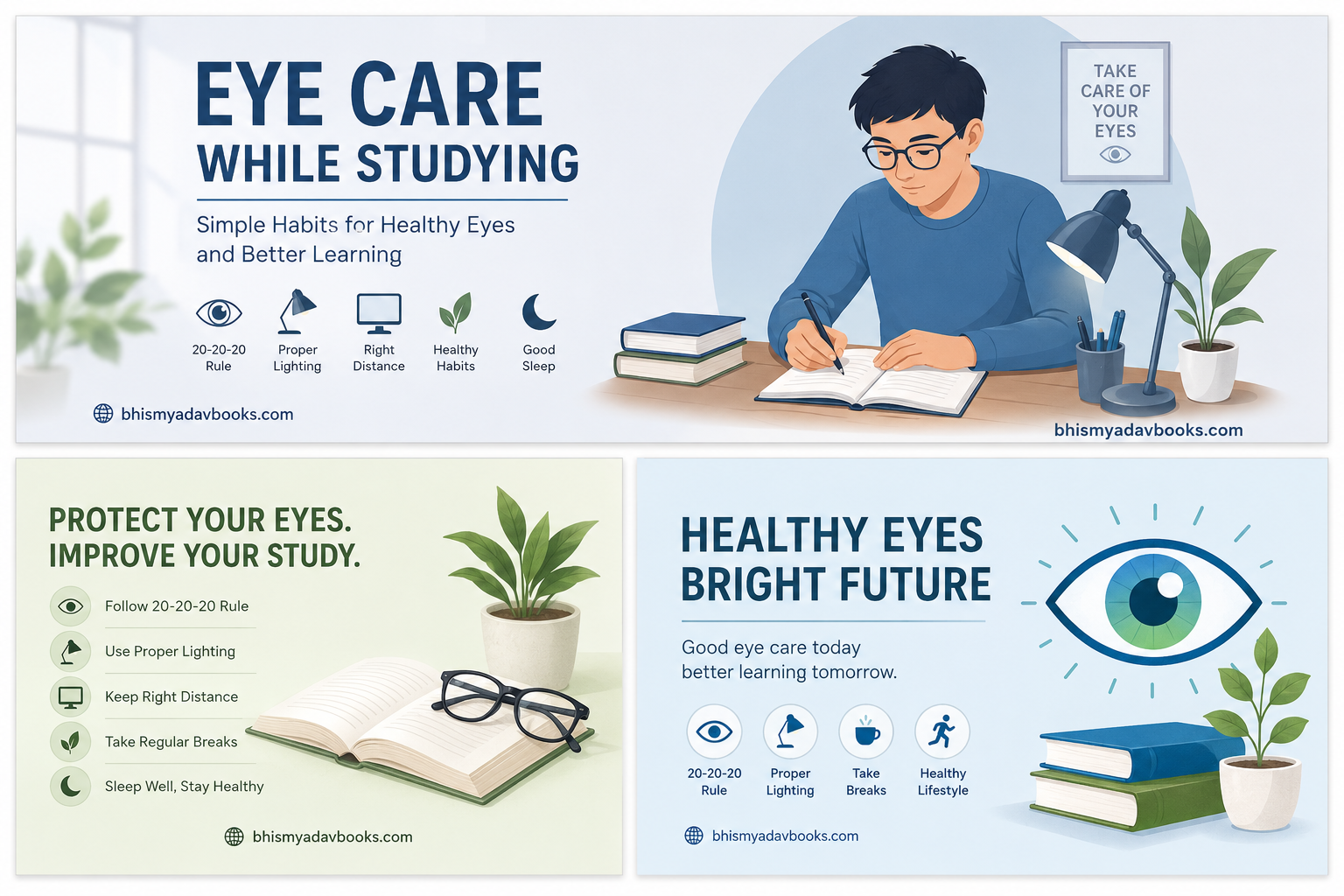
The good news is that students can adopt simple habits to make studying more comfortable. Taking regular breaks, following the 20-20-20 rule, maintaining an appropriate distance from screens, adjusting lighting, blinking frequently, getting adequate sleep, and seeking professional eye care when necessary can all be useful parts of an eye-friendly study routine.
We have some amazing books at our Shop page you may want to buy.
This comprehensive guide explains practical eye care tips for students and shows how students can protect their eyes while continuing to study effectively.
Table of Contents
Eye Care While Studying: 20+ Simple Tips to Protect Your Eyes and Improve Study Comfort
Why Is Eye Care Important for Students?
Eyes are one of the most important tools students use for learning. Reading a textbook, solving mathematics problems, watching an educational video, writing notes, looking at a presentation, or reading questions during an examination all require visual attention.
A student may spend several hours each day looking at books or screens. When the same focusing activity continues for long periods without adequate breaks, discomfort may develop.
Digital devices can place additional demands on the visual system because students must continuously focus on relatively close objects and coordinate their eyes with changing text, images, and screen content. (AOA)
Eye care is therefore not simply about avoiding discomfort. It is about creating a study environment in which students can learn comfortably and maintain healthy visual habits.
Good eye care can help students:
- Reduce unnecessary eye discomfort.
- Make long study sessions more comfortable.
- Reduce symptoms associated with digital eye strain.
- Maintain better study posture.
- Encourage regular breaks from screens.
- Develop healthier technology habits.
- Identify vision problems that may require professional attention.
- Improve the overall quality of a study routine.
Students should remember that eye care does not mean avoiding books or technology. Instead, it means using them in a healthier and more balanced way.
What Is Digital Eye Strain?
Digital eye strain is a term used for a collection of eye and vision-related symptoms associated with prolonged digital device use. It is also commonly called computer vision syndrome. The American Optometric Association notes that symptoms can include eyestrain, headaches, dry eyes, blurred vision, and other discomfort. (AOA)
For students, digital eye strain can become particularly relevant because educational activities increasingly involve screens.
A student may use a laptop for an online class, a smartphone for educational videos, a tablet for reading, and a computer for assignments—all within the same day.
Common symptoms may include:
- Tired or strained eyes
- Dryness
- Eye irritation
- Temporary blurred vision
- Headaches
- Difficulty maintaining comfortable focus
- Increased sensitivity or discomfort
- Neck and shoulder discomfort associated with poor study posture
These symptoms can have several contributing factors rather than one single cause. Poor lighting, screen glare, inappropriate viewing distance, poor posture, and uncorrected vision problems may all play a role. (AOA)
If symptoms are persistent, severe, worsening, or affecting vision, students should not simply assume that they are caused by studying. An eye-care professional can determine whether an underlying vision problem or another condition needs attention.
1. Follow the 20-20-20 Rule
One of the easiest habits students can adopt is the 20-20-20 rule.
The basic idea is:
Every 20 minutes, look at something about 20 feet away for at least 20 seconds.
The American Optometric Association recommends this approach as a way to help reduce digital eye strain. (AOA)
The purpose is simple. Instead of keeping your eyes focused continuously on nearby text or a screen, you periodically look into the distance.
How students can use the 20-20-20 rule
Suppose you are studying mathematics on a laptop.
After approximately 20 minutes:
- Stop looking directly at the screen.
- Look toward a distant object.
- Focus on it for around 20 seconds.
- Relax your eyes.
- Return to studying.
You do not need to make the break complicated. Looking through a window at a distant building or tree can be enough.
Make the rule easier to remember
Students often become deeply focused during study sessions and forget to take breaks. A timer, smartwatch reminder, computer reminder, or phone reminder can help establish the habit.
The important point is consistency. A short visual break taken regularly is generally more practical than waiting until the eyes already feel exhausted.
2. Maintain a Comfortable Screen Distance
Holding a smartphone extremely close to the face or sitting too close to a computer can make studying uncomfortable.
Students should position digital devices at a comfortable distance where the text can be read without leaning forward or repeatedly squinting.
For larger computer screens, the American Optometric Association has cited a general viewing distance of approximately 20 to 28 inches and recommends positioning the screen slightly below eye level. (AOA)
The exact comfortable distance can vary depending on the device, text size, vision, and individual circumstances.
Avoid this habit:
Small text → move the device closer → lean forward → continue studying.
Instead:
Small text → increase text size or zoom → maintain a comfortable distance.
This is particularly useful for students reading PDFs, online books, presentations, or websites.
3. Adjust the Screen Height
Screen height can influence both visual comfort and posture.
For a computer, the screen should generally be positioned so that the student is looking slightly downward rather than upward. The AOA recommends positioning the center of a computer screen approximately 4–5 inches below eye level. (AOA)
This arrangement can help students maintain a more natural head and neck position.
A simple setup
When studying at a desk:
- Keep the screen directly in front of you.
- Avoid constantly turning your head.
- Position the screen slightly below eye level.
- Keep your back supported.
- Avoid bending your neck toward the laptop.
- Adjust the chair and desk height if necessary.
Good eye care and good posture often go together.
4. Use Proper Lighting While Studying
Lighting is another important part of an eye-friendly study environment.
Studying in a completely dark room with a bright screen can feel uncomfortable. On the other hand, excessive light shining directly onto the screen can create glare.
The goal is to create comfortable, balanced lighting.
Good lighting practices include:
- Study in a reasonably well-lit room.
- Avoid placing a bright light directly behind or in front of the screen.
- Reduce reflections on the display.
- Use a study lamp when additional reading light is needed.
- Avoid extremely bright light shining directly into your eyes.
- Adjust the screen brightness to a comfortable level.
- Position the desk so that strong window light does not create distracting reflections.
The AOA identifies poor lighting and glare as factors that may contribute to digital eye strain. (AOA)
5. Reduce Screen Glare
Glare occurs when unwanted light reflects from a screen and makes it harder to see the content comfortably.
Students may experience glare from:
- Windows
- Ceiling lights
- Study lamps
- Bright sunlight
- Glossy surfaces
If you constantly have to adjust your head to see the screen clearly, your study setup may need improvement.
Simple ways to reduce glare
Try changing the position of the desk or monitor. You can also adjust the screen angle and room lighting.
Instead of immediately purchasing accessories, first try changing the position of the screen and light source. Often, a small change in desk arrangement can make the display easier to view.
6. Remember to Blink Frequently
Students often blink less frequently when concentrating on a computer, tablet, or smartphone.
Blinking helps spread moisture across the surface of the eye. The AOA recommends making an effort to blink frequently during digital device use, particularly when dryness is a concern. (AOA)
This is especially relevant when a student is:
- Reading a long PDF
- Watching an online lecture
- Solving questions on a computer
- Writing an assignment
- Taking an online examination
- Programming
- Watching educational videos
A simple reminder can help: Whenever you finish reading a paragraph or solving a question, consciously blink a few times and relax your gaze.
7. Do Not Ignore Eye Discomfort
One common mistake students make is continuing to study despite significant discomfort.
A student may think:
“My exam is close, so I have to keep studying.”
However, ignoring persistent symptoms is not a good eye-care strategy.
If your eyes repeatedly become painful, your vision becomes blurred, headaches occur frequently, or you have other concerning symptoms, it is better to discuss the problem with an appropriate eye-care professional rather than assuming that studying is the only cause.
Vision problems that have not been corrected can also contribute to digital eye strain symptoms. (AOA)
Taking care of your eyes is part of taking care of your education.
8. Take Meaningful Breaks During Long Study Sessions
The 20-20-20 rule provides frequent short visual breaks, but students should also avoid treating study time as one uninterrupted block lasting several hours.
For example, instead of studying continuously for several hours, divide the session into manageable periods.
Example study pattern
Study → short break → study → short break → longer break → study again
During a break, avoid immediately switching from a laptop to a smartphone. The goal is to give your eyes a genuine opportunity to look away from close-up work.
You can:
- Walk around the room.
- Drink water.
- Stretch.
- Look outside.
- Talk to someone.
- Organize your study desk.
- Do a short non-screen activity.
The AOA also recommends a longer break after extended continuous computer use, in addition to the 20-20-20 approach. (AOA)
9. Increase Text Size Instead of Bringing the Screen Closer
Students sometimes struggle to read small text on smartphones, tablets, or laptops.
The natural reaction may be to move the device closer.
A better approach is often to increase the font size or use the device’s zoom function.
For online study:
- Increase browser zoom.
- Increase PDF viewing size.
- Use larger text where available.
- Adjust display scaling.
- Use accessibility features when necessary.
The goal is simple: make the text easier to read without forcing your eyes and body into an uncomfortable position.
10. Keep Your Study Desk Eye-Friendly
A well-organized study desk can support better visual habits.
Your study area does not need expensive equipment. A few basic adjustments can make a difference.
An eye-friendly study desk should ideally have:
- Comfortable room lighting
- A stable desk and chair
- A properly positioned screen
- Minimal glare
- Adequate space for books
- A comfortable reading distance
- A screen with readable text
- Enough space to change posture
- A place where you can look into the distance during breaks
Remember that the objective is not to create a perfect laboratory-like setup. The objective is to create a comfortable environment that supports long-term studying without unnecessary visual strain.
Why Students Should Take Eye Care Seriously
Academic success is important, but students should not sacrifice basic health habits to achieve it.
A healthy study routine should include:
Study + breaks + proper posture + sleep + physical activity + healthy habits + eye care
Students who depend heavily on digital learning should be particularly conscious of their screen habits. Technology is now an important educational tool, and the solution is not to completely avoid screens. Instead, students should learn how to use them responsibly.
The American Optometric Association notes that digital-device use can place additional demands on the visual system and that factors such as prolonged use, glare, viewing distance, lighting, posture, and uncorrected vision can contribute to symptoms. (AOA)
Eye Care While Reading Books
Digital screens are not the only source of eye discomfort. Students who spend several hours reading textbooks, reference books, newspapers, notes, or question papers should also pay attention to their reading habits.
Reading requires sustained near vision. If the reading environment is uncomfortable, students may experience tired eyes, headaches, difficulty concentrating, or temporary discomfort.
The following habits can make reading more comfortable.
1. Maintain a Comfortable Reading Distance
Avoid holding a book extremely close to your face.
Keep the book at a comfortable distance that allows you to read the text clearly without leaning forward or squinting.
If you regularly find yourself bringing books very close to your face, increasing the font size is not possible with a printed book, so it may be worth having your vision checked by an eye-care professional.
2. Sit Upright While Reading
Your reading position affects more than your back and neck.
When students bend excessively over a book, the book can become unnecessarily close to the eyes. This may encourage an uncomfortable reading position.
Instead:
- Sit with your back reasonably supported.
- Keep your shoulders relaxed.
- Hold the book at a comfortable angle.
- Avoid bending your neck continuously.
- Keep both feet comfortably positioned.
- Move the book rather than constantly leaning your head forward.
A comfortable posture makes it easier to maintain a consistent reading distance.
3. Avoid Reading in Poor Lighting
Reading in very dim lighting can make the task uncomfortable.
Students sometimes develop the habit of studying under insufficient light, particularly late at night. This may happen when they do not want to disturb others or when they are studying in a room without an appropriate desk lamp.
Try to use sufficient ambient lighting and, when necessary, a suitable reading lamp.
The light should illuminate the page without shining directly into your eyes.
4. Avoid Excessively Bright Lighting
More light does not automatically mean better lighting.
Extremely bright lamps can create glare on white pages. Strong reflections can make letters harder to see and may cause discomfort.
The ideal reading environment should provide enough illumination without excessive brightness or distracting reflections.
If you notice yourself squinting because the page is too bright, adjust the position or intensity of the light.
5. Do Not Read While Lying in an Awkward Position
Reading while lying on a bed may feel comfortable for a short time, but maintaining an awkward position for a long period can lead to neck, shoulder, and back discomfort.
It can also make it harder to maintain a consistent reading distance.
A desk and chair are generally better choices for serious study sessions.
You can reserve the bed primarily for relaxation and sleep rather than making it your regular examination-study workstation.
Eye Care During Smartphone Use
Smartphones have become common study tools. Students use them for educational videos, online tests, PDFs, dictionaries, messaging classmates, research, and learning applications.
However, smartphones are also frequently used for entertainment and social media, which can significantly increase total daily screen exposure.
1. Avoid Holding the Phone Too Close
A smartphone’s small screen can tempt users to hold it close to the face.
Instead, keep the phone at a comfortable viewing distance and increase text size when necessary.
If you cannot comfortably read the text from a reasonable distance, enlarge the text rather than repeatedly moving the phone closer.
2. Increase Font Size
Small text can encourage students to squint or move the device closer.
Modern smartphones provide several accessibility and display options.
Students can consider:
- Increasing system font size.
- Increasing browser text size.
- Using display zoom.
- Enlarging PDF documents.
- Using reader mode where available.
These small changes can make educational content easier to read.
3. Avoid Continuous Smartphone Reading
A smartphone may be convenient, but convenience can encourage long uninterrupted sessions.
For example, a student may begin reading an educational article and continue for an hour without realizing how much time has passed.
Set regular reminders to look away.
You can combine the 20-20-20 rule with normal study breaks.
Example:
20 minutes: Study
20 seconds: Look into the distance
After a longer study period: Take a proper break
The objective is to regularly change your visual focus rather than keeping your eyes fixed on one nearby object continuously.
4. Avoid Studying in a Completely Dark Room
Using a bright smartphone in a completely dark room can create an uncomfortable contrast between the screen and the surrounding environment.
Instead, keep some comfortable ambient lighting in the room.
The screen should not be the only significant light source.
5. Keep Your Screen Clean
A dirty smartphone screen can make text appear less clear.
Fingerprints, dust, and smudges can create additional visual distractions.
Clean the screen regularly using a method recommended by the device manufacturer.
A clean screen can make reading easier and reduce the need to squint.
Eye Care During Laptop and Computer Study
Computers and laptops are widely used for online courses, programming, research, assignments, mock tests, presentations, and examinations.
A poor computer setup can contribute to visual discomfort and physical strain.
1. Position the Monitor Correctly
Keep the screen directly in front of you.
Avoid placing it significantly to one side, because this may cause you to keep turning your head.
For a desktop monitor, adjust the height so you can look slightly downward toward the screen.
The AOA recommends a screen position that encourages a slightly downward gaze.
2. Maintain an Appropriate Viewing Distance
For many desktop setups, a viewing distance of approximately 20–28 inches is commonly recommended by the AOA, although individual comfort and device size should also be considered.
The important principle is:
Do not sit unnecessarily close to the screen.
If text is difficult to read, increase its size rather than moving your face closer.
3. Adjust Screen Brightness
Your screen should not appear dramatically brighter or darker than the surrounding environment.
If the screen looks like a bright lamp in a dark room, consider increasing ambient lighting or adjusting screen brightness.
If the display looks too dark to read comfortably, increase brightness.
The best setting depends on the room and the individual, so comfort should guide your adjustment.
4. Adjust Contrast and Text Size
Students often spend more time adjusting their posture than adjusting the actual content on the screen.
Make reading easier by using:
- Appropriate font size
- Comfortable contrast
- Clear fonts
- Browser zoom
- PDF zoom
- Display scaling
There is no benefit in forcing yourself to read tiny text simply because it is the default setting.
5. Position the Keyboard and Mouse Comfortably
Eye care is connected with the overall workstation.
If your keyboard is too far away, you may lean forward. If your laptop is positioned too low, you may bend your neck.
Try to arrange the workstation so that:
- The monitor is at a comfortable height.
- The keyboard is easy to reach.
- Your shoulders remain relaxed.
- Your back is supported.
- Your feet are comfortably positioned.
- Your head is not constantly tilted downward.
Eye Care During Online Classes
Online education has become an important part of modern learning.
Students may attend online classes for several hours, often switching between video lectures, digital textbooks, assignments, and online tests.
This makes screen management particularly important.
1. Avoid Watching the Screen Continuously
During an online lecture, students may become so focused on the teacher or presentation that they forget to look away.
Whenever appropriate, use natural pauses to relax your eyes.
During a lecture break, look away from the screen rather than using the break to scroll through social media.
2. Listen Instead of Staring When Appropriate
If an online teacher is explaining a concept that does not require you to look continuously at the screen, you can occasionally look away while continuing to listen.
For example, during an audio explanation or revision discussion, you may look at your notes or briefly look into the distance.
This can provide a useful visual change.
3. Take Breaks Between Classes
Suppose a student attends three online classes:
- Class 1: 60 minutes
- Class 2: 60 minutes
- Class 3: 60 minutes
Watching the screen continuously for three hours is not an ideal study pattern.
If there are breaks between classes, use them properly.
Stand up, walk around, drink water, stretch, and look at distant objects.
Do not automatically replace one screen with another.
4. Do Not Use Your Phone During Every Break
This is one of the most common modern study habits.
A student finishes a 60-minute online class and immediately opens social media.
The eyes remain focused on another close screen.
Instead, make some breaks screen-free.
This gives your eyes a genuine opportunity to change focus.
Eye Care During Exam Preparation
Exam preparation often involves longer study hours.
When examinations are approaching, students may sacrifice sleep and take fewer breaks because they feel they need to complete more chapters.
However, a study plan that completely ignores health can become difficult to maintain.
Create a Balanced Study Schedule
Instead of studying continuously for many hours, divide the day into multiple study blocks.
Example:
Morning
Study → short break → study → breakfast/rest
Afternoon
Study → short visual break → study → lunch/rest
Evening
Study → break → revision → physical activity
Night
Light revision → screen-free relaxation → sleep
The exact timetable depends on the student’s school, college, examination schedule, and personal routine.
The principle is more important than the exact clock time:
Long study periods should contain regular breaks.
Avoid All-Night Study Sessions
Many students stay awake all night before examinations.
This may seem like an efficient way to gain extra study hours, but sleep is an important part of overall health and learning.
The American Academy of Sleep Medicine and Sleep Research Society recommend that adults generally get at least seven hours of sleep per night on a regular basis, while recommended sleep duration for children and teenagers varies by age.
Adequate sleep is important for alertness, learning, memory, and general well-being.
A student who studies throughout the night but arrives at an examination exhausted may not perform as well as expected.
Sleep and Eye Health
Sleep is not simply “time when you stop studying.”
It is part of a healthy daily routine.
Students who regularly sleep too little may experience tiredness, difficulty concentrating, and general discomfort.
A consistent sleep schedule can help support healthy study habits.
Better night-time habits
- Keep a reasonably consistent bedtime.
- Avoid unnecessary late-night screen use.
- Finish intensive studying before bedtime when possible.
- Keep the bedroom comfortable and dark.
- Avoid turning every night into an examination-night study session.
If you need to study late occasionally, try not to turn it into a regular habit.
Nutrition and Eye Health for Students
A healthy diet supports overall health, including eye health.
Students should focus on a balanced diet rather than searching for a single “magic” food that supposedly protects the eyes.
The National Eye Institute notes that healthy eating patterns can support eye health and recommends nutrients and foods such as leafy green vegetables and fish as part of a healthy diet.
Include a Variety of Foods
Depending on individual dietary needs, students can include:
- Green leafy vegetables
- Fruits
- Vegetables of different colors
- Eggs
- Fish for those who eat fish
- Nuts and seeds
- Whole grains
- Legumes
- Other nutrient-rich foods
A balanced diet provides a variety of nutrients needed for general health.
Stay Hydrated
Water is important for general health.
Students who spend hours studying may become so focused on books or screens that they forget to drink enough fluids.
Keep water available while studying and drink regularly according to your body’s needs.
If you frequently experience dry eyes or significant discomfort, do not assume that drinking water alone will solve the problem. Persistent symptoms should be discussed with an appropriate healthcare professional.
Avoid Excessive Sugary Snacks During Study
Long study sessions often involve biscuits, sweets, sugary drinks, and packaged snacks.
Occasional treats are fine, but relying heavily on highly processed snacks is not a good overall study habit.
Instead, build a balanced eating pattern around nutritious foods.
Healthy food choices support general health and provide the energy needed for studying.
Exercise and Eye-Friendly Study Habits
Students should not spend the entire day sitting at a desk.
Physical activity is an important part of a healthy lifestyle.
During longer study breaks, students can:
- Walk
- Stretch
- Do simple exercises
- Play a sport
- Spend time outdoors
- Perform household activities
Physical activity also provides an opportunity to take your eyes away from close-up study material.
The goal is not to turn every break into an intense workout. Even a short movement break can help interrupt prolonged sitting.
Spend Some Time Outdoors
A balanced daily routine should include time away from books and digital devices.
For children and adolescents, outdoor time has particular importance because research has linked more outdoor time with a lower risk of developing myopia. The National Eye Institute has highlighted evidence that spending time outdoors may help protect children from developing nearsightedness.
Students should therefore avoid making the entire day a cycle of:
School → phone → laptop → textbook → phone → laptop → sleep.
Whenever practical, include outdoor activities in your routine.
Walking, playing sports, gardening, or simply spending time outside can provide a healthy break from prolonged near work and screen use.
Do Not Rub Your Eyes Frequently
Students sometimes rub their eyes when they feel tired, itchy, or irritated.
Frequent rubbing is not a good habit.
If your eyes feel uncomfortable, first stop the activity and allow your eyes to rest.
If irritation persists, becomes severe, or is accompanied by other symptoms, seek appropriate medical advice.
Also maintain good hand hygiene, particularly before touching your face or eyes.
Use Prescription Glasses as Recommended
Students who have been prescribed spectacles should use them according to their eye-care professional’s recommendations.
Avoid assuming that wearing glasses “weakens” the eyes. Corrective lenses are designed to provide clearer vision when they are prescribed for a refractive error.
If your glasses no longer provide comfortable vision, arrange an eye examination rather than simply increasing the screen brightness or moving closer to books.
Do Not Use Someone Else’s Prescription Glasses
A friend’s or family member’s glasses may not match your prescription.
Using the wrong prescription can make reading uncomfortable.
If you think you need glasses, the correct approach is to have your vision assessed by a qualified professional.
Be Careful With Contact Lenses
Some students use contact lenses while attending school or college.
Contact lenses require proper hygiene and care.
Students who wear contact lenses should follow the instructions provided by their eye-care professional and the lens manufacturer.
Never ignore significant redness, pain, unusual discharge, or sudden vision changes while wearing contact lenses. Such symptoms require prompt professional attention.
Avoid Studying in a Moving Vehicle
Reading a book or staring at a smartphone while travelling can be uncomfortable for some people.
The combination of a moving environment and close visual work may contribute to discomfort or motion sickness.
If you need to travel, consider using the time for audio learning instead of continuous close-up reading.
For example, students can listen to:
- Recorded lectures
- Educational podcasts
- Audio revision material
- Recorded explanations
This can provide an alternative to staring continuously at a small screen.
Common Eye-Care Mistakes Students Should Avoid
Understanding mistakes is as important as learning good habits.
Mistake 1: Studying in complete darkness
A bright screen in a dark room can feel uncomfortable.
Better approach: Use comfortable ambient lighting.
Mistake 2: Holding the phone extremely close
This often happens when text is too small.
Better approach: Increase text size.
Mistake 3: Studying for hours without breaks
Students often lose track of time.
Better approach: Use regular visual breaks and the 20-20-20 rule.
Mistake 4: Forgetting to blink
Concentration can reduce blinking.
Better approach: Consciously blink regularly.
Mistake 5: Ignoring persistent symptoms
Students may assume that every headache or blurred vision episode is caused by studying.
Better approach: Seek professional assessment if symptoms persist or are concerning.
Mistake 6: Using screens during every break
This prevents genuine visual rest.
Better approach: Make some breaks completely screen-free.
Mistake 7: Sacrificing sleep
Late-night study may become a habit during examinations.
Better approach: Maintain a regular sleep schedule as much as possible.
Mistake 8: Poor workstation setup
A badly positioned laptop can encourage poor posture and uncomfortable viewing angles.
Better approach: Adjust the screen, chair, desk, and lighting.
A Simple Eye-Friendly Study Formula
Students can remember the following formula:
20 + Distance + Blink + Break + Sleep + Balance
20: Follow the 20-20-20 rule.
Distance: Maintain a comfortable reading and screen distance.
Blink: Remember to blink regularly.
Break: Take meaningful breaks during long study sessions.
Sleep: Give your body adequate time for rest.
Balance: Balance study, screens, physical activity, food, and outdoor time.
This simple formula can help students remember the most important eye-care habits.
Why Do Eyes Feel Tired While Studying?
When students study for a long time, their eyes continuously perform tasks such as focusing on nearby text, changing focus between objects, tracking lines of words, and processing detailed information.
When digital screens are involved, students may also experience glare, reflections, small text, reduced blinking, and prolonged near viewing.
The American Optometric Association identifies prolonged digital-device use, viewing distance, lighting, glare, posture, and uncorrected vision problems among factors associated with digital eye strain.
Eye fatigue does not necessarily mean that permanent damage has occurred. However, repeated discomfort should not simply be ignored.
The first step is to examine your study habits and environment.
Ask yourself:
- Am I sitting too close to the screen?
- Is the text too small?
- Is there glare on the screen?
- Is the room too dark?
- Am I forgetting to blink?
- Am I studying continuously without breaks?
- Am I sleeping enough?
- Do I already have an uncorrected vision problem?
Answering these questions can help identify habits that may be contributing to discomfort.
Screen Time Management for Students
Screen time is not always the same.
A student may spend two hours watching educational lectures and another two hours playing games or scrolling through social media. Both involve screens, but they serve different purposes.
The practical goal is not simply to count every minute. It is to develop healthy screen habits.
1. Separate Study Screen Time From Entertainment
When possible, distinguish between:
Educational screen time
- Online classes
- Digital textbooks
- Research
- Assignments
- Online tests
and
Entertainment screen time
- Social media
- Gaming
- Short videos
- Streaming
- Casual browsing
This distinction can help students recognize how much additional screen exposure they are getting after their academic work is finished.
2. Avoid Unnecessary Screen Switching
Imagine this routine:
Laptop study → smartphone → tablet → television → smartphone
The eyes never really get a break from screens.
Instead, whenever you finish an online study session, try to switch to a non-screen activity during your break.
For example:
Online class → walk → water → textbook revision
rather than:
Online class → social media → messaging → video → next class
3. Use Audio Learning When Appropriate
Not every learning activity requires looking at a screen.
Students can sometimes use audio-based learning for:
- Revision
- Vocabulary practice
- Recorded lectures
- Language learning
- Concept explanations
- Educational podcasts
- Previously recorded lessons
Audio learning should not replace visual learning completely, but it can provide variety during a long study day.
4. Use Printed Material Strategically
If your course allows it, consider alternating between digital and printed materials.
For example:
Morning: Digital lecture
Afternoon: Printed textbook
Evening: Practice questions on paper
Night: Short digital revision
This can reduce the amount of time spent continuously staring at one screen.
The best approach depends on the subject and the resources available.
Can Eye Exercises Improve Eye Health?
Many students search online for “eye exercises” that supposedly strengthen eyesight or eliminate the need for glasses.
This area requires caution.
Simple eye relaxation techniques may help some people feel more comfortable, especially when they have been doing prolonged close-up work. However, exercises should not be presented as a universal method for correcting refractive errors such as myopia, hyperopia, or astigmatism.
If a student has blurred vision, difficulty seeing the classroom board, frequent headaches, or trouble reading, the appropriate response is an eye examination rather than relying solely on eye exercises.
Simple Eye Relaxation Practices
Students can use simple practices to reduce visual fatigue during study sessions.
Practice 1: Look Into the Distance
This is closely related to the 20-20-20 rule.
After a period of close-up study:
- Stop looking at the book or screen.
- Look at a distant object.
- Keep your gaze relaxed.
- Allow your eyes to focus on the distance.
- Return to studying after the short break.
This gives your eyes a change from prolonged near viewing.
Practice 2: Conscious Blinking
When concentrating, students may blink less frequently.
Try this simple routine:
Close → gently blink → open → relax
Do not squeeze the eyelids tightly.
The purpose is simply to encourage normal blinking and provide a momentary visual pause.
Practice 3: Close Your Eyes Briefly
During a study break, you can close your eyes for a short period while sitting comfortably.
This can be a simple relaxation technique.
It is not a treatment for an eye condition, but it can provide a brief interruption from visual information.
Practice 4: Change Your Focus
If you have been reading a book, stop and look across the room.
Then look at something closer again.
The important point is not to perform complicated movements but to give your visual system a change from continuous close-up work.
Avoid Aggressive Eye-Rolling Exercises
Some online videos recommend rapidly moving the eyes in circles or repeatedly focusing on objects in different directions.
There is no need to perform forceful or uncomfortable eye movements.
Eye-care habits should be gentle.
If an exercise causes pain, dizziness, headaches, visual disturbances, or discomfort, stop doing it and seek appropriate professional advice.
Eye Care During Long Revision Sessions
Revision is often where students spend the longest uninterrupted periods reading.
A student may revise a chapter for two or three hours before realizing that their eyes feel tired.
Instead, structure revision.
Example of a 2-Hour Revision Session
First 25 minutes
Read and understand the topic.
Short break
Look away from the study material.
Next 25 minutes
Make notes or solve examples.
Short break
Stand up and move around.
Next 25 minutes
Practice questions.
Short break
Look into the distance.
Final 25 minutes
Review mistakes and key points.
This structure is only an example. Students can adjust the duration according to their age, school schedule, concentration level, and examination requirements.
The important idea is to avoid treating two hours as one uninterrupted visual task.
Eye Care During Competitive Exam Preparation
Competitive examinations may require months of preparation.
Students preparing for examinations such as government recruitment tests, entrance examinations, banking examinations, railway examinations, teaching examinations, engineering examinations, medical entrance examinations, and other competitive tests may spend many hours reading and solving questions.
A good preparation plan should include eye-friendly habits from the beginning.
Make Breaks Part of the Timetable
Do not think of breaks as wasted study time.
A short break can help you reset before continuing with the next study block.
A practical schedule might look like:
Study → break → study → break → practice → longer break → revision
This is generally more sustainable than continuously sitting at a desk.
Eye Care During Mock Tests
Mock tests are increasingly conducted online.
During an online mock test:
- Keep the screen at a comfortable distance.
- Use readable text.
- Avoid unnecessary glare.
- Sit comfortably.
- Blink normally.
- Avoid leaning very close to the screen.
- Look away briefly whenever the test format permits.
During an actual examination, always follow the examination authority’s instructions.
Eye Care During Written Examinations
Printed examination papers also require sustained visual attention.
Students may spend several hours reading questions and writing answers.
Before the examination:
- Sleep properly.
- Avoid unnecessary late-night screen use.
- Carry prescribed glasses if you use them.
- Make sure your vision correction is comfortable.
- Avoid trying a new eye-care product immediately before an important examination.
During the examination:
- Maintain a comfortable reading position.
- Avoid bringing the paper unnecessarily close.
- Relax your eyes briefly when appropriate.
- Look away from the paper for a moment if you feel visual fatigue, provided examination rules allow it.
Do Students Need Blue-Light Glasses?
Blue-light-blocking glasses are widely marketed for people who use digital screens.
Students should be careful about assuming that such glasses are essential for preventing digital eye strain.
The main causes of screen-related discomfort are not simply “blue light.” Factors such as prolonged near work, reduced blinking, glare, screen position, viewing distance, lighting, and uncorrected vision can be important contributors.
The AOA’s guidance on digital eye strain focuses on practical measures such as breaks, blinking, screen positioning, and reducing glare.
Therefore, before spending money on special glasses, students should first improve basic screen habits.
If you already need prescription glasses, discuss lens options with an eye-care professional.
Can Screens Permanently Damage the Eyes?
This is a common concern among students.
It is important to distinguish between temporary discomfort and long-term eye conditions.
Extended screen use can be associated with digital eye strain symptoms such as dryness, tired eyes, headaches, and temporary blurred vision.
However, students should not automatically assume that every episode of eye fatigue means permanent eye damage.
At the same time, this does not mean that students should ignore persistent symptoms.
If you experience continuing vision changes, pain, unusual redness, flashes, sudden loss of vision, or other concerning symptoms, seek professional medical attention promptly.
Common Eye-Care Myths Students Should Know
The internet contains many claims about eye health.
Let’s examine some common misconceptions.
Myth 1: Reading in dim light permanently damages the eyes
Reading in poor lighting can be uncomfortable, but students should not assume that occasional reading in dim light automatically causes permanent eye damage.
However, proper lighting is still recommended because it can make reading more comfortable.
Myth 2: Sitting close to the TV permanently damages the eyes
Modern screens should still be viewed from a comfortable distance.
But the idea that sitting close to a television automatically causes permanent eye damage is an oversimplification.
Children who consistently sit very close to see clearly may, however, need an eye examination because they could have an uncorrected vision problem.
Myth 3: Wearing glasses makes the eyes weaker
Prescription glasses correct refractive errors; they do not make healthy eyes dependent on glasses.
If you have been prescribed glasses, use them as directed by your eye-care professional.
Myth 4: Eye exercises can eliminate every vision problem
Eye exercises may provide relaxation or help with certain specific visual-training situations under professional guidance, but they are not a universal cure for refractive errors.
Do not use internet exercises as a substitute for professional eye care.
Myth 5: More screen brightness is always better
An excessively bright screen can be uncomfortable, especially in a darker room.
The ideal brightness depends on the surrounding lighting and individual comfort.
Adjust it rather than automatically selecting maximum brightness.
Myth 6: Students only need eye examinations when they cannot see
Some vision problems may not be obvious.
Students may compensate for mild vision problems without realizing it.
If a student frequently experiences headaches, squinting, blurred vision, difficulty seeing classroom boards, or reading difficulties, an eye examination may be appropriate.
Routine eye-care recommendations also vary according to age and individual risk factors, so students and parents should discuss appropriate examination schedules with an eye-care professional.
Warning Signs Students Should Never Ignore
Not every eye problem is caused by studying.
Students should pay attention to symptoms that are persistent, severe, unusual, or sudden.
Seek professional attention if you experience:
- Persistent blurred vision
- Sudden changes in vision
- Significant or persistent eye pain
- Unusual redness
- Persistent double vision
- Frequent headaches associated with visual tasks
- Difficulty seeing the classroom board
- Difficulty reading despite using appropriate text size
- Frequent squinting
- New sensitivity to light
- Flashes of light
- A sudden increase in floaters
- Sudden loss of vision
Some of these symptoms can require urgent medical evaluation, particularly sudden vision loss, flashes associated with a new increase in floaters, or significant eye pain.
Students should never rely on an online article to diagnose a serious eye problem.
When Should Students Consider an Eye Examination?
An eye examination may be appropriate when a student:
- Cannot see the classroom board clearly.
- Frequently squints while reading.
- Develops recurring headaches during visual tasks.
- Experiences persistent blurred vision.
- Has difficulty reading ordinary-sized text.
- Notices a significant change in vision.
- Has trouble focusing on schoolwork.
- Has persistent eye discomfort.
- Has a known eye condition.
- Has been advised by a healthcare professional to have regular examinations.
Parents and students should follow professional advice regarding examination frequency because recommendations can differ based on age, vision history, symptoms, and risk factors.
Eye Care for Students Who Wear Glasses
Students who wear glasses should keep them clean and comfortable.
Basic habits
- Clean lenses appropriately.
- Store glasses safely.
- Avoid placing lenses face-down on hard surfaces.
- Do not use damaged frames indefinitely.
- Have the prescription checked when vision changes.
- Use glasses as recommended.
If your glasses cause headaches, dizziness, or difficulty focusing, consult an eye-care professional rather than assuming that you simply need to “get used to them.”
Eye Care for Children and Teenagers
Younger students may require additional attention because they can spend substantial time on both schoolwork and entertainment screens.
Parents can help by establishing healthy routines.
Parents can encourage:
- Regular outdoor activity
- Reasonable screen habits
- Proper study lighting
- Comfortable reading distance
- Regular breaks
- Adequate sleep
- Healthy food choices
- Professional eye examinations when recommended
The National Eye Institute reports that more time outdoors may help reduce the risk of myopia developing in children.
Create a Screen-Free Study Break
A useful habit is to make at least some breaks completely screen-free.
For example:
Instead of:
25 minutes study → 5 minutes Instagram
Try:
25 minutes study → 5 minutes walking
Or:
25 minutes study → 5 minutes looking outside
Or:
25 minutes study → 5 minutes stretching
The goal is to avoid turning every study break into another period of close-up screen use.
The Importance of Outdoor Time
Outdoor activities can provide students with a healthy break from indoor study.
Consider:
- Walking in a safe outdoor area
- Playing football or cricket
- Cycling
- Gardening
- Running
- Playing badminton
- Spending time in a park
- Participating in outdoor school activities
For children and adolescents, outdoor time is particularly relevant to myopia prevention, although outdoor activity should always be practiced safely.
Build an Eye-Friendly Morning Routine
A student’s eye-care routine does not need to begin when the eyes become tired.
It can start from the morning.
Example:
Wake up → personal hygiene → breakfast → outdoor/light activity → study
If you begin studying immediately after waking, make sure your study environment is comfortable and well lit.
Avoid spending the first hour of the morning scrolling continuously on a smartphone if you have a long day of digital study ahead.
Build an Eye-Friendly Evening Routine
Evening is often when screen use increases.
After school or college, students may attend online classes, complete homework, watch videos, use social media, and play games.
Try to create boundaries.
Example:
Study → break → dinner → revision → screen-free relaxation → sleep
The exact schedule will vary, but the principle is to avoid allowing entertainment screen time to consume every available break.
A Practical Eye-Care Checklist for Students
Students can use this checklist every day:
Before Studying
- Is the room adequately lit?
- Is the screen positioned comfortably?
- Is the text large enough?
- Is there glare on the screen?
- Is my chair and desk comfortable?
- Do I have water nearby?
During Studying
- Am I blinking normally?
- Have I followed the 20-20-20 rule?
- Am I sitting too close?
- Have I taken a proper break?
- Am I feeling unusual discomfort?
After Studying
- Did I spend some time away from screens?
- Did I move my body?
- Did I spend time outdoors if practical?
- Am I getting enough sleep?
- Are my eyes still uncomfortable?
This simple routine can help turn eye care into a habit rather than something students remember only when their eyes hurt.
How to Combine Eye Care With Effective Studying
Eye care should not be treated as something separate from academic productivity.
A good study session can be designed around both learning and visual comfort.
Step 1: Prepare
Arrange your desk, lighting, books, and computer.
Step 2: Study
Focus on one subject or task.
Step 3: Take a Visual Break
Look away from the book or screen.
Step 4: Move
Stand up or walk around.
Step 5: Return
Continue studying with a refreshed posture and visual focus.
Step 6: Repeat
Use the same cycle throughout the study day.
This approach can be much easier to maintain than forcing yourself to study continuously.
A Complete Daily Eye-Care Routine for Students
A healthy routine can help students balance study, screen use, rest, physical activity, and sleep.
The following schedule is an example. Students can modify it according to their school, college, coaching, examination schedule, age, and personal routine.
Morning: Start the Day Without Excessive Screen Use
After waking up, avoid immediately spending a long period looking at your smartphone.
Instead, begin the day with normal activities such as:
- Getting ready
- Drinking water
- Eating breakfast
- Reviewing the day’s schedule
- Walking or doing light physical activity
- Preparing books and study materials
If you need to use your phone for an important task, use it normally, but avoid unnecessary scrolling.
Starting the day with a balanced routine can make it easier to manage screen exposure later.
Morning Study Session
Suppose your first study session begins at 8:00 AM.
Before starting:
Check your study environment
- Is the room adequately lit?
- Is your desk comfortable?
- Is your book at a suitable distance?
- Is your computer screen positioned properly?
- Is there glare?
- Is the text easy to read?
Once everything is comfortable, begin studying.
Use the 20-20-20 Rule
During digital study, remember:
Every 20 minutes → look about 20 feet away → for at least 20 seconds.
The American Optometric Association recommends this approach as one practical way to reduce digital eye strain.
You can use a timer or reminder if you frequently forget.
Do not wait until your eyes become tired before taking a visual break.
After a Longer Study Block
After completing a longer study period, take a genuine break.
Instead of opening social media immediately:
- Stand up.
- Walk around.
- Drink water.
- Stretch.
- Look outside.
- Talk to someone.
- Relax your eyes.
A screen-free break can be more useful than switching from a laptop to a smartphone.
Afternoon Study Routine
After lunch, students often experience reduced alertness.
Instead of forcing yourself to stare at a textbook for hours, divide your work into smaller blocks.
For example:
Block 1
Read a chapter.
Break
Look away and move around.
Block 2
Make notes.
Break
Walk or stretch.
Block 3
Solve practice questions.
Break
Rest your eyes.
Block 4
Review mistakes.
This method combines academic productivity with regular visual breaks.
Evening Routine
Evening can become a high-screen period for students.
After school or college, a student may:
- Attend an online class.
- Complete homework.
- Use a laptop.
- Watch educational videos.
- Check messages.
- Browse social media.
- Play games.
Try to avoid combining all these activities without breaks.
If you have completed an online class, use the next break for a non-screen activity.
Outdoor Activity in the Evening
If your schedule permits, spend some time outdoors.
You can:
- Walk
- Play cricket
- Play football
- Cycle
- Play badminton
- Garden
- Exercise
- Spend time with friends outdoors
Outdoor time is especially important for children and adolescents. Research summarized by the National Eye Institute indicates that spending more time outdoors can help reduce the risk of developing myopia in children.
Outdoor activities should always be carried out safely and according to weather and environmental conditions.
Night Study Routine
Many students prefer studying at night because the environment may be quieter.
If you study at night, pay attention to lighting.
Avoid studying with only a bright laptop or smartphone screen illuminating an otherwise completely dark room.
Use comfortable room lighting and position the study lamp appropriately.
The screen should not create excessive glare or appear uncomfortably bright compared with the surrounding environment.
Reduce Unnecessary Screen Use Before Sleep
Late-night entertainment can significantly extend screen exposure.
For example:
Study ends at 10:00 PM → social media until 11:30 PM → videos until midnight → sleep
This adds unnecessary screen time after academic work is already finished.
Instead, try to create a transition between study and sleep.
Example:
Revision → organize tomorrow’s materials → screen-free relaxation → sleep
A consistent sleep routine is an important part of a healthy lifestyle.
Why Sleep Matters for Students
Students sometimes think that sleeping is reducing their study time.
In reality, sleep is an important part of maintaining physical and mental functioning.
The American Academy of Sleep Medicine and Sleep Research Society recommend that adults generally obtain at least seven hours of sleep regularly, while children and teenagers have higher age-specific sleep requirements.
Students should therefore avoid making all-night study sessions a normal part of examination preparation.
Eye Care Tips for School Students
School students may need help developing healthy habits.
Parents and teachers can encourage children to:
- Sit comfortably while reading.
- Avoid holding books unnecessarily close.
- Take regular breaks from screens.
- Spend time outdoors.
- Get adequate sleep.
- Eat a balanced diet.
- Use appropriate lighting.
- Report difficulty seeing the classroom board.
- Tell parents about persistent eye discomfort.
Younger children may not always recognize or communicate vision problems clearly.
Parents should pay attention if a child frequently squints, sits very close to screens, moves closer to books, complains of headaches, or has difficulty seeing classroom material.
Eye Care Tips for College Students
College students often have more control over their schedules but may also have more irregular routines.
They may combine:
- Lectures
- Assignments
- Online courses
- Research
- Social media
- Gaming
- Part-time work
- Late-night study
A flexible schedule can become unhealthy if students do not set boundaries.
College students should try to maintain:
Study + breaks + physical activity + outdoor time + sleep
rather than spending the entire day indoors with a screen.
Eye Care Tips for Competitive Exam Aspirants
Competitive exam preparation can last for months.
Aspirants may study for six, eight, ten, or more hours per day.
The total study time alone does not determine success.
Quality, consistency, revision, practice, and proper rest also matter.
A better approach
Divide the study day into multiple blocks.
For example:
Study Block 1 → Break
Study Block 2 → Break
Study Block 3 → Longer Break
Study Block 4 → Break
Study Block 5 → Revision
The exact duration can vary.
During digital study, include regular visual breaks.
Eye Care for Students Who Study From PDFs
PDF textbooks and notes are common.
Students should avoid reading tiny PDF text for hours.
Instead:
- Zoom in appropriately.
- Use landscape mode when helpful.
- Increase display scaling.
- Use a larger device when practical.
- Maintain a comfortable distance.
- Avoid unnecessary glare.
- Take regular visual breaks.
If a PDF contains very small text, increasing the zoom level is usually better than moving the screen closer to your face.
Eye Care for Students Watching Educational Videos
Educational videos can be useful, but students sometimes watch them continuously for several hours.
Use lecture pauses as opportunities to look away.
If the teacher is explaining something verbally, you may occasionally look at your notes rather than staring continuously at the screen.
During breaks, leave the screen completely.
Eye Care for Online Test Practice
Online practice tests can require continuous reading.
Before beginning:
- Adjust screen brightness.
- Increase text size if necessary.
- Position the screen comfortably.
- Reduce glare.
- Sit upright.
During the test:
- Blink normally.
- Avoid leaning closer to the screen.
- Look away briefly when the test format permits.
- Take a proper break between separate tests.
Do not sacrifice comfort simply because an online test platform uses a particular default display size.
Eye Care During Long Writing Sessions
Students often think eye care only applies to reading.
Writing also requires continuous visual attention.
When writing notes or solving questions:
- Keep sufficient lighting.
- Avoid bending too close to the notebook.
- Maintain a comfortable posture.
- Relax your shoulders.
- Take short breaks.
- Look into the distance periodically.
If your eyes feel tired, stop for a short break rather than forcing yourself to continue immediately.
A 10-Step Eye-Friendly Study Routine
Students who want a simple routine can remember these ten steps.
Step 1: Prepare Your Study Area
Make sure the room has comfortable lighting.
Step 2: Position Your Book or Screen
Keep the material at a comfortable distance.
Step 3: Increase Text Size
Make small text larger instead of moving closer.
Step 4: Reduce Glare
Adjust the screen or lighting position.
Step 5: Start Studying
Focus on your academic task.
Step 6: Blink Regularly
Do not stare continuously without blinking.
Step 7: Follow the 20-20-20 Rule
Look into the distance regularly during screen use.
Step 8: Take Longer Breaks
Stand up, walk, stretch, or go outdoors.
Step 9: Limit Unnecessary Screen Use
Do not turn every study break into social media time.
Step 10: Sleep Properly
Give your body adequate time to rest.
This ten-step routine is simple enough to use every day.
15 Quick Eye Care Tips for Students
Here is a quick summary that students can save for future reference.
- Follow the 20-20-20 rule.
- Keep screens at a comfortable distance.
- Avoid unnecessary glare.
- Use adequate room lighting.
- Blink regularly.
- Increase text size instead of moving closer.
- Take regular breaks.
- Avoid using screens during every break.
- Maintain good study posture.
- Keep your screen clean.
- Use prescribed glasses as recommended.
- Maintain a balanced diet.
- Stay physically active.
- Spend time outdoors.
- Get adequate sleep.
These habits are simple, inexpensive, and practical for most students.
Recommend books for Job Aspirants
Frequently Asked Questions About Eye Care While Studying
1. What is the 20-20-20 rule for students?
The 20-20-20 rule recommends that during screen use, you look at something approximately 20 feet away for at least 20 seconds every 20 minutes.
It is a practical habit recommended by the American Optometric Association to help reduce digital eye strain.
2. Is studying on a mobile phone bad for the eyes?
Using a smartphone for studying is not automatically harmful, but prolonged close-up screen use can contribute to digital eye strain symptoms.
Students should maintain a comfortable viewing distance, use readable text, blink regularly, reduce glare, and take breaks.
3. How far should students sit from a computer?
A comfortable viewing distance depends on the screen and the individual.
For many desktop computer setups, approximately 20–28 inches is commonly recommended by the AOA.
The student should be able to read comfortably without leaning forward or squinting.
4. Should I study in a dark room?
It is generally better to have comfortable ambient lighting rather than studying with only a bright screen in an otherwise dark room.
Balanced lighting can reduce distracting contrast and glare.
5. Should I use blue-light glasses while studying?
Blue-light glasses are not a universal requirement for students.
Digital eye strain can have many contributing factors, including prolonged near work, glare, viewing distance, lighting, blinking, and uncorrected vision.
Improve basic study habits first and discuss specialized lenses with an eye-care professional if you have specific concerns.
6. Can eye exercises remove glasses?
Students should not expect ordinary eye exercises to eliminate the need for prescription glasses.
Refractive errors such as myopia, hyperopia, and astigmatism require appropriate assessment and correction.
7. Why do my eyes become dry while studying?
Dryness can occur during prolonged concentration, particularly when using digital screens, because people may blink less frequently.
Taking breaks and consciously blinking can help with comfort.
Persistent dry-eye symptoms should be evaluated by an appropriate professional.
8. Why do I get headaches while studying?
Headaches can have many possible causes.
They may be related to visual strain, an uncorrected vision problem, prolonged screen use, poor posture, dehydration, insufficient sleep, stress, or other factors.
If headaches are frequent or severe, do not assume that studying is the only cause. Consider discussing them with a healthcare professional.
9. Should students wear glasses while studying?
If an eye-care professional has prescribed glasses for a student, they should follow the professional’s instructions.
Students who have difficulty seeing clearly should consider an eye examination rather than deciding on their own whether glasses are necessary.
10. Is reading books safer than using screens?
Books and screens have different characteristics, but both involve prolonged near work.
Students should use comfortable lighting, maintain an appropriate reading distance, take breaks, and avoid continuous visual concentration regardless of whether the material is printed or digital.
11. Can outdoor activity help children’s eye health?
Research has found an association between more outdoor time and a lower risk of developing myopia in children. The National Eye Institute has highlighted outdoor time as a potentially protective factor.
Outdoor activity should therefore be part of a balanced lifestyle for children and teenagers.
12. Is it okay to study for several hours?
Long study days can be necessary during examination preparation, but students should avoid making them completely uninterrupted.
Break study time into manageable blocks and include regular visual and physical breaks.
13. How can I protect my eyes during online classes?
Use appropriate screen distance, comfortable lighting, reduced glare, readable text, regular blinking, and visual breaks.
During class breaks, avoid immediately switching to another screen.
14. What should I do if my vision suddenly becomes blurred?
Sudden or significant vision changes should not automatically be attributed to studying.
If you experience sudden vision loss, significant pain, flashes, or other serious visual symptoms, seek prompt medical attention.
15. Can good eye care improve exam performance?
Eye care does not directly guarantee better examination scores.
However, reducing unnecessary visual discomfort and developing a healthy study routine can make studying more comfortable and sustainable.
Academic performance depends on many factors, including preparation, understanding, practice, sleep, concentration, and overall health.
A Simple Student Eye-Care Poster in Words
Students can remember this simple message:
LOOK FAR
Take regular distance breaks.
BLINK
Do not stare continuously.
SIT RIGHT
Maintain a comfortable posture and viewing distance.
LIGHT RIGHT
Use balanced lighting and reduce glare.
REST
Take meaningful study breaks.
SLEEP
Maintain a healthy sleep routine.
MOVE
Include physical activity.
GO OUT
Spend time outdoors when practical.
CHECK
Do not ignore persistent vision problems.
This simple framework can be remembered easily by school students, college students, and competitive examination aspirants.
What Parents and Teachers Can Do
Eye care is not only the responsibility of students.
Parents and teachers can help create healthier learning environments.
Parents can:
- Encourage outdoor activity.
- Monitor excessive recreational screen use.
- Provide an appropriate study area.
- Encourage regular breaks.
- Pay attention to signs of vision difficulties.
- Arrange professional eye examinations when appropriate.
Teachers can:
- Encourage students to take reasonable breaks during extended digital lessons.
- Avoid unnecessarily small digital text.
- Provide printed alternatives when practical.
- Encourage students to report difficulty seeing classroom material.
- Promote balanced study habits.
Schools and families can work together to create healthier learning environments.
How to Make Eye Care a Habit
Knowing eye-care rules is easy.
Following them every day is more difficult.
Students can make the habits easier by connecting them to existing routines.
Habit 1
Whenever a chapter is completed → look into the distance.
Habit 2
Whenever a lecture ends → stand up.
Habit 3
Whenever you notice yourself leaning toward the screen → move back and enlarge the text.
Habit 4
Whenever your eyes feel tired → take a proper break.
Habit 5
Before sleeping → stop unnecessary screen use.
Small habits repeated consistently are easier to maintain than complicated routines.
The Most Important Eye-Care Lessons for Students
After covering this topic in four parts, the most important lessons can be summarized as follows.
1. Do not study continuously without breaks.
Breaks are an important part of a sustainable study routine.
2. Follow the 20-20-20 rule during digital study.
Regularly look away from the screen and focus on something distant.
3. Maintain a comfortable viewing distance.
Do not bring books or screens unnecessarily close.
4. Use comfortable lighting.
Avoid both extreme darkness and distracting glare.
5. Blink regularly.
Especially when concentrating on digital screens.
6. Increase text size.
Do not force yourself to read tiny text.
7. Reduce unnecessary screen use.
Not every break needs to involve a smartphone.
8. Sleep adequately.
Sleep is an important component of a healthy student lifestyle.
9. Stay active.
Take movement breaks and avoid sitting continuously.
10. Spend time outdoors.
Outdoor time is particularly relevant to eye health in children and adolescents.
11. Do not ignore symptoms.
Persistent or concerning visual symptoms deserve professional attention.
Quick Reference: Eye Care Checklist
Before you finish your study day, ask yourself:
- Did I take regular visual breaks?
- Did I follow the 20-20-20 rule during screen use?
- Did I maintain a comfortable viewing distance?
- Was my study room adequately lit?
- Did I reduce screen glare?
- Did I increase text size when necessary?
- Did I blink regularly?
- Did I take screen-free breaks?
- Did I move around during longer study sessions?
- Did I spend some time outdoors?
- Did I drink enough water?
- Did I eat a balanced diet?
- Did I avoid unnecessary late-night screen use?
- Did I get adequate sleep?
- Did I pay attention to any persistent vision symptoms?
If you can make these habits part of your normal routine, you can create a much more comfortable and balanced approach to studying.
Final Conclusion: Eye Care While Studying
Eye care while studying is an important part of a healthy and productive student lifestyle.
Students today face a unique challenge: education increasingly depends on both traditional books and digital technology. Textbooks, notebooks, laptops, tablets, smartphones, online classes, digital PDFs, and online examinations can all become part of the same study day.
The solution is not to avoid education technology. Instead, students should develop healthy habits for using it.
Start with the basics.
Keep your screen at a comfortable distance. Make text large enough to read without leaning forward. Use comfortable lighting. Reduce glare. Blink regularly. Follow the 20-20-20 rule during prolonged screen use. Take meaningful breaks. Avoid using your phone during every study break. Maintain good posture. Stay physically active. Spend time outdoors. Eat a balanced diet. Get adequate sleep.
Most importantly, do not ignore persistent or unusual vision symptoms.
A student experiencing ongoing blurred vision, significant eye pain, sudden vision changes, frequent headaches, difficulty seeing the classroom board, or other concerning symptoms should seek appropriate professional eye care.
Good eye care is not about studying less. It is about studying smarter and more sustainably.
Your books, notes, computer, and smartphone may help you reach your academic goals—but your eyes are the tools that help you use them.
So make eye care part of your daily study routine:
Study well.
Take regular breaks.
Look into the distance.
Blink.
Move.
Sleep.
Stay healthy.
And take care of your eyes.
Disclaimer
This article is intended for general educational and informational purposes. It is not a substitute for professional medical or eye-care advice, diagnosis, or treatment. Eye symptoms can have many different causes. Students experiencing persistent, severe, sudden, or concerning symptoms should consult a qualified healthcare or eye-care professional.